 Pagember

A strong still image can become the starting point for a useful motion clip. getimg.ai’s image-to-video workflow lets you upload a first frame, describe the movement, choose a model and refine the result. That can be useful for a campaign moment, an editorial visual or a short brand asset where the movement has a clear purpose.
The current product page describes image to video as a paid-plan tool with no free preview. Plan the first attempt before spending credits: approve the source image, define what should move and decide what a successful clip would look like. A focused brief gives the generated result something concrete to meet.
Start with a frame worth animating
The first frame carries the composition, subject and many of the details the viewer will notice. Fix obvious still-image problems before asking for motion. Check the crop, important text, product shape and background. If a product label is already wrong, animation will not make it a reliable commercial image.
Use an image you are entitled to upload and adapt. getimg.ai’s restrictions require the necessary rights and prohibit harmful deceptive deepfakes and intellectual-property infringement. For real people, brands and product photography, keep the relevant permission and consider whether the intended motion could create a misleading impression.
| First-frame question | Why it matters | Practical action |
|---|---|---|
| Is the subject clear? | The movement needs a recognizable starting point | Choose a composition with one obvious focal subject |
| Are important details accurate? | A clip can amplify a still-image error | Compare product shape, labels and included parts with the source |
| Does the crop fit the destination? | Motion can move the subject toward an edge | Keep a safe area and review the intended aspect ratio |
| Are the rights settled? | The output does not clear an unauthorized input | Keep source permission with the production record |
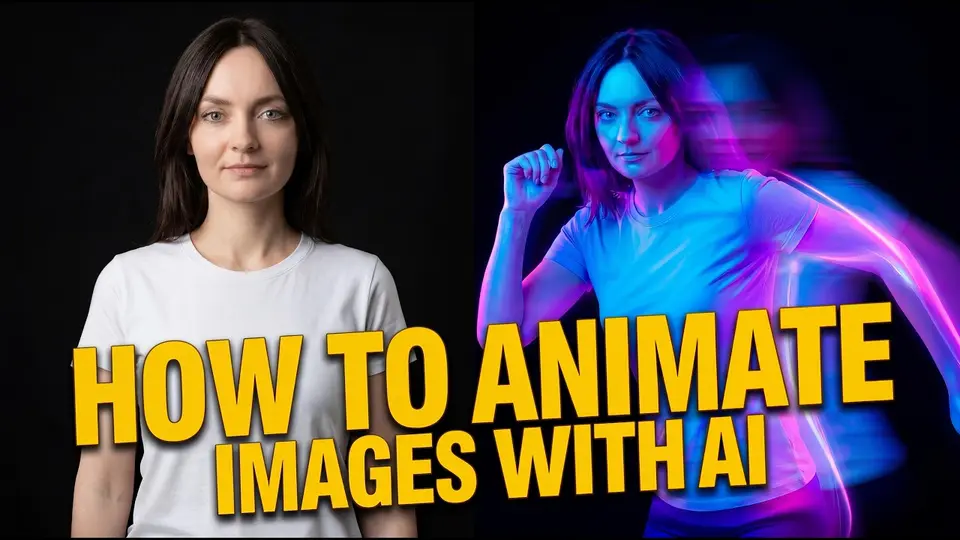 Play video: How to animate an image into video in getimg.ai
Describe the movement, not just the mood
A motion brief should explain what changes over time. “A gentle camera move toward the subject while the background stays calm” is more actionable than a string of style adjectives. Describe the camera, the subject and the environment separately when they need different behavior.
Keep the first attempt simple. A short controlled movement is easier to assess than a request for several scene changes, a complex character action and precise typography at once. State the most important constraint, then review whether the chosen model can deliver it. Do not assume every model interprets the same prompt in the same way.
If the image represents a real product, decide which elements must stay fixed. Motion that invents a moving part, changes the package or shows an unsupported capability can mislead a viewer. An abstract campaign concept has more freedom, but its context should still make clear what the viewer is seeing.
Choose the model for the actual clip
| Clip requirement | Check in the selected model | Why it matters |
|---|---|---|
| Duration and output size | Available length and resolution settings. | The destination may require a different configuration. |
| Controlled ending | Whether an end frame is supported. | The feature is not available in every model. |
| Source consistency | Supported reference inputs and their role. | An approved first frame does not guarantee unchanged later frames. |
| Budget | Displayed credits after selecting the actual settings. | A still-image cost is not a reliable price for motion. |
A model with the required framing and duration can be more useful than a model chosen only for its name. Match the tool to the job: a subtle campaign loop, a short transition and a more elaborate animated scene place different demands on generation. Inspect the displayed credit cost after setting the intended options.
Subscription access also matters. The getimg.ai pricing page lists selected models on Entry and all models on Core and the higher tiers. When a new video model arrives, such as the Kling 4 update covered in the Kling 4 on getimg.ai checklist, check its plan access and displayed credit cost before moving a project to it. Confirm that the model you need is available on the plan you intend to use. A large credit balance cannot solve a missing entitlement.
Budget for a controlled number of attempts
The FAQ says action costs vary by model and settings and are shown before generation. Set a limit for the first exploration round, then decide whether the result deserves refinement. Treat a revised prompt or another model as another planned action, rather than an invisible extension of the first attempt.
Keep the accepted clip and its discarded attempts in the same production note. Record the selected model, the important settings, the displayed action cost and the reason for the final choice. That helps the next project start from an informed brief, even when the model catalog or prices later change.
Web subscription credits and API spending are separate. The FAQ describes the API as separately priced rather than included in the web subscription. If the eventual goal is automatic clip generation inside another system, evaluate that integration and its costs independently from an editor’s browser-based workflow.
Review the whole motion, not only the opening
Watch the clip from beginning to end several times. Inspect whether the subject changes shape, a label becomes unreadable or an object appears unexpectedly. Pay attention to transitions and the final frame. A convincing first second does not establish that the rest of the clip remains suitable for the intended use.
Then view it at the destination’s actual size. On a phone, small details and overlaid platform controls can change the composition. If the clip is intended to loop, check the end-to-start transition. If it carries an instruction, confirm that the viewer has enough time to understand it without depending on sound alone.
Keep captions and other accessibility information tied to the content you actually publish. An informative video may need a text equivalent or captions for spoken content. A purely decorative motion asset should not obscure the page’s primary action or create a large download before the visitor needs it.
Export for the page, then test that page
Choose an export that suits the placement and optimize delivery without losing the required detail. Keep a useful still poster image so the page has a stable visual before playback. Reserve the intended space in the layout; the content below should not jump when the clip or poster finishes loading. If the clip needs trimming, captions or a title card before export, a desktop editor such as Filmora handles that step; the Filmora website product video guide walks through it.
Test the real page on desktop and mobile with an ordinary connection and a slower loading condition. Check playback, the poster, the text around the clip and the next action. For a campaign, keep the native link or button clear and usable; motion should support the message rather than replace the route the visitor came to use.
The final approval pass
- The first frame is permitted, accurate and suitable for the intended crop.
- The motion matches one defined purpose and preserves essential product or brand details.
- The selected model supports the required duration, resolution and reference options.
- The credit cost and number of attempts fit the production budget.
- The entire exported clip has been reviewed, including the final frame and any loop transition.
- The real web placement works on desktop and mobile, with a stable poster and an accessible next action.
Make movement earn its place
getimg.ai offers a practical route from a prepared image to a new motion asset. Its strongest use is a defined piece of visual work with an approved source, a small set of deliberate attempts and a clear review standard. Start with one useful movement, inspect the cost and result, then expand the process when it reliably serves the campaign or page. If the source frame has the wrong shape for the placement, getimg.ai Outpainting can widen it first, and the getimg.ai company guide summarizes the plans.
Prepare and review the source image · Understand subscription credits and annual cost