 Pagember

Choose Brizy Cloud if you want an all-in-one website builder with hosting included, so you never manage WordPress, plugins or a server. Choose the Brizy WordPress plugin if you already run WordPress, want full control of your hosting, or need WooCommerce and the wider WordPress plugin ecosystem. Brizy puts it simply on its pricing page: the WordPress plugin "needs to be installed on your own hosting plan," while Brizy Cloud "offers the same building tools as the WP version but also includes unlimited Cloud hosting." Agencies can white label either one, but the features differ. If you are still deciding between a hosted builder and WordPress in general, our website builder vs WordPress guide covers that choice first, and our Brizy company page gives an overview of the product.
Brizy Cloud vs Brizy WordPress at a glance
| Brizy Cloud | Brizy WordPress | |
|---|---|---|
| What it is | All-inclusive SaaS platform, hosted by Brizy | Installable WordPress plugin, hosted by you |
| Hosting | Included, on AWS with Bunny CDN | Your own hosting plan |
| Free option | 14-day free trial | Free plugin on WordPress.org |
| Sites per plan | 1 (Personal) or 10 (Agency, White Label), extra sites available | 1, 25, 50 or 100 PRO licenses |
| Domains | Custom domain, free brizy.site subdomain, GitHub hosts, Server Sync | Whatever your WordPress host supports |
| SSL | Included automatically on Brizy hosting | Set up by your host |
| Online store | Separate Brizy Shops plans | WooCommerce builder in PRO |
| White label | White Label plan: branded dashboard, domains and notifications | White Label plan: rename plugin, change logo, remove Brizy branding |
| Best for | Owners and agencies who want no server work | WordPress users and developers who want full control |
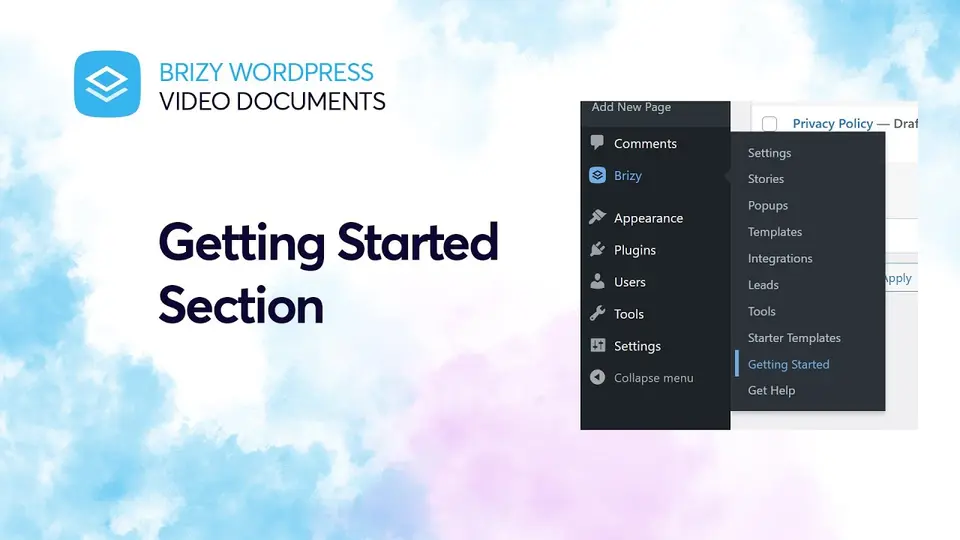 Play video: Getting Started Section | Brizy Video Documentation, WordPress
Brizy Cloud plans and what they include
These prices were shown on the official Brizy pricing page, checked November 17, 2026. Brizy notes that applicable taxes are not included. See every Brizy plan and its price in US$ on our Brizy pricing page.
| Plan | Monthly | Yearly | Websites included | Extra site |
|---|---|---|---|---|
| Personal | US$19/mo | US$190/yr | 1 | US$17/mo |
| Agency | US$69/mo | US$690/yr | 10 | US$12/mo |
| White Label | US$159/mo | US$1,590/yr | 10 | US$8/mo |
| Enterprise | Tailored pricing | Tailored pricing | Custom | Tiered discounts |
Every Cloud plan lists premium hosting on AWS, unlimited team members and the drag and drop editor. Agency and White Label add priority email support and 10 workspaces. White Label adds client management, the white label platform and client billing through a Stripe integration.
Brizy's hosting page lists unlimited storage, unlimited bandwidth, CDN and SSL, automatic backups that Brizy can restore from, and image optimization. A 30-day money-back guarantee applies to any purchase.
Brizy WordPress plans and what they include
The free Brizy plugin is listed on WordPress.org. As of November 17, 2026, the listing showed version 2.8.26 and 60,000+ active installations. It includes the drag and drop builder, a focused editing interface, mobile-specific edits, global styling, inline text editing and 4,000+ icons. The WordPress pricing page describes the free version as non-premium templates and basic functionality, with no credit card required.
Brizy PRO is sold as yearly plans on the official WordPress pricing page. See the price for each plan on the official page. The plan structure was consistent:
| Plan | PRO website licenses | Notable extras |
|---|---|---|
| Personal | 1 | All standard PRO features |
| Freelancer | 25 | Adds membership functionality |
| Agency | 50 | Adds priority premium support and WordPress Multisite |
| White Label | 100 | Adds white label features |
Standard PRO features include PRO designs, the pop-up builder, landing page builder, theme builder, WooCommerce builder, stories builder, marketing tools and premium support. If you stop renewing, Brizy says sites built with PRO keep working. You stay on the last PRO version you had, but PRO features are restricted and updates stop.
Check your server before you install. WordPress.org lists PHP 7.4 or higher, and the 2.8.25 changelog says Brizy now requires PHP 7.4 or newer.
See Brizy plans for both Cloud and WordPress.
Publishing and domains on Brizy Cloud
The Brizy publishing page lists four ways to publish a Cloud project:
- Custom domain: use your own domain with Brizy hosting, CDN and SSL included.
- Subdomain: a free address on brizy.site, which is handy for testing before launch.
- Third-party hosting: connect through GitHub to static hosts such as Netlify, Vercel and Render.
- Server Sync: send your project to your own server as a static site and keep editing in Brizy Cloud.
Personal includes 1 custom domain site, and Agency and White Label include 10, according to the pricing comparison. All plans include unlimited sites on the Brizy subdomain. You can also export a Cloud project as HTML.
Brizy does not sell domains, so buy one from any registrar first. To connect it, per the Add A Custom Domain help article:
- On your project thumbnail, choose Publish, then Custom Domain.
- Type the root domain without www and click Submit. Brizy shows the required records.
- At your registrar or DNS host, add a CNAME record with host www, pointing to your unique project address on brizy.site.
- Add an A record with host @ pointing to the IP address shown in the help article and in your Brizy dashboard.
- Delete any other A or AAAA records that point to other servers.
- If your DNS is on Cloudflare, turn off the DNS proxy for both records.
- Wait for the records to show in green under Current Data. SSL installs automatically and can take up to 24 hours to appear.
Setting up Brizy on WordPress
- Install and activate the free Brizy plugin from Plugins, Add New in your WordPress dashboard.
- If you buy PRO, log in to your Brizy account and download the Brizy PRO zip file. Do not unzip it.
- In WordPress, go to Plugins, Add New, Upload plugin, upload the zip and activate it.
- Copy your full license key from your Brizy account and activate it in WordPress.
- Connect your domain and SSL through your WordPress host, since Brizy does not host WordPress sites.
White label for agencies: Cloud vs WordPress
Both versions can carry your brand, but they work differently.
Brizy Cloud White Label. The white label Cloud page says you can replace the builder name, domain URL, support link, dashboard logo, subdomains and About link. Domain masking replaces the brizy.cloud and brizy.site domains with your own. Emails and notifications come from your chosen address. Hosting is included. On the pricing page, the White Label plan adds client management and client billing through Stripe, so you can charge clients from the platform.
Brizy WordPress White Label. The pricing page lists the ability to rename the plugin, change the logo and remove Brizy branding on the White Label plan. The WordPress white label page adds that clients only see your builder and that white label options are visible only in your current session. The pricing page lists these options under the White Label plan, which is the safe choice when rebranding is the reason you are buying. If you are weighing the Agency plan for white label work, ask Brizy's team which rebranding options it includes before you order.
- Sell sites plus hosting under your own brand
- Cloud White Label
- Bill clients monthly from the platform
- Cloud White Label (Stripe client billing)
- Rebrand the builder inside clients' own WordPress sites
- WordPress White Label
- Manage up to 100 WordPress sites with one plan
- WordPress White Label (100 licenses)
- API, SSO or on-premises hosting
- Cloud Enterprise
If Cloud White Label fits your agency, the 14-day free trial lets you set up a client workspace and a branded domain before you pay.
Troubleshooting
Custom domain is not loading
Check for leftover A or AAAA records pointing elsewhere, and for a second www CNAME. Brizy says you cannot have two www CNAME records. If you changed nameservers recently, allow up to 48 hours.
No padlock on the Cloud site
Per Brizy's SSL article, SSL is automatic for custom domains and subdomains, and can take up to 24 hours. It does not apply to Server Sync or HTML export, where SSL comes from your own server.
PRO license will not activate
Brizy's license troubleshooting article says to make sure the license is not already used on another site, and to open the full key in your account before copying. If the error continues, delete the old Brizy PRO plugin and upload the latest zip.
PRO features missing on a Multisite network
According to Brizy's Multisite article, the PRO license does not propagate to network sites. Generate a license for each site in your Brizy account and activate each one.
Building your first WordPress site? Our guide to starting WordPress without a paid page builder helps you decide when PRO features are worth adding.
Once you know which version fits, start with Brizy and pick the matching plan.
Common questions
Do Brizy Cloud and Brizy WordPress use the same builder?
Yes. Brizy says Cloud offers the same building tools as the WordPress version, with unlimited cloud hosting included.
Can Server Sync move my WordPress site into Brizy Cloud?
No. Brizy says Server Sync publishes a Cloud project to your own server as a static site. WordPress sites are database driven, so they are not compatible.
What happens if I stop paying for Brizy PRO?
Your sites keep working. PRO features are restricted and you no longer receive updates.
Is there a refund policy?
Yes. Brizy offers a 30-day money-back guarantee on any purchase.
Can I build client sites with Brizy PRO?
Yes. Brizy's pricing FAQ says building sites for paying clients is the exact purpose of Brizy PRO.