 Pagember

Our editorial view: start with WordPress's native editor for a straightforward blog or service website. Buy a paid page builder when you can name a requirement it solves, test that solution and justify the continuing cost.
If you already have a WordPress site, try Elementor Free on a staging copy. If your test shows you need a paid feature, compare Elementor Essential and Advanced Solo costs and check the renewal terms before buying.
Why we recommend starting small
A first website usually needs a clear home page, service information, contact details and useful articles. The difficult work is deciding what to say and how visitors will find it. Another editing interface does not make those decisions for you. Starting with fewer dependencies also gives you fewer subscriptions and tools to maintain.
The native block editor supports headings, paragraphs, images, lists and other content blocks. Patterns offer reusable layouts; a synced pattern changes across its uses. With a suitable block theme, the Site Editor can also expose templates and site-wide styles. Those capabilities are sufficient to prototype many simple pages.
Try this before purchasing
- Choose a theme appropriate for the website and verify the editing controls it actually provides.
- Build one representative page with the native editor. Use real copy, not a beautiful demo that hides weak content.
- Test the menu, contact path and reading experience on a phone. Save and reopen the page to check that another editor can maintain it.
- List remaining requirements. Separate an essential function from a preference about the interface.
In the WordPress version of Pagember, articles used native WordPress content blocks alongside a custom theme and a small plugin. That earlier setup was not built entirely in the Site Editor, and custom development was not free. It illustrates that a WordPress site can use editable blocks without buying a page-builder subscription.
What we tried in the native editor
On October 15, 2026, we built an unpublished service-page draft in our WordPress 7.1.3 installation. It used six top-level native blocks: two headings, three paragraphs and a list with three items. We saved the draft and checked its block list and editor previews.
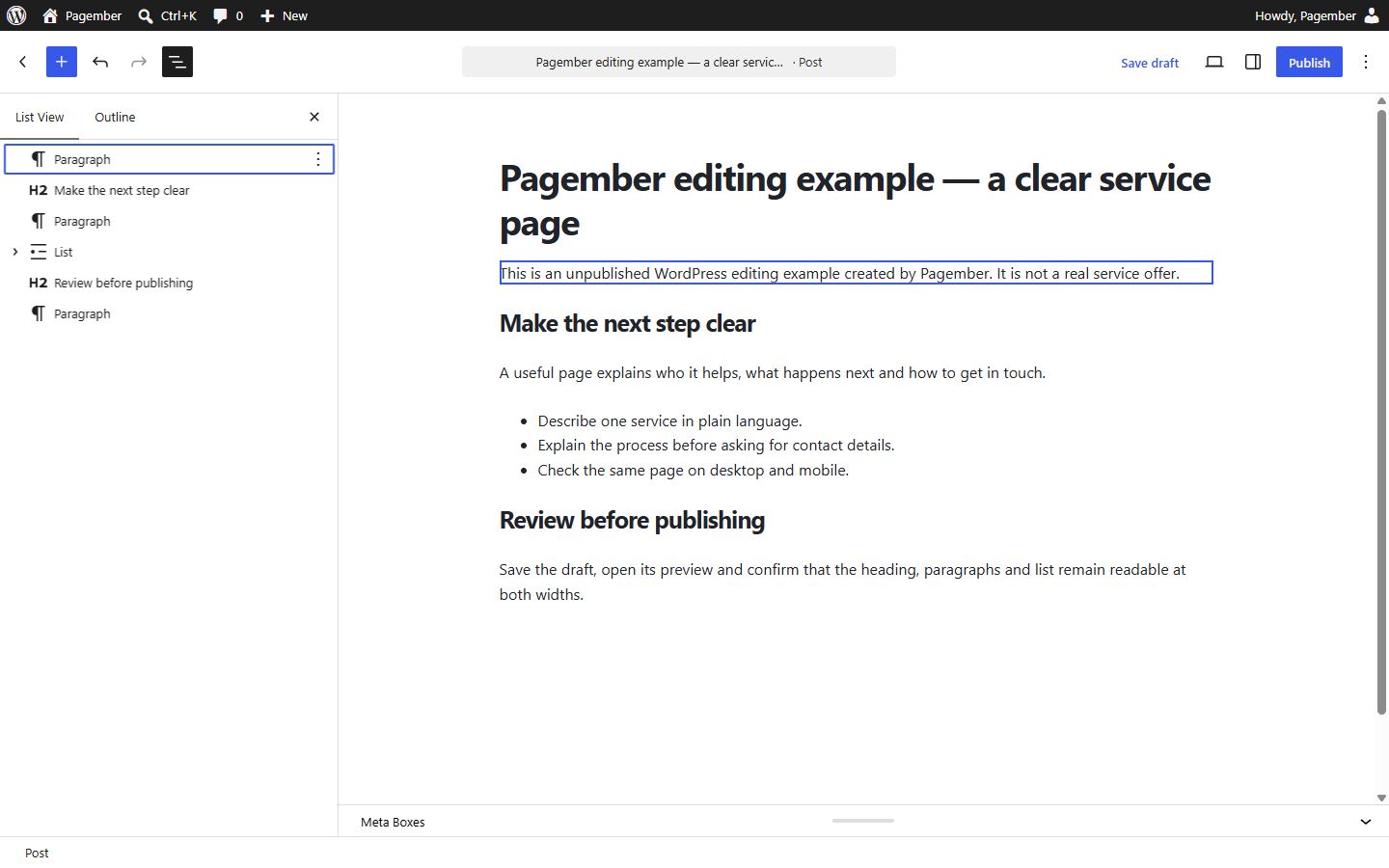
The headings, paragraph and list remained readable in the editor's desktop and mobile previews. The useful result is a concrete page you can prototype before buying an extra editor. This checks native editing and draft preview only; it does not compare commercial builders, hosting speed, accessibility conformance or visitor conversion.
When paying can be the better decision
A builder may be worthwhile for a team with an established workflow, a required component library or a landing-page requirement that its chosen theme cannot meet efficiently. Training and delivery speed can outweigh the license fee. Accessibility, performance and maintainability must be evaluated on the actual output, not inferred from a product category.
Elementor is a common next step because its free version already adds a visual drag-and-drop editor. Our guide to what Elementor Free can do shows how far it goes, and when to upgrade from Elementor Free to Pro lists the features that usually justify the paid plan.
Choose by the problem you need to solve
- Simple blog or brochure site
- Prototype with native blocks and an appropriate theme.
- Team already maintains a builder-based site
- Evaluate the cost and disruption of changing before rebuilding.
- A specific required feature is missing
- Test a focused tool against that requirement.
- No one can maintain the site
- Consider support or a managed platform, not just another editor.
Compare the continuing cost
Ask what renews, how many websites the license covers and what happens after cancellation. Include theme costs, paid add-ons and the work of keeping the site supported. Do not assume content remains portable or editable after removing a builder: test a representative page in a private copy and read the current license terms.
This is a requirement-based recommendation, not a speed ranking: a poorly built native page can be slow too. Buy a builder for a requirement you have tested, not because a demo looks impressive.
If you want less administration
If running WordPress itself is the problem, a hosted website builder may fit better than adding a WordPress editing tool. Compare website builders with WordPress on ownership, ongoing cost and responsibilities. The right decision can be to buy a managed solution; the point is to pay for a problem you understand.
