 Pagember

A useful price calculator shows how a result follows from the customer's inputs. It should also show what it cannot know. A precise-looking amount produced from missing assumptions can mislead more effectively than a simple price range.
Before building anything, write the calculation in plain language and work it out manually. If you cannot explain the inputs and exclusions, a more polished interface will not make the estimate trustworthy.
Choose a calculation that fits the service
A calculator is useful when relevant variables are sufficiently predictable: a base charge plus a known quantity and optional extras, for example. It is less suitable as a final price when site conditions, unseen work or bespoke requirements materially change the job.
If the price is a fixed package, list it instead; if it is a custom quote, use an inquiry form. A calculator sits between the two: it turns known rates into an estimate, and this guide covers how that calculation should behave once the pricing model is set.
Use a complete hypothetical example
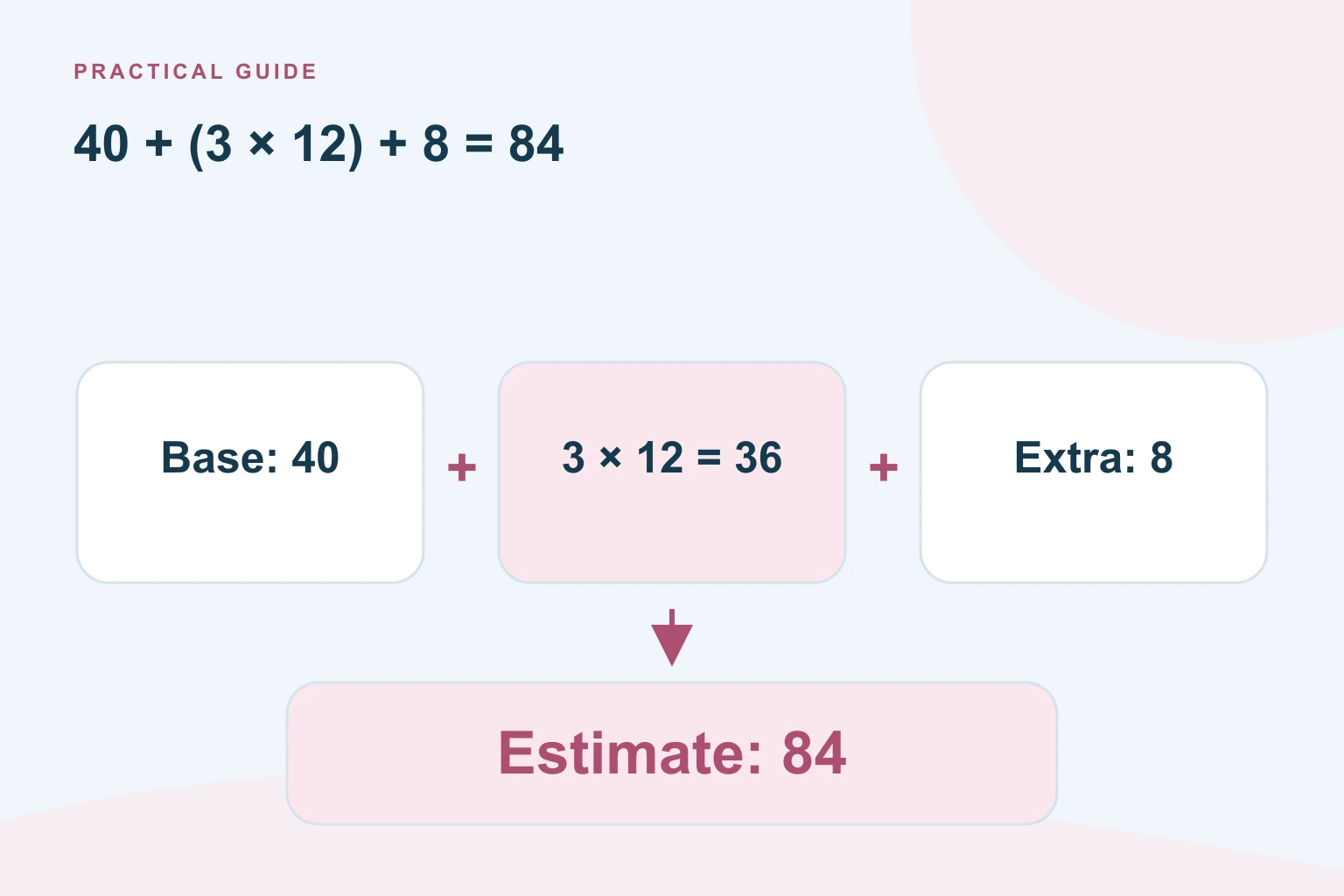
Imagine an invented service with a base preparation charge of 40 currency units, 12 per item and an optional proof copy costing 8. For three items with the proof, the illustrative subtotal is 40 + (3 × 12) + 8 = 84.
- Quantity: 3
- Three whole items, not three hours or three square meters.
- Base: 40
- Applied once to this job.
- Items: 3 × 12 = 36
- The stated per-item amount multiplied by the valid quantity.
- Optional proof: 8
- Included once because the option is selected.
- Estimated subtotal: 84
- Delivery and any other uncalculated charges must be identified separately.
These are hypothetical teaching values, not a real offer or tax calculation. If delivery depends on an address, do not silently treat it as zero. Say Not included: delivery requires a destination, or calculate it through a verified supported method.
Make the units impossible to miss
Label quantity with what it counts. If a service prices by area, explain whether the user enters dimensions or a calculated area and keep the units consistent. Do not multiply centimeters as though they were meters.
Use a sensible allowed range and step for the actual product. A count of 2.5 chairs is invalid even though 2.5 is a number. An empty field should mean missing information, not automatically zero cost.
Define invalid and unknown states
Decide what happens for a blank quantity, zero, a negative value, an unsupported size and an option requiring manual review. Explain the correction beside the relevant field. Do not keep showing an old successful total as though it describes the new invalid inputs.
W3C WAI's notification guidance recommends clear outcomes and useful correction instructions. A visual color change alone is not an adequate explanation of why a result cannot be calculated.
Test keyboard operation, narrow screens and the way a changed result is communicated to assistive technology. Our accessible-form guide covers those interactions.
Explain what kind of amount this is
Use wording consistent with your actual service agreement. Do not place Fixed price above a result and then bury substantial unknown charges in a footnote.
Citizens Advice distinguishes quotes and estimates in its guidance for home-improvement disputes in England. That specific legal context should not be generalized to every country or service, but it shows why the terms and agreed scope matter. Wherever you trade, label the calculator result as an estimate unless your terms make it a binding price.
Build the calculator in a form plugin
On WordPress you rarely need custom code for this. WPForms offers a Calculations addon that turns form fields into a live formula, so the example above becomes a short build:
- Add a Number field labeled "Number of items" with a minimum of 1 and whole numbers only.
- Add a Checkbox or Dropdown for "Proof copy", with the option carrying its price.
- Add a calculated field that adds the base charge, multiplies the quantity by the per-item rate and adds the proof option when selected.
- Label the result "Estimated subtotal" and add a fixed line under it: "Delivery not included".
- Keep the name and email fields after the result, so the inquiry arrives with the quantity, options and estimate already filled in.
Check which WPForms license includes the Calculations addon on its pricing page; our WPForms Lite vs paid comparison explains how entries are stored on each plan. Test the reference cases below on the published form before linking to it.
Preserve the inputs when someone asks for a quote
If the next step is a request, include the chosen quantity, options and calculator version in the appropriate inquiry record. Confirm what will be sent and avoid collecting unnecessary personal details just to reveal an estimate.
Our quote-request guide helps gather unresolved scope, and the guide to preparing a website quote request shows the buyer's side. Do not make the customer retype a long configuration without a reason.
Check the calculation after every rate change
Keep worked reference cases: one item without extras, several with an extra, the maximum allowed amount and invalid inputs. Compare results manually, including rounding and any verified tax treatment. Update public explanations when the pricing model changes.
Publish when the result, its assumptions and the next step agree. A calculator earns its space by reducing a specific uncertainty; it should not disguise unknown work behind a large confident number.