Pagember

Shared hosting and managed WordPress hosting describe different things. Shared describes the use of server resources by multiple customers or sites. Managed WordPress describes a package of services intended to reduce the work of running WordPress. A plan can be both shared and managed.

The decision is therefore not simply “cheap shared plan or powerful managed plan.” Compare the infrastructure, the work the provider actually accepts, the restrictions and the price commitment of the specific plans under consideration.
Two labels, two different questions
For infrastructure, ask: how are resources allocated, and what happens when usage increases? AWS describes shared hosting as multiple websites sharing resources such as CPU and memory. That tells you something about the environment; it does not tell you whether the provider updates your plugins.
For management, ask: which tasks will the provider carry out, on what schedule, and with what recovery process? A WordPress-focused offer may include automated updates, backups, caching or WordPress-specific support. None of those words defines a universal contract.
Shared describes how infrastructure is allocated; managed describes work supplied under the service contract. Both descriptions can apply to one plan. Read the actual operating scope instead of assuming that a shared service leaves every task with you or a managed service handles every application change.
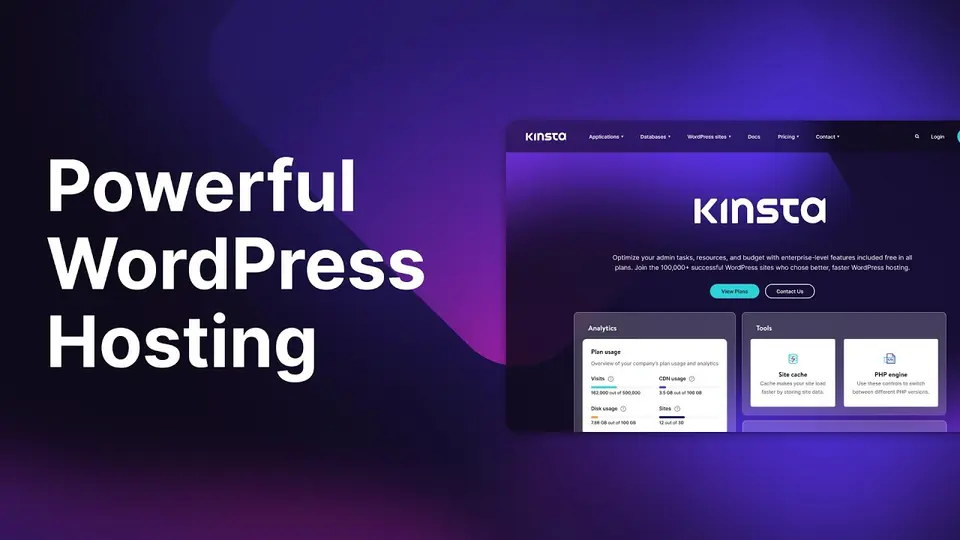 Play video: Kinsta's Managed WordPress Hosting
Compare responsibilities before specifications
| Area | What to verify | Why it changes the decision |
|---|---|---|
| Updates | Core, plugins and themes; schedule; exclusions; rollback help | “Automatic updates” may cover only part of your installation |
| Backups | Frequency, retention, included data, manual snapshots and restore access | A backup label says little about the version you could recover |
| Support | Covered problems, channels, hours and escalation | Server support is different from repairing custom code |
| Resources | Usage definitions, limits, overages and upgrade path | A management service does not remove capacity limits |
| Restrictions | Allowed plugins, server access and caching requirements | Your intended workflow may depend on something the platform excludes |
| Exit | Files, database exports, backup download and migration help | Convenience now should be weighed against the work of moving later |
Use the same site requirements for both offers. Comparing a single-site plan with a multi-site plan, or a basic backup service with a longer-retention add-on, can make the result look more decisive than it is.
| Example | Type | Who it suits |
|---|---|---|
| UltaHost shared hosting | Shared, managed through a control panel | A small site whose owner is happy to run updates and checks |
| hosting.com | Shared plans and a separate managed WordPress platform | An owner who wants to start shared and move up within one provider |
| Kinsta | Managed WordPress | A site where downtime costs money and the owner wants the host to handle backups, caching and WordPress support |
For a worked example of the choice inside one provider, see hosting.com shared or managed WordPress.
Updates and backups need an actual workflow
WordPress recommends a backup before updating so there is a recovery option if something goes wrong. Its update documentation is a reason to ask about recovery, not proof that every hosting plan supplies it.
For a documented managed example, Kinsta describes daily automatic backups and staging. Check retention, restore access and plan scope in its current documentation. Those features do not establish that every recent order or external system is covered, or that a restore has been rehearsed for your site.
Think about an original scenario: a small association publishes a new event timetable at lunchtime and an evening update breaks the site. A daily copy made before lunchtime would not contain the new timetable. The association needs to know whether it can make a fresh checkpoint before changing software and whether restoration would replace later content. The right workflow depends on how much work it can afford to lose.
Do not assume that an automated update has been functionally tested against every feature on your site. Ask whether the service checks the important pages, whether it detects failures and what you are expected to verify afterwards.
Managed services still have limits
A managed environment may reduce configuration freedom. Check your essential plugins, caching and backup integrations against the selected host’s supported setup before moving. A plugin available for WordPress is not automatically supported by every hosting service.
The trade-off is not inherently bad. A provider can make a more controlled environment easier to support. But if your site relies on a particular plugin or server-level customization, that convenience may cost you time in redesigning the workflow.
Check the WordPress requirements separately from any service claim. “Supports WordPress” establishes a compatibility question. It does not establish responsiveness under load, support quality or the absence of downtime.
Who may benefit from more management?
Consider paying for defined management services when the site matters to your work, you lack a reliable maintenance process and the included tasks directly address that gap. Before deciding, write down the tasks you are currently avoiding and ask the provider to map them to its service.
A community editor who can write articles but cannot diagnose a failed update may value a clearly documented restore process and WordPress-specific assistance. A developer maintaining a simple personal site may already have an update and backup routine and may value flexibility more.
When a managed plan may add little value
You may not need an additional managed package if your present plan already covers the necessary tasks, someone reliable handles maintenance, or your website is sufficiently simple that you can perform those tasks comfortably. You also do not need WordPress hosting merely to use a hosted builder that runs its own platform.
Do not downgrade a critical site just because its current traffic is small. A low-traffic booking form can be more important to its owner than a busy hobby blog. Conversely, do not buy a higher tier solely because “managed” sounds safer. Identify the consequence of a failure and the support you would actually need.
Make the decision with a short comparison
- List the site's essential plugins and functions.
- Confirm both plans support the same requirements.
- Record exactly who owns updates, backup checks and restores.
- Read resource and support exclusions.
- Compare the amount payable now, renewal term and optional add-ons.
- Choose the plan whose documented service fits the maintenance you need.
Use the hosting checklist for the broader offer questions, and the website approach guide to separate a hosted editor from self-hosted WordPress.
If you already run a live site, ask each shortlisted host what it will copy and what happens to updates made during the move. Use the WordPress migration checklist to compare those answers. Add the first bill and renewal to the small-website budget before comparing the plans.
Based on official provider and WordPress documentation reviewed on October 6, 2026.