 Pagember

Decktopus can provide a useful bridge between a document people need to understand and a presentation that helps them learn it. The aim is to identify the important actions, explain their order and keep the source conditions intact while giving the presenter a clear teaching sequence.
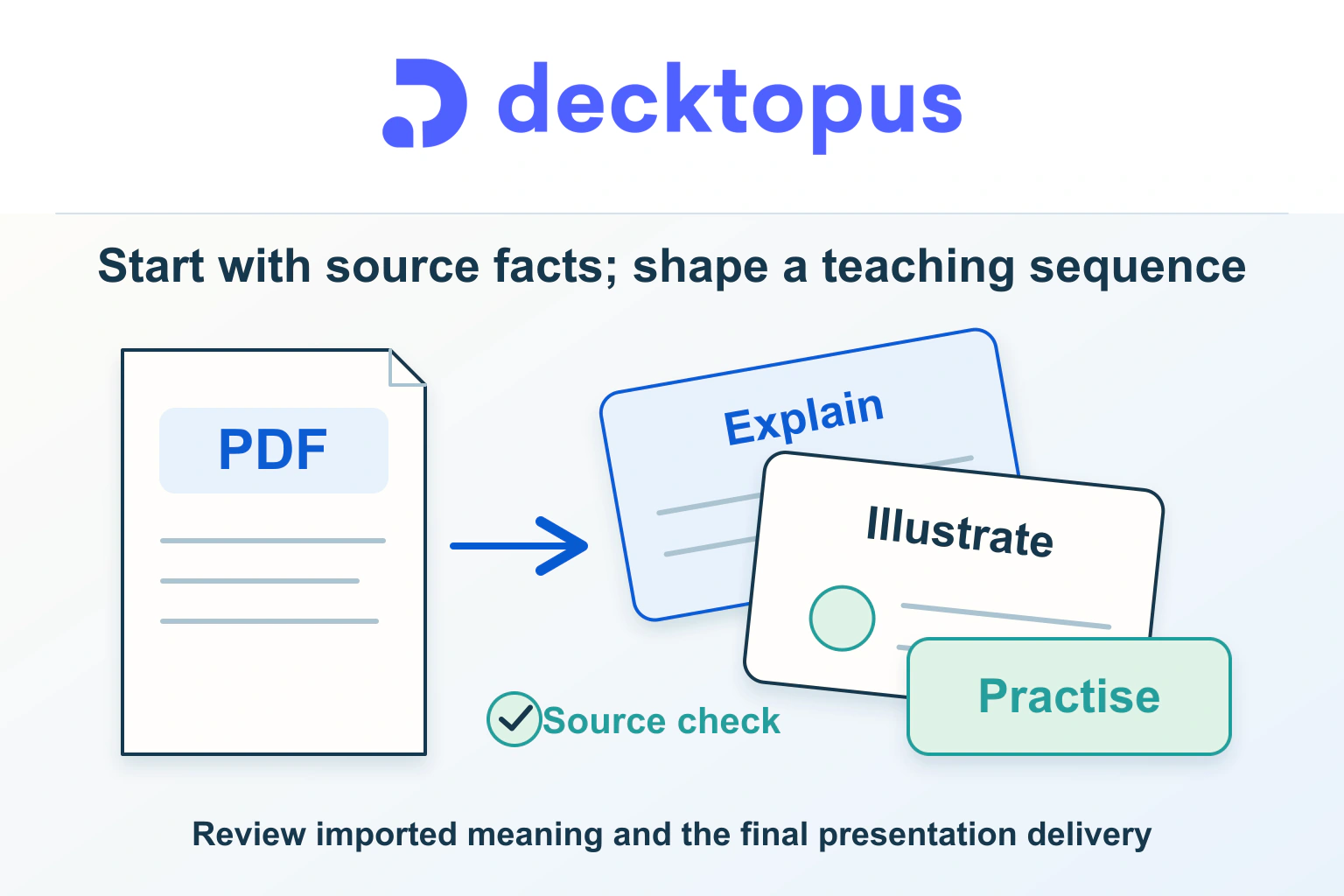
Imagine a community workshop with an approved PDF handbook for new volunteers. The handbook explains arrival, equipment checks, incident reporting and closing the workspace. The coordinator wants a short induction deck, while retaining the handbook as the authoritative reference. This proposed workflow keeps those roles separate.
Choose an approved source and a specific learning outcome
Record the handbook’s version, owner and publication date. Confirm that the team may upload and reuse the material, and remove private information that is unnecessary for training. A presentation is easier to maintain when its source is a known document rather than several unexplained copies.
Define what the learner should be able to do afterward. For the workshop, the outcome could be following the opening checklist and knowing when to stop and contact the coordinator. That is more useful than asking for a general summary of the handbook.
Identify the source passages supporting each outcome. Keep a short page-reference list for the reviewer. If a rule is unclear in the source, clarify it with the owner before asking the presentation to explain it more confidently. Generation should not turn an ambiguous process into an invented instruction.
 Play video: How to Import a PDF to Create a Presentation in Decktopus AI
Use the document as a resource rather than an assumed replica
Decktopus’s resource workflow starts with Create with AI, attaching a file and selecting Use as a resource. The prompt specifies the focus, followed by a style choice. The generated deck opens for refinement with AI or manual text editing. This creates a new presentation from the resource; it is not a promise to reproduce every source detail.
For the handbook PDF, confirm that the account accepts the file and that its important contents are available in the resulting draft. An unreadable scan, a complex diagram or an unusual table deserves a specific check. Do not assume that the successful attachment of a file establishes complete extraction.
Give a narrow brief: prepare an induction for first-time volunteers, preserve the stop-and-contact conditions, include a simple example and finish with where to find the full handbook. Then check the draft against each of those requirements.
Review the learning sequence before generating slides
Decktopus provides an outline review before slide generation. Its documented controls let the editor reorder, rename, duplicate and remove slides, inspect their detail and then generate the presentation. This is a useful checkpoint for deciding what belongs in the lesson before polishing the full deck.
For the workshop, propose an order that follows the learner’s journey: arrival, permitted preparation, the equipment check, what to do when a check fails and closing. Put a warning beside the action it qualifies rather than in a distant final slide where the learner may miss it.
Check that every required outcome has a place in the outline. Remove decorative repetition and keep one clear purpose per slide. If a page of the handbook contains both a routine action and an exception, decide explicitly how the deck will teach both.
| Handbook content | Training purpose | Review question |
|---|---|---|
| Arrival instructions | Show the first permitted action | Does the learner know where to start? |
| Equipment checklist | Teach the order of checks | Are the required steps preserved? |
| Stop-and-contact condition | Explain an exception safely | Is the warning beside the relevant action? |
| Closing procedure | Leave a clear completion state | Can the learner identify what is finished? |
Check generated instructions against the source
Review the draft slide by slide with the handbook open. Pay particular attention to words such as must, may, before and only. A smoother sentence can still change a requirement. Keep a record of any correction that changes the meaning rather than only the typography.
Check images and diagrams separately from the wording. A generic equipment illustration should not be presented as the workshop’s exact operating setup. Use a permitted, relevant visual when physical details matter, and avoid adding labels that the approved source does not support.
Add a worked scenario that the coordinator can verify. For example, ask what a volunteer should do if the opening checklist cannot be completed. The teaching benefit comes from connecting the rule with a decision, while keeping the answer grounded in the handbook.
Choose delivery before the final design pass
Decktopus documents PDF, editable PPT and PNG export, with compressed and standard quality choices. Export requires a subscription and is described for Pro and Business plans. Confirm the available route in the account before making downloadable delivery part of the training promise.
A PDF handout, an editable slide file and a presentation shown by the trainer serve different purposes. Choose which is required, who may change it afterward and whether learners need a separate text reference. A smaller download can be convenient, but inspect the legibility of the actual output before choosing it.
Keep the approved source and editable working deck accessible to the responsible team. A final handout alone is a weak maintenance record when the underlying procedure changes. Label the delivered edition so the coordinator can distinguish it from earlier drafts.
Reserve credits for teaching revisions. The help documents five per generated slide and five per AI edit. Approving the learning sequence first leaves more room to correct a difficult instruction without repeatedly rebuilding the entire presentation.
Rehearse the real lesson and inspect the exported file
Open the exported file in the environment where it will actually be used. Check slide order, text wrapping, diagrams and any included links. Review small labels at the expected viewing size. Do not infer that a good editor preview establishes the same result in a downloaded file.
Ask a colleague unfamiliar with the handbook to explain the opening sequence and the exception route using the deck. Record which slide caused hesitation. Improve the explanation rather than simply adding more slides.
The Decktopus pitch-deck guide shows how to keep a master deck with change notes when a presentation is revised often. Apply the same ownership discipline here, while keeping instruction and persuasion as different editorial jobs.
Maintain a clear source-to-training relationship
When the handbook changes, identify the affected slides and review the corresponding examples, handout and downloadable file. Retire outdated copies through the team’s ordinary distribution process. A new source version should trigger a targeted review, not automatic regeneration without checking what changed.
A pitch deck follows a different kind of narrative. For training, the strongest story is the learner’s path from a real situation to the right action.
Decktopus is appealing for this job because resource-based generation and an editable outline can make the preparation process easier to organize. Keep the handbook authoritative, review the generated content and check the final delivery. The Decktopus company guide summarizes the plans, including which ones include export.