Pagember

A good pitch deck makes an unfamiliar business understandable and helps the audience decide what to do next. Decktopus offers an AI-assisted route from a topic, draft or uploaded material to an editable presentation. Its useful role is to shorten the distance between a clear brief and a deck the presenter can refine and deliver. See every Decktopus plan and its price in US$ on our Decktopus pricing page.
The story still comes from the business. A hypothetical service company seeking a distribution partner has different evidence and a different next step from a founder raising investment. This guide uses that service-company example to explain a practical workflow.
Begin with the audience's decision
Write the desired decision before opening a slide generator. In the example, the audience should agree to a small distribution pilot in one market. That specific request determines what the deck must explain: the customer need, the service, why the partnership is practical, what the pilot requires and how success will be reviewed.
List what the audience already knows and what is unfamiliar. A distribution partner may understand the market but need evidence that delivery and support can work. Give those questions room in the outline. Avoid spending half the presentation on a company biography while leaving the proposed operating model to one crowded final slide.
Prepare an evidence pack with approved figures, named sources, relevant product screenshots and images you may use. Label assumptions as assumptions. If the company has no measured result for a claim, the deck should describe a proposal or hypothesis rather than inventing a number to make the story feel complete.
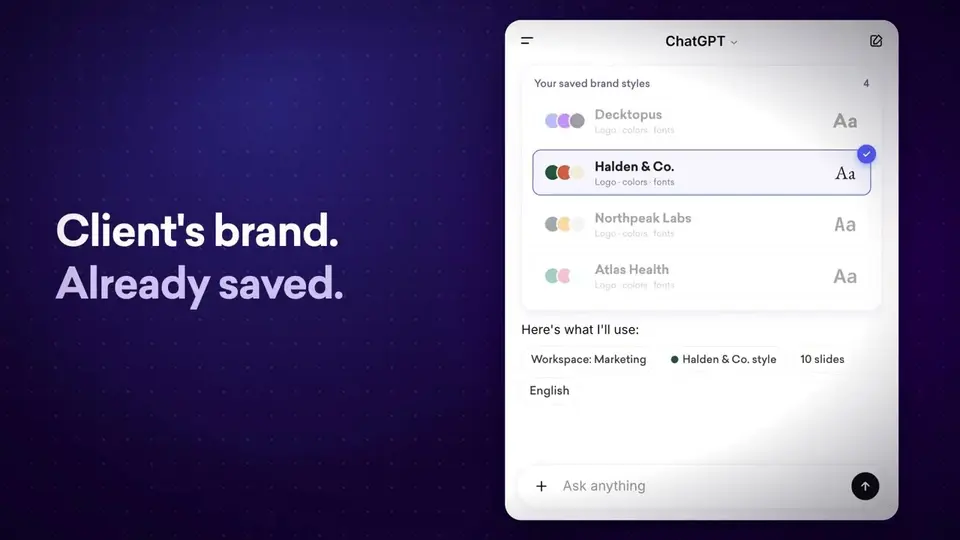 Play video: Turn a ChatGPT Proposal Into a Branded Deck | Decktopus AI in ChatGPT
Create a short narrative before generation
Filled eight-slide brief: a website-care distribution pilot. A hypothetical service company wants a local agency to try distributing its maintenance service. The proposed pilot lasts six weeks and is limited to five eligible client websites. These are planning assumptions, not existing customers, signed commitments or measured results.
Give Decktopus this outline with the approved service notes. The titles should tell a connected story even before the supporting material is added.
- The need: "Clients need a clear owner for routine website care." Describe the customer question the pilot will investigate; do not invent a statistic about how often it occurs.
- The offer: "One agreed care scope, with named responsibilities." Show the proposed maintenance tasks and identify work that needs a separate quote.
- The customer route: "The agency introduces; the service team checks fit." Explain that a referral is reviewed before a website enters the pilot.
- The delivery handover: "Record access, scope and the support contact before work starts." Supply a sample checklist, labeled as an example.
- The pilot boundary: "Six weeks, up to five approved websites." State that eligibility, charges and support terms still need agreement by both parties.
- The review: "Check ownership, completed tasks and unresolved requests each week." These are proposed review fields, not a promised improvement in revenue or response time.
- The stop condition: "Pause new referrals if responsibility or access is unresolved." Name who decides whether to resume and how existing client requests are handled.
- The decision: "Nominate one owner each and review the pilot terms together." Ask for that next step, rather than implying the meeting has approved a contract.
Keep client evidence and proposed process diagrams distinct. If the team has no permission to show a client screen or no measured baseline, use a clearly labeled process illustration and leave the result claim out. The deck can make a practical proposal without manufacturing traction.
Generate a draft, then edit the story
Decktopus documents input routes including a topic, pasted draft and uploaded file. Choose the route that best preserves the work already approved. If the figures and wording matter, provide a prepared source rather than asking a broad prompt to invent the business case.
Treat the first deck as an editable draft. Read the slide titles in sequence without the body text. They should communicate a coherent argument. Move, combine or remove slides that repeat the same point. Add missing context where the generated structure jumps from a problem directly to a purchase request.
Check every figure, customer reference and product description against the evidence pack. Decktopus describes redesign workflows intended to preserve supplied material, but that is not a substitute for reviewing the final presentation. The business owns the claims shown to the audience.
Design slides for listening and reading
Give a slide a clear title and one main visual or argument. Put supporting detail in a small number of readable elements. A presentation shown on a meeting-room screen should not require the audience to read a full policy paragraph while the presenter speaks about something else.
Review contrast, text size, alignment and visual consistency across the deck. A logo should have comfortable space and remain proportionate; it should not be stretched to fill a generated placeholder. Use a small set of styles so the audience recognizes headings, evidence and next steps without relearning the layout on every slide.
Test the actual delivery format. A live link, PDF and PowerPoint file can serve different purposes. The current Pro plan lists PDF, PPT and PNG export as well as live sharing. Open the exported file in the application and on the screen you expect the audience to use before calling it ready.
Rehearse the explanation, not only the clicks
Decktopus lists Loop delivery practice in its current Pro comparison. Rehearsal is valuable because it reveals where a slide needs a clearer transition or where the presenter has included too much detail. Practice the opening, the move into evidence and the final request as a connected conversation.
Time the presentation with room for questions. If the pilot request takes five minutes to explain, it probably needs a clearer operating model or a separate appendix. Do not solve every rehearsal problem by making text smaller. Remove material the audience does not need for the decision.
Ask a colleague to explain the proposal back to you after the rehearsal. If they cannot name the requested decision, revise the story. This feedback is more useful than asking only whether the slides look attractive.
Adapt the deck for repeat sales calls
Once the pitch works, the same story often becomes a sales deck that changes for each prospect. Keep a master version with the customer problem, the service, the implementation path and the next step, plus a separate library of optional slides. Product facts, plan names and commercial statements live in a source pack with one owner who approves changes.
- Keep stable: approved capabilities and limits, claim wording and its source, and the real delivery and approval process.
- Adapt for each prospect: the workflow example, which evidence appears, and the meeting purpose and participants.
- Check every variant: compare each rewritten product statement with the source pack. If a slide implies a service is included when it is quoted separately, correct it in the master too.
Pro lists version history, which helps you trace revisions, but add a short change note naming the audience and the edits so everyone knows which version is approved. When several people build variants, the Business Brand Kit and team workspace give them a common starting point. Budget credits for rewrites and discarded drafts as well as finished slides: ten generated slides and six AI edits come to 80 credits before any retries.
Choose the plan for production and collaboration
Decktopus’ pricing page checked on November 14, 2026 lists Pro at US$24.99 billed monthly, US$59.97 billed every three months and US$119.88 billed annually. The page lists 750 monthly AI credits. Check eligibility, tax and the full amount at checkout.
Business lists a team workspace, Brand Kit, custom domain, analytics and 1,000 monthly AI credits per seat. Read the per-seat Business price on the Decktopus pricing page for the billing period you want. Choose the team features when a team will actually maintain and reuse the deck.
Decktopus is a strong fit for businesses that know what they need to say and want help developing a finished presentation. The workflow succeeds when the brief, evidence and requested decision remain clear through generation, editing, rehearsal and final delivery. For a different source, the Decktopus PDF-to-training-deck workflow shows how to build slides from an approved document, and the Decktopus company guide summarizes the plans and features.
Plan revisions explicitly: generating a slide costs five credits and an AI edit costs five. A hypothetical eight-slide pitch and four AI edits use 60 credits for those operations. Other attempts are additional. Approving the outline first keeps the allowance focused on the intended story.