 Pagember

Chatbase is useful when a website visitor has a real question before they are ready to leave contact details. A thoughtful intake journey can answer the initial question, collect enough context for a relevant response and make the next step understandable. The opportunity is a better conversation, rather than a longer form disguised as chat.
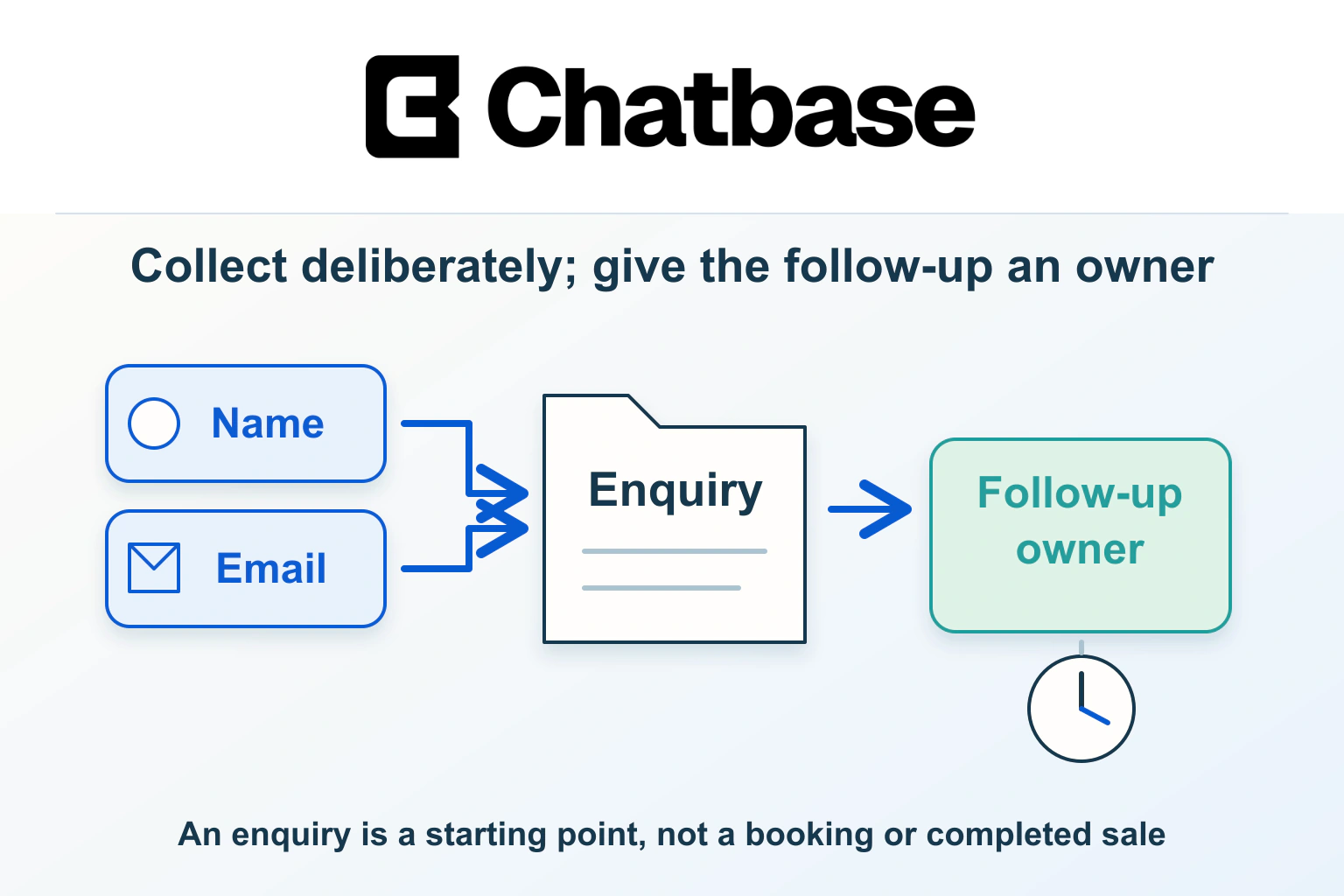
Imagine a design studio that receives inquiries about small website projects. One visitor wants to understand the studio’s process; another needs someone to assess an unusual requirement. Both deserve a useful answer, but only the second may need a personal follow-up. The proposed workflow below keeps that distinction clear.
Start with the follow-up your team can actually provide
Write down what happens after an inquiry arrives. In the studio example, a coordinator reviews the request and replies with either a clarification question or a suitable next step. Do not promise an immediate consultation if nobody is responsible for providing one. A modest, dependable expectation is more valuable than an enthusiastic promise that the team cannot keep.
Decide which information changes that response. A contact address, the requested type of work and a short description may be enough. An exact budget, postal address and phone number might be unnecessary at this stage. Make each proposed question earn its place by explaining how the coordinator would use its answer.
The Chatbase website-support workflow covers the underlying knowledge and answer preparation. Build this intake journey on approved service information, so the visitor receives useful guidance before being invited to continue with a person.
 Play video: Use This AI Chatbot To Collect Leads on Autopilot
Choose the capture mode around the information needed
Chatbase’s Collect Leads documentation distinguishes form and conversational capture. Form mode uses up to three identity fields: name, email and phone; it does not support custom fields. Conversational mode supports custom fields and gathers required answers before saving. Either email or phone must be enabled and required.
The action is configured under Build → Actions → Create action → Collect Leads. Its When to use setting describes the intended trigger. Optional fields do not block a conversational save. Those controls make it practical to match intake to the inquiry, while keeping a definite way to contact the visitor.
For the studio, propose conversational capture when a short project description matters to the response. Keep the request understandable: “Would you like someone to review this? We need an email address and a short description.” For a simple callback request, a compact form may be the more familiar choice. Choose according to the journey, not the assumption that conversation is always preferable.
Qualify the request without inventing the visitor’s situation
Qualification should clarify what the person wants. Ask one useful question at a time, and distinguish an explicit answer from an interpretation. “I am exploring options” is not agreement to purchase; “this month would be ideal” is not a confirmed deadline. Keep uncertainty visible for the coordinator instead of manufacturing a more attractive lead.
Draft a small question set for the hypothetical studio: what needs to change, whether a website already exists and what kind of next step the visitor wants. Let the person explain an unusual answer in their own words. A rigid assumption about project type can otherwise obscure the very detail that makes human review worthwhile.
Keep contact permission and purpose understandable. Explain that the address is requested for this inquiry, and do not quietly turn it into agreement to unrelated promotional messages. Avoid asking visitors to paste passwords, payment details or confidential customer records into the conversation. The useful lead is the smallest record that supports the promised response. The guide to chatbot prompt-injection boundaries covers what a public bot should refuse to do with that data.
| Visitor situation | Useful intake decision | Human follow-up check |
|---|---|---|
| Exploring the process | Answer the question before requesting contact | No sales commitment is inferred |
| Requests a project review | Collect contact and a short description | The coordinator can explain the next step |
| Needs an unsupported answer | Offer an appropriate support route | Uncertainty remains visible |
| Declines contact details | Keep useful public guidance available | No follow-up is promised |
Keep a lead separate from an escalation ticket
Chatbase’s Escalations action creates an asynchronous support ticket. For a native setup, enable Chatbase Helpdesk before selecting it as the ticket platform. Define when the action should run and which details it needs. The native destination receives an AI-written conversation summary; do not promise a full literal transcript or immediate live support.
In the studio example, an ordinary project inquiry can remain a lead. A visitor who needs help with an unresolved existing request may need a ticket instead. Decide this boundary before configuring triggers, so the same person is not sent through two unexplained intake journeys.
Give the ticket route an honest message: the request has been passed for review, rather than “your problem is solved.” The team should check whether the summary preserves the actual issue, attempted steps and unanswered question. A useful summary helps a person resume the work; it does not replace their judgment.
Verify the captured record before trusting the notification
Chatbase Activity contains conversation logs, triggered actions and collected leads. Custom lead fields appear as columns, and leads can be filtered by date and exported. That gives the coordinator a concrete record to review rather than relying only on what the chat appeared to promise.
Run a harmless pilot using details controlled by the team. Compare the visitor’s explicit answers with the saved fields and, where applicable, the support ticket. Include a visitor who gives all required details, one who stops early and one who changes their description during the conversation.
Check the human side too: who reviews the record, how they recognize an unresolved request and how they avoid duplicate replies. An alert is useful, but a delivered alert does not prove that a person understood the inquiry or answered it.
Collect Leads now documents an immediate email notification for each saved lead, separately from the daily digest. Choose the alert that matches the coordinator’s response process and test controlled details. Use the saved Activity record to verify what the visitor actually supplied.
Measure useful outcomes and improve the questions
For the pilot, keep three separate counts: relevant inquiries, records with usable contact details and completed human follow-ups. Investigate confusing questions and missed handoffs before trying to maximize the raw number of saved leads.
Review the Chatbase action-permissions guide before expanding from collecting information to performing account changes. For subscription selection, the Chatbase workload and plan guide helps frame the requirements; verify current availability for the account before adopting the workflow.
Chatbase’s attraction here is the combination of conversational intake and a reviewable follow-up route. Start with one clear inquiry type, verify that the coordinator can act on it and improve from real feedback. The Chatbase company guide lists the other Chatbase guides on Pagember.