 Pagember


Hosting.com Starter is an appealing starting point for a small business website, portfolio or growing collection of modest sites. The standard hosting offer combines a low introductory rate with room for five websites, domain email and daily backups. Its most useful feature for a buyer is the breadth of that starting package: you can plan a working website around it rather than beginning with a server and a long list of separate essentials.
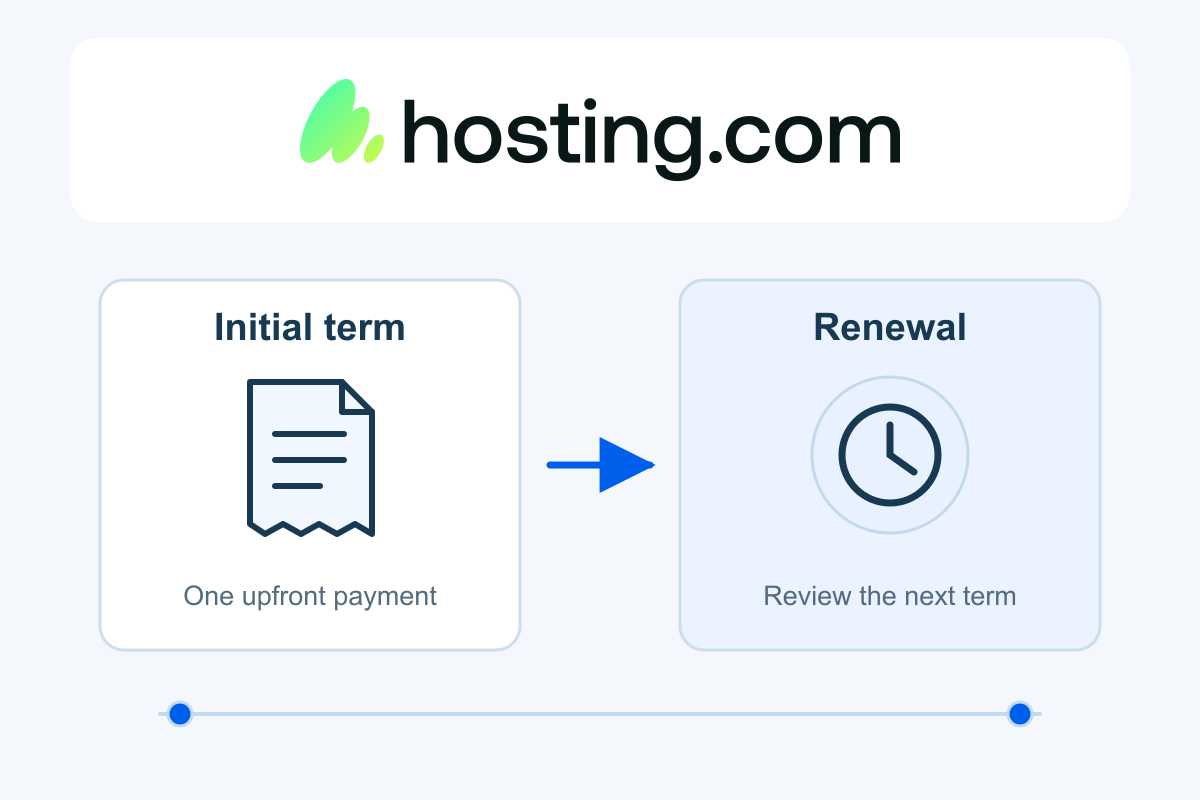
The budget decision starts with the amount due today. In the US-dollar offer checked on October 15, 2026, Starter advertised US$1.99 per month for a 48-month initial term, with an exact initial hosting amount of US$95.49. The listed renewal reference was US$13.99 per month. Offers change, so confirm the current total, tax, term and renewal in your own checkout; the Hosting.com company page keeps the latest recorded plan details.
The Starter price snapshot
- Advertised introductory rate
- US$1.99 per month equivalent
- Initial term
- 48 months
- Initial hosting amount
- US$95.49 upfront, before tax
- Listed renewal reference
- US$13.99 per month; confirm the next billed term
- Website allowance
- Five websites
- Storage allowance
- 15 GB NVMe
- Backups
- Daily backups, with a stated 30-day restore window
- Domain email included; check the selected plan’s mailbox details
These figures describe the standard hosting route linked from this guide. Hosting.com also sells a separate cPanel product with a Starter plan. The shared name makes the distinction easy to miss: the cPanel comparison listed one website for Starter, while the standard hosting offer listed five. Choose the product by its full feature list and control panel, not by the word Starter alone.
 Play video: When to Upgrade Your Hosting Plan
Read the upfront amount before the monthly headline
The upfront amount is what checkout charges for the term. For a new budget, use the full amount in the current order summary.
A four-year initial term can suit a website you intend to maintain for several years. You settle a defined part of the launch budget and can concentrate on the site, its content and attracting visitors. It deserves more thought for a temporary campaign or an idea you may abandon after a few weeks. First decide whether you need a durable business website, then decide how much hosting to prepay.
Keep the hosting payment beside the costs that make the site useful: a domain after any introductory registration period, paid themes or plugins you actually need, content production and maintenance. A low hosting total is valuable, but it does not replace those decisions. Equally, do not add services twice when the selected plan already provides a suitable included feature.
Make the five-site allowance useful
Five website slots give Starter more flexibility than a strictly single-site package. A business could use them for a main website and a separate small project, provided the combined workload fits the plan. The 15 GB figure is the plan’s storage allowance; it should not be read as 15 GB for each of five websites. Count your existing files and database sizes before moving a portfolio.
For a new information site, good image handling makes this allowance easier to use. Upload images sized for the page, keep source photography elsewhere and remove obsolete exports from the live account. Large videos, repeated backup archives and years of unreviewed uploads can consume storage without improving the visitor experience. Check how Hosting.com counts storage and what happens as you approach the limit.
The website count also does not promise equal performance for every possible set of five sites. A mostly static portfolio and a busy store place different demands on hosting. If you already run WordPress, review normal traffic, active plugins, database size and background jobs. Bring that short inventory to the provider when you need help choosing a tier.
What the included services change in your launch plan
The standard product page lists SSL, domain email, malware detection and removal, and daily backups. Those are useful components of a small-site package. They reduce the number of separate arrangements needed to get started, while leaving you with ordinary website responsibilities: suitable passwords, maintained plugins, a tested contact form and a clear way to recover your content.
A stated 30-day restore window is especially useful when a problem is noticed after the day it began. Before launch, find out how to select a restore point and whether files and databases can be restored together. Keep an independent copy of important content and confirm that a recovery produces a working site. A listed backup feature becomes much more valuable when the owner knows how to use it.
Included domain email can simplify a small operation that needs a few professional addresses. Check the mailbox count, individual storage and sending rules for the exact standard plan. If the business already uses a separate email service, map that arrangement before moving the website so you preserve delivery. Website hosting and email hosting can be managed as separate choices.
Plan the renewal while the introductory offer is clear
The renewal reference above is from October and may differ from your future invoice. Record the renewal amount and duration from the current order summary separately from the introductory rate. Before paying, confirm the renewal duration and the total for that duration in the selected checkout. Save the order summary and put the review date in your calendar.
Hosting.com’s billing policy describes automatic renewal. Check the next renewal date and cancellation route in the account rather than relying only on a reminder sent near expiry. A sensible review asks whether the sites still fit the plan, how much storage they use and whether the next term suits the business. The purpose is to make a deliberate renewal decision while there is time to act.
The product advertises a 30-day money-back offer. Read the current refund conditions for the services in your basket: the billing policy distinguishes hosting from items such as domain registrations and migration fees. Treat the initial period as time to complete setup and confirm the fit, not as a substitute for understanding the purchase.
Before you complete the order
- Confirm that the basket says standard hosting Starter, with the intended five-site allowance.
- Check the 48-month initial term and exact amount due, then inspect taxes and optional extras.
- Read the renewal duration and total, not only its monthly equivalent.
- Confirm domain registration eligibility, the later domain renewal price and who will control the domain.
- Match storage, email and backup details to the sites you intend to run.
- If moving a website, confirm migration scope and any exceptional cost before scheduling the move.
When Starter is a good fit
Starter is a convincing option for an owner who wants a broad small-site package, can use a long introductory term and is comfortable managing the website itself. Its five-site allowance adds room for a second modest project, and included email and backups make the package easier to plan. For an existing cPanel user, compare the dedicated cPanel product explicitly; a familiar management workflow may matter more than an extra website slot.
If hosted staging is essential, compare standard Pro or inspect the current managed WordPress range. The managed route is now a separate Rocket.net-based family; Hosting.com shared or managed WordPress compares the two, and the migration checklist covers moving an existing site. For Starter, open the current standard offer, confirm the basket and renewal, and select the term that fits the sites you will actually maintain.