
Generate candidates from a defined brief, preserve necessary context and approve the actual final exports.
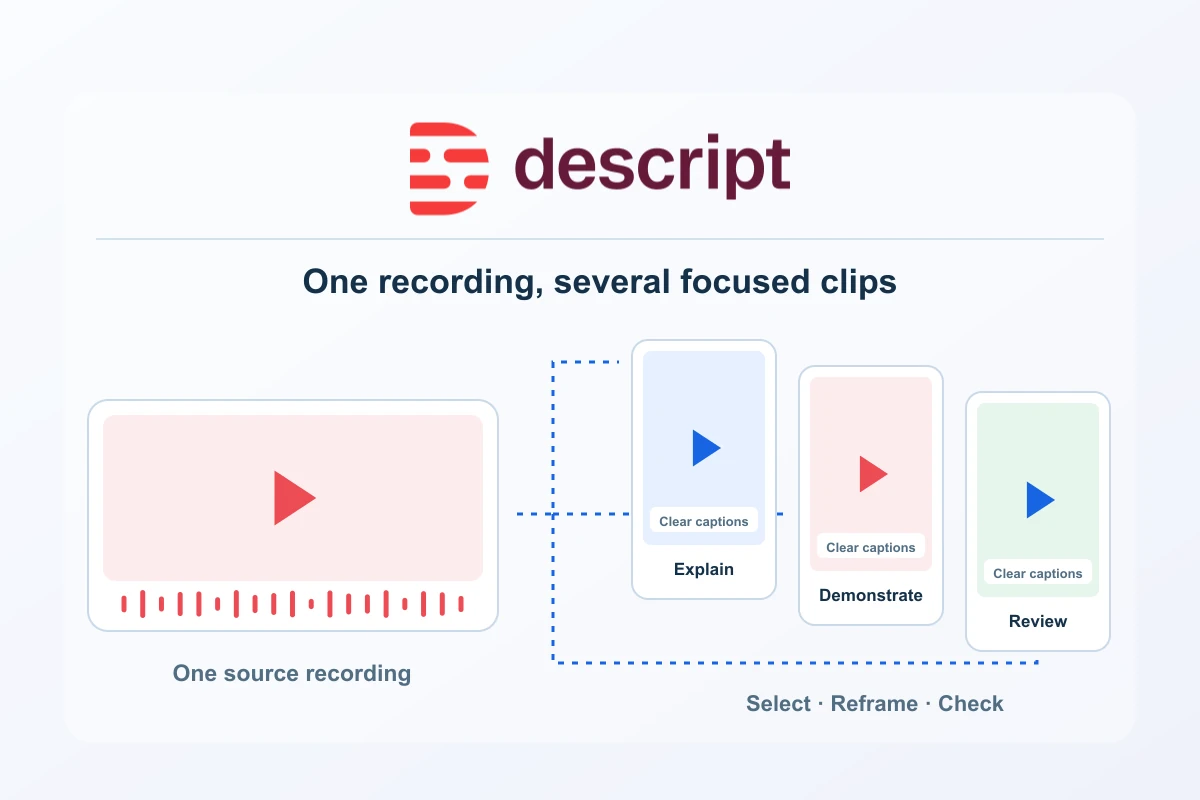
A long interview, webinar or product explanation often contains several useful answers that deserve a shorter format. Descript provides a documented Create clips workflow for finding candidate excerpts and turning them into editable compositions. The opportunity is to reuse strong material with purpose: one clear answer for one audience, with enough context to remain accurate outside the original recording.
This guide develops an editorial process for turning a longer recording into a small set of social clips. It covers selection, context, framing, captions and delivery. The workflow draws on official product documentation and original production guidance; it is not a hands-on account test, an engagement benchmark or a prediction of how a clip will perform. Use the process to build a result you can judge on its own merits.
Start with the job of each clip
Choose the audience and the question before asking for excerpts. A potential customer might need an explanation of one product benefit. An existing user might need a quick answer to a recurring problem. A specialist audience might value a particular method or qualification. These are different editorial tasks even when they all draw on the same recording.
Write a short brief for each desired clip: intended viewer, useful answer, necessary context and next step. Keep the next step proportionate. A short educational clip can lead to the full explanation, a relevant guide or a product page when that is useful. Giving every excerpt the same generic sales ending weakens the connection between the question and the destination.
Prepare a source that can stand behind the excerpts
Use material you have permission to edit and share, including the relevant speaker and media rights. Keep an original copy and a reviewable master composition. Check names, figures and any claim that might be affected by the cut. A short excerpt should preserve qualifications that are necessary to understand what the speaker means.
For example, a speaker might describe a feature available only on a certain plan. Removing the plan qualification could make a short clip more confident but less useful. Mark that dependency before selection. The same applies to dates, experimental results and examples that the audience could mistake for a general promise.
Generate candidates with a specific brief
The documented Create clips tool is in AI Tools under Repurpose. It accepts a number of clips from 1 to 20, a target length between 10 seconds and 5 minutes, an optional layout and optional selection criteria. Generated excerpts appear as separate editable compositions. Descript notes that very short source compositions may not provide enough material. See the current Create clips instructions.
Treat the output as candidates. A useful request specifies the subject and the kind of answer you need. For example: identify self-contained explanations of the onboarding problem, retain material qualifications and avoid excerpts that depend on an unseen slide. Those are editorial criteria, not a guarantee that automatic selection will satisfy every condition. Review each candidate against the source.
Select fewer, stronger excerpts
Watch a candidate without the surrounding webinar. Can a new viewer tell who or what the speaker is discussing? Does the first sentence establish a useful subject? Is there an actual answer before the clip ends? If any of these are missing, widen the cut, add honest context or choose another passage. A shorter duration alone does not make a better clip.
A practical review table keeps the decisions clear. Record why a candidate is useful, what context it needs and whether it is ready to edit. It also helps avoid publishing several excerpts that repeat the same answer with slightly different openings. A small purposeful set is easier to maintain and distribute than a large folder of nearly identical variations.
| Candidate | Useful purpose | Review question |
|---|---|---|
| Problem explanation | Help a new viewer recognise a relevant need | Does it name the situation without exaggerating it? |
| Practical demonstration | Show one achievable action | Can the important screen or movement be seen? |
| Decision criterion | Help someone compare a requirement | Are the necessary qualifications retained? |
| Short answer | Resolve one common question | Does the ending actually answer the opening? |
Adapt framing to the destination
A portrait clip needs a deliberate composition. Keep the relevant speaker visible and leave room for captions and any essential demonstration. When the source is a wide software recording, a narrow crop may hide the exact control the viewer needs. Consider whether the excerpt works better with a different layout, a shorter screen detail or its original landscape framing.
Preview at the approximate size of the final feed. Large-looking captions inside the editor can become cramped when a platform places controls over the video. Check that a face, cursor or meaningful screen label does not sit beneath those controls. Review the destination’s current format requirements when preparing the final file; a preset is a helpful starting point rather than a complete delivery check.
Keep the edit natural and the captions accurate
Listen across the beginning, internal cuts and ending. Removing a pause may help the pace, but leaving no breathing room can make an explanation difficult to follow. Preserve enough of the speaker’s rhythm for the passage to sound natural. If a candidate begins halfway through a thought, adjust the excerpt instead of relying on a dramatic title to repair missing meaning.
Check captions against the actual speech, including names, numbers and abbreviations. Use transcript correction for text errors; do not confuse it with replacing the spoken recording. Keep the caption style consistent across the set, with readable contrast and restrained line lengths. The purpose is to support understanding on a small screen, including when the viewer chooses to watch without sound.
Write packaging that matches the content
Choose a title or opening label that accurately describes the answer. A claim such as a complete setup guide is unsuitable for an excerpt that shows only one part of the process. A precise label also makes the clip easier to connect with a useful full guide on your website. Keep the landing page consistent with the promise made in the video.
Prepare a short description and destination for each approved excerpt. If the clip explains one step in a larger process, link to the relevant explanation rather than a general homepage. If it is a product demonstration, make the next action clear without implying a result the recording has not shown. Treat packaging as part of the editorial review, not a separate layer of promotional claims.
Budget the complete editing job
Clipping a source and revising candidates can involve both media allowance and AI usage. Check the current account Usage view for the work actually performed. Avoid estimating a production calendar from an obsolete fixed credit figure or from the first generated result alone. Include rejected candidates and necessary revisions in your own observed job record.
Choose the subscription from recurring source volume, actual editing needs and required delivery quality. A more expensive plan does not decide which excerpt is accurate or useful. A focused brief and a consistent review process make the available tool capacity easier to use well. The separate pricing guide explains the current plan references without treating credits as a guaranteed number of publishable clips.
Approve a small release set
- Verify that every excerpt is accurate when watched independently.
- Confirm the media rights and any speaker approval needed for the chosen use.
- Inspect framing, captions and sound in the actual exported file.
- Match the title, description and destination to the clip’s real answer.
- Keep the approved export and its relationship to the original source.
- Review the response before repeating the format across many recordings.
Descript offers a useful bridge between long spoken material and shorter editable outputs. Its strongest role is supporting selection and production while you supply the audience, context and final judgment. Start with a small set of distinct answers, make each one readable and let the content earn its place in the release calendar.
Compare plans, seats and usage budgets · Prepare a focused screen tutorial
Costs alongside this guide
Published USD monthly prices per editor for Hobbyist, Creator and Business. Annual references are prepaid and separate; confirm media hours, AI credits, editor count, tax and current checkout terms. Descript bills in USD, including European payment methods.
Monthly plans for this workflow
USD · US / global observations

Descript · Hobbyist — monthly · per editor
- Initial term & commitment
- Initial term amountUS$24.001 month termPublished standard monthly USD subscription rate per editor, prepaid each monthly cycle.
- Renewal
Check local tax at checkout
Price observed 2026-10-16
Plan details & sources
Individual tutorials, interviews and straightforward video editing.
10 media hours and 400 AI credits per editor per month; 1080p watermark-free export. Check consumption against actual imported or recorded source material.
Choose another option if: Count every paid editor and the source-media workload. AI allowances are not unlimited and do not guarantee a number of finished videos.
Descript bills in USD, including European payment methods. No official EUR tariff or billing-country tax amount is inferred. · Check local tax at checkout
Renewal: Current standard subscription reference, not a guarantee of a future renewal price. Check the full subscription and cancellation conditions at checkout.
Check local tax at checkout
Prices checked 2026-10-16Official price source ↗Observed 2026-10-16
Official price evidence ↗Descript · Creator — monthly · per editor
- Initial term & commitment
- Initial term amountUS$35.001 month termPublished standard monthly USD subscription rate per editor, prepaid each monthly cycle.
- Renewal
Check local tax at checkout
Price observed 2026-10-16
Plan details & sources
A recurring content workflow needing more source-media capacity, AI allowance and 4K export.
30 media hours and 800 AI credits per editor per month; 4K watermark-free export. Up to three editors, each billed separately. Eligible paid top-ups remain separate.
Choose another option if: Count every paid editor and the source-media workload. AI allowances are not unlimited and do not guarantee a number of finished videos.
Descript bills in USD, including European payment methods. No official EUR tariff or billing-country tax amount is inferred. · Check local tax at checkout
Renewal: Current standard subscription reference, not a guarantee of a future renewal price. Check the full subscription and cancellation conditions at checkout.
Check local tax at checkout
Prices checked 2026-10-16Official price source ↗Observed 2026-10-16
Official price evidence ↗Descript · Business — monthly · per editor
- Initial term & commitment
- Initial term amountUS$65.001 month termPublished standard monthly USD subscription rate per editor, prepaid each monthly cycle.
- Renewal
Check local tax at checkout
Price observed 2026-10-16
Plan details & sources
A production team needing the listed capacity and reusable Brand Studio assets.
40 media hours and 1,500 AI credits per editor per month; up to five editors, each billed separately. Brand Studio is included; Enterprise administrative restrictions are not assumed.
Choose another option if: Count every paid editor and the source-media workload. AI allowances are not unlimited and do not guarantee a number of finished videos.
Descript bills in USD, including European payment methods. No official EUR tariff or billing-country tax amount is inferred. · Check local tax at checkout
Renewal: Current standard subscription reference, not a guarantee of a future renewal price. Check the full subscription and cancellation conditions at checkout.
Check local tax at checkout
Prices checked 2026-10-16Official price source ↗Observed 2026-10-16
Official price evidence ↗Recorded prices can change. Check eligibility, taxes and the current full bill with the provider. Different currencies and services are shown separately.

Sources and verification
Editorial review 2026-10-18. Source check dates are recorded separately. Notes describe what each source supports and its limits.
View sources
- Create clips from your contentChecked Current documented selection controls, length range, layouts and separate editable clip compositions.
Limits: Official documentation reviewed 16 October 2026; not a hands-on test. Confirm current feature access and delivery settings in the account. - Correct your transcriptChecked Correction of transcript text without replacing the underlying speech.
Limits: Official documentation reviewed 16 October 2026; not a hands-on test. Confirm current feature access and delivery settings in the account. - Track media minutes and AI creditsChecked Current usage measurement and variable AI costs; no obsolete fixed Create clips cost is quoted.
Limits: Official documentation reviewed 16 October 2026; not a hands-on test. Confirm current feature access and delivery settings in the account. - Export and publishing overviewChecked Available delivery routes and final export workflow.
Limits: Official documentation reviewed 16 October 2026; not a hands-on test. Confirm current feature access and delivery settings in the account.