
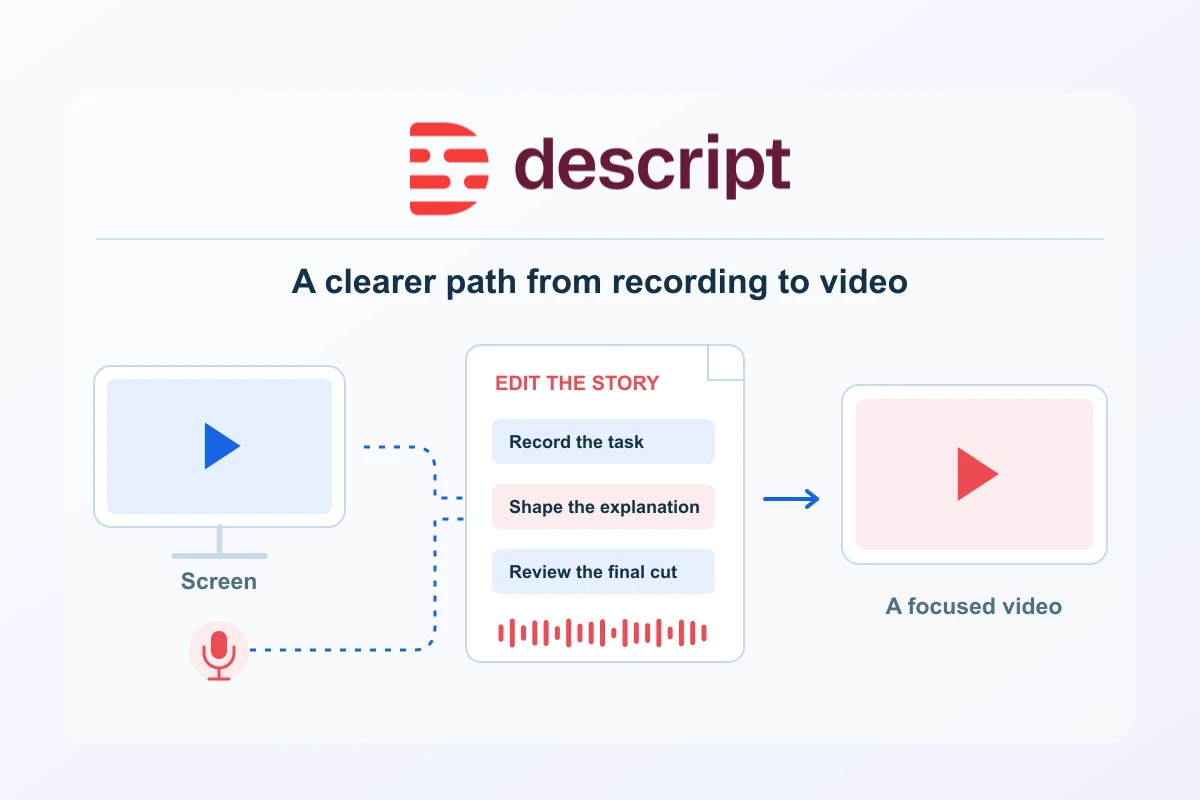
Descript is a recording and editing workspace built around spoken content. Its documented workflows connect audio and video with an editable script, then extend into screen tutorials, captions, short clips and delivery. That makes it especially relevant to creators and small teams whose useful material begins as a conversation, demonstration or explanation rather than a complex visual effects project.
The clearest way to evaluate it is to choose one content job you expect to repeat. A website team might record an onboarding tutorial, a consultant might edit a recorded explanation, and a publisher might prepare excerpts from a longer interview. This guide connects those tasks to documented product capabilities and a sensible purchase review. It does not claim a hands-on test, measured time saving or comparative rating.
Where Descript can fit
| Content job | Documented product route | What makes the result useful |
|---|---|---|
| Software tutorial | Screen recording and script editing | One clear task, readable interface and a verified result |
| Spoken explanation | Transcript-linked audio or video editing | Accurate meaning and natural edit points |
| Short content set | Create clips and editable compositions | Distinct answers that work outside the source recording |
| Accessible delivery | Captions and subtitle export | Correct names, readable text and the right destination format |
These routes can support a coherent production process. The same subject can begin as a full explanation, become a focused help tutorial and provide one useful short answer for distribution. Plan each output for its audience. Reuse is most valuable when the new format has a clear purpose rather than simply producing more files from the same source.
Edit the explanation through its words
Descript’s script is linked to the source media. Deleting a passage edits the corresponding recording; moving text moves the media with it. This provides a direct way to find and reorganise spoken material. It is particularly useful to evaluate when the hardest part of a job is locating the explanation you want within a long recording. See the script-editing workflow.
Keep the spoken meaning central while editing. A sentence that reads smoothly may sound abrupt after a cut, and a qualification elsewhere in the recording may be necessary for accuracy. Review important edits with the surrounding audio. Descript’s separate Correct mode changes transcript spelling and punctuation without replacing the recorded speech, which helps keep caption correction distinct from rewriting what was said.
Build focused tutorials from screen recordings
The desktop Screen Recorder supports screen and microphone capture with optional camera input. Its Quick Share setting changes the destination behaviour: enabled recordings can be published to a share page when stopped, while disabling it opens a project for editing. For a tutorial that requires review, choose the editable route and confirm your inputs with a short trial recording.
A strong tutorial begins with a defined viewer outcome. Show the starting condition, perform the action and confirm the result. Keep private details out of the demonstration and make the important controls readable at the intended player size. A software team can then review the explanation as a customer would follow it, rather than judging only the appearance of the recording.
Turn a long recording into a useful clip set
Create clips can identify candidate excerpts from a composition and produce separate editable outputs. The workflow offers selection criteria and layout choices, giving a clear starting point for repurposing an interview, webinar or explanation. The editorial opportunity is to reach a different viewing situation with a complete short answer, while preserving the source’s meaning.
Give each clip one role: recognise a problem, explain one action or clarify a decision. Watch it independently and check whether the opening establishes the subject and the ending resolves it. For portrait delivery, inspect the framing and captions at a realistic feed size. Automatic selection helps prepare candidates; your final review decides which ones deserve publication.
Choose the delivery format deliberately
Descript documents local exports and hosted share pages, with available quality governed by source material, project settings and the selected plan. Subtitle export supports SRT and VTT files. A subtitle file and text permanently visible in a video are different deliverables, so choose from the destination’s needs rather than assuming either will behave identically everywhere.
Open the actual final file and check sound, captions, the smallest relevant screen label and the last frame. If using a share page, verify its access setting and the link you intend to distribute. Keep the approved output and source materials under a clear naming system so a later change can be traced to the right project.
Understand plans, seats and usage
The current product has Free, Hobbyist, Creator and Business plans. Paid monthly references start at US$24 per editor for Hobbyist, with annual prepayment priced differently. Descript charges in USD, including for European customers. Compare the full commitment for the people who actually need to edit, then check the current export and brand features required by your work.
Media minutes and AI credits are separate budgets. Source recordings and uploads affect media use, while AI features and Underlord interactions affect credits. A final five-minute video does not imply five minutes of source material or one fixed AI cost. Record the usage for a representative completed job, including necessary revisions, before projecting a larger production calendar.
Choose from the output you need
Define the delivery requirement before comparing a larger allowance. A product-help video needs readable interface labels; a podcast needs clear sound and accurate words. These are different reasons to choose a subscription.
| Plan | Includes | Useful when | Limit to check |
|---|---|---|---|
| Free | 60 media minutes per month and 100 one-time AI credits; watermarked video export. | You want to evaluate a representative source-to-delivery job. | The 100 AI credits are not a renewed monthly grant. |
| Hobbyist | 10 media hours and 400 AI credits per month; watermark-free 1080p export. | One editor needs a defined spoken-content production rhythm. | Imported source duration and AI work are different meters. |
| Creator | 30 media hours and 800 AI credits per month; 4K export and top-up access. | The required output or recurring workload exceeds the smaller setup. | Up to three editors are separately billed, rather than included in one seat. |
| Business | 40 media hours and 1,500 AI credits per month; Brand Studio and team delivery tools. | Shared branding and controlled output are recurring team requirements. | Up to five editors are separately billed; confirm the full editor cost. |
A higher export setting cannot restore small text that was unreadable in the source recording. Inspect a representative final file at the intended player size. Then budget imported or recorded media separately from AI work, including necessary revisions. Pay for the tier that removes a real output or operating limit.

A practical first evaluation
Choose an ordinary permitted recording, not the easiest possible demonstration. Define the audience and final output, then check the complete route from source to export. For a screen tutorial, include realistic interface detail. For an interview, include the terminology and speaking patterns you regularly encounter. The exercise should reveal whether the workflow fits your actual production job.
- Define one finished deliverable and the conditions it must meet.
- Prepare a clean source and a short editing brief.
- Check transcript accuracy before relying on captions.
- Listen across edits and preserve necessary context.
- Open the final delivery and review it at the intended viewing size.
- Compare the subscription with observed source volume, usage and editor needs.
Keep the workflow repeatable
Agree a simple production record: subject, source, edit brief, review status, destination and current approved export. A small team benefits from knowing which version can be shared and which still needs work. Retain the material required to update a tutorial or correct an excerpt rather than relying on an isolated published file.
Descript is a strong candidate when spoken content is central to your work and you want recording, editing and repurposing to form a connected process. Evaluate it through a useful project, confirm the output and select the plan from real requirements. That gives its documented capabilities a clear place in customer education, publishing and ongoing content production.
Plans, editor seats and usage budgets · Screen tutorial workflow · Long-video repurposing workflow
Plans & costs
Compare the full commitment and the work each plan includes. Recorded observations are not a current checkout quote.
AI tools
USD · US / global observations

Descript · Hobbyist — monthly · per editor
- Initial term & commitment
- Initial term amountUS$24.001 month termPublished standard monthly USD subscription rate per editor, prepaid each monthly cycle.
- Renewal
Check local tax at checkout
Price observed 2026-10-16
Plan details & sources
Individual tutorials, interviews and straightforward video editing.
10 media hours and 400 AI credits per editor per month; 1080p watermark-free export. Check consumption against actual imported or recorded source material.
Choose another option if: Count every paid editor and the source-media workload. AI allowances are not unlimited and do not guarantee a number of finished videos.
Descript bills in USD, including European payment methods. No official EUR tariff or billing-country tax amount is inferred. · Check local tax at checkout
Renewal: Current standard subscription reference, not a guarantee of a future renewal price. Check the full subscription and cancellation conditions at checkout.
Check local tax at checkout
Prices checked 2026-10-16Official price source ↗Observed 2026-10-16
Official price evidence ↗Descript · Creator — monthly · per editor
- Initial term & commitment
- Initial term amountUS$35.001 month termPublished standard monthly USD subscription rate per editor, prepaid each monthly cycle.
- Renewal
Check local tax at checkout
Price observed 2026-10-16
Plan details & sources
A recurring content workflow needing more source-media capacity, AI allowance and 4K export.
30 media hours and 800 AI credits per editor per month; 4K watermark-free export. Up to three editors, each billed separately. Eligible paid top-ups remain separate.
Choose another option if: Count every paid editor and the source-media workload. AI allowances are not unlimited and do not guarantee a number of finished videos.
Descript bills in USD, including European payment methods. No official EUR tariff or billing-country tax amount is inferred. · Check local tax at checkout
Renewal: Current standard subscription reference, not a guarantee of a future renewal price. Check the full subscription and cancellation conditions at checkout.
Check local tax at checkout
Prices checked 2026-10-16Official price source ↗Observed 2026-10-16
Official price evidence ↗Descript · Business — monthly · per editor
- Initial term & commitment
- Initial term amountUS$65.001 month termPublished standard monthly USD subscription rate per editor, prepaid each monthly cycle.
- Renewal
Check local tax at checkout
Price observed 2026-10-16
Plan details & sources
A production team needing the listed capacity and reusable Brand Studio assets.
40 media hours and 1,500 AI credits per editor per month; up to five editors, each billed separately. Brand Studio is included; Enterprise administrative restrictions are not assumed.
Choose another option if: Count every paid editor and the source-media workload. AI allowances are not unlimited and do not guarantee a number of finished videos.
Descript bills in USD, including European payment methods. No official EUR tariff or billing-country tax amount is inferred. · Check local tax at checkout
Renewal: Current standard subscription reference, not a guarantee of a future renewal price. Check the full subscription and cancellation conditions at checkout.
Check local tax at checkout
Prices checked 2026-10-16Official price source ↗Observed 2026-10-16
Official price evidence ↗Recorded prices can change. Check eligibility, taxes and the current full bill with the provider. Different currencies and services are shown separately.
Sources and verification
Editorial review 2026-10-19. Source check dates are recorded separately. Notes describe what each source supports and its limits.
View sources
- Edit like a docChecked Transcript-linked editing.
Limits: Official documentation checked 16 October 2026. Not a hands-on test or measured production result; confirm current account and plan access. - Screen RecorderChecked Desktop recording inputs and Quick Share/editable project distinction.
Limits: Official documentation checked 16 October 2026. Not a hands-on test or measured production result; confirm current account and plan access. - Create clipsChecked Candidate excerpts and separate editable compositions.
Limits: Official documentation checked 16 October 2026. Not a hands-on test or measured production result; confirm current account and plan access. - Correct your transcriptChecked Transcript correction separate from underlying media edits.
Limits: Official documentation checked 16 October 2026. Not a hands-on test or measured production result; confirm current account and plan access. - Export subtitlesChecked SRT and VTT export.
Limits: Official documentation checked 16 October 2026. Not a hands-on test or measured production result; confirm current account and plan access. - Descript export and publishingChecked Local files,host-platform export and hosted Descript share-page routes.
Limits: Features and quality depend on plan/source; share-page privacy still needs actual verification. - Descript current plansChecked Current media and AI allowances, output quality, editor-seat limits and Brand Studio.
Limits: Official pricing rechecked 19 October 2026. Free pricing explicitly gives one-time AI credits despite generic help wording about monthly grants. Legacy plans remain separate; no account usage or checkout was tested. - Payment currencyChecked USD billing.
Limits: Official documentation checked 16 October 2026. Not a hands-on test or measured production result; confirm current account and plan access. - Descript media minutes and AI creditsChecked Source-media usage, separate AI costs, shared pools and no rollover.
Limits: Official public documentation rechecked 19 October 2026. Describes documented capabilities, not tested account entitlement, product performance, final checkout or conversion results.