
Inventory and reconcile DNS first, coordinate DNSSEC before delegation, keep email DNS-only, verify origin and edge certificates, then proxy only compatible web hostnames and test dynamic journeys before adding cache changes.
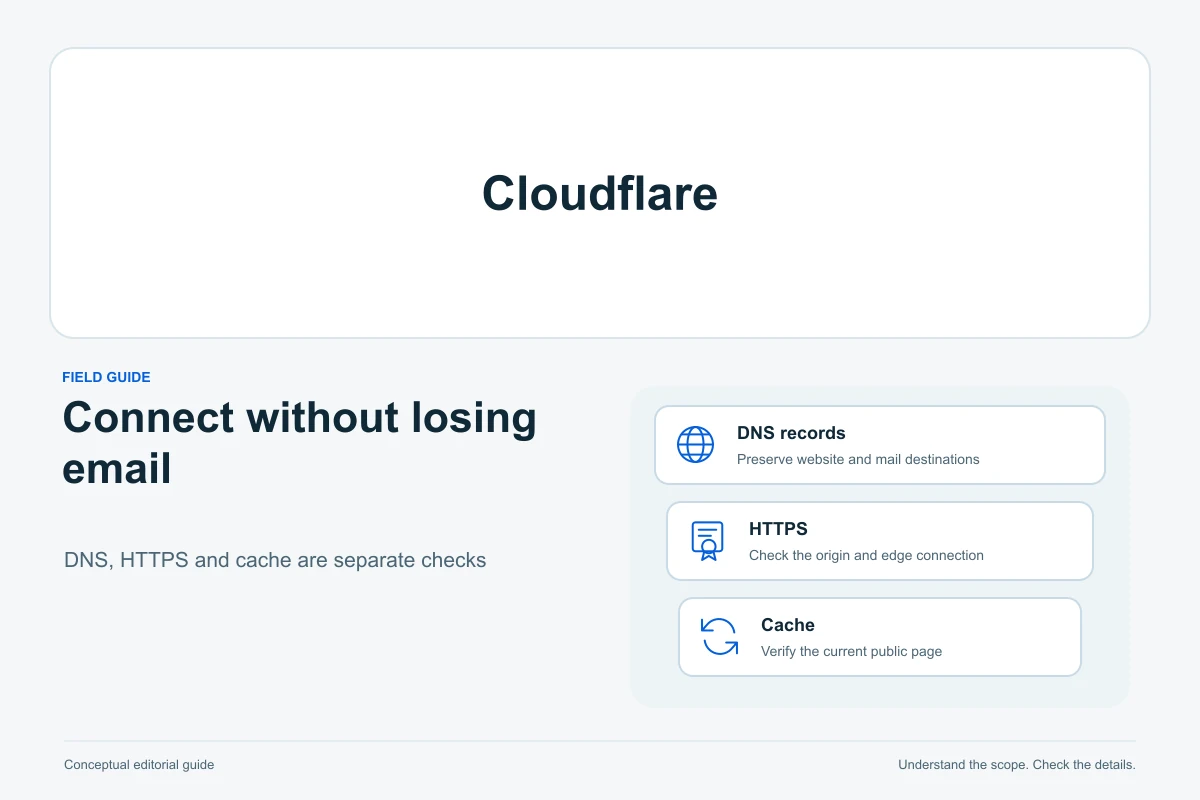
Connect Cloudflare in stages: preserve DNS, establish HTTPS, then enable the web proxy and test the site. Keep ordinary email traffic DNS-only and avoid broad full-page caching during setup. If your host already manages Cloudflare or another CDN, confirm its supported route before adding a second configuration.
This guide covers an existing WordPress site on Cloudflare’s primary full-zone setup, where Cloudflare becomes authoritative for the domain’s DNS. The domain name and WordPress addresses stay the same. It is researched guidance, not a deployment we performed. Partial/CNAME, secondary DNS, Multisite and host-integrated services can require different instructions. You do not need to transfer domain registration or move WordPress files merely to change DNS providers.
First, decide whether you need this change
| Situation | Useful next step | Avoid |
|---|---|---|
| Ordinary WordPress site, independent DNS and compatible host | Prepare full-zone DNS onboarding and test the proxy in stages | Changing mail providers or WordPress URLs at the same time |
| Host already supplies Cloudflare/CDN integration | Ask the host which account, DNS and proxy route it supports | Stacking proxies, redirects or optimization plugins blindly |
| Only stale content or a slow page | Diagnose the existing cache/application before adding a CDN | Assuming a new service fixes every performance problem |
| No registrar access or unknown DNSSEC state | Resolve control and transition details first | Replacing nameservers without an inventory or recovery owner |
Use our domain account-control guide to find the authorized owner. If you only need web DNS pointing, start with connecting a domain without breaking email. Record the intended benefit and how you will check it. Cloudflare does not guarantee a faster site, better rankings or a recovered application.
1. Capture the DNS and service baseline
Before any change, record the registrar, current nameservers, authoritative DNS provider, host/CDN and mail provider. Export the existing DNS zone if supported and save a dated record list privately. Include name, type, value, priority where applicable and TTL. Record DNSSEC/DS status at the registrar, existing certificates, proxy/cache/redirect settings and account recovery access. A website backup does not recreate all those service settings.
Check more than the apex and www records: include mail hosts, MX, SPF, DKIM selectors, DMARC, verification CNAME/TXT records, service subdomains, SRV and any delegated subdomains. Cloudflare’s quick scan is not a complete inventory; unusual hostnames and DKIM selectors can be missed. Compare with the old authoritative provider and each actual service’s requirements, not just what appears in the scan.
Also take a checked WordPress files/database backup and agree a recovery operator; our restoration guide covers that separate task. Record baseline results for HTTPS, login, an important page, form delivery and any cart/account journey. Arrange safe test addresses or payment-provider test mode. Do not place real orders or include customer information in a general change log.
2. Add the domain and reconcile every required record
In the correct Cloudflare account, add the existing domain through the full-setup flow and select the plan that meets the requirement. Before changing delegation, compare its proposed DNS records with your saved inventory. Cloudflare supports zone import/export, but the import’s proxy option and per-record proxy tags can alter eligible records. Review the result instead of treating import completion as acceptance.
Confirm web A/AAAA or CNAME destinations with the host. An IPv6 record pointing to a previous server can produce different results for different visitors. Preserve required mail/authentication records and third-party services. Do not copy the previous provider’s apex nameserver records as a substitute for changing delegation at the registrar; retain intentional subdomain delegations according to their own configuration.
3. Coordinate DNSSEC before nameserver replacement
For the standard migration, follow Cloudflare’s DNSSEC procedure: remove the old DS record at the registrar and wait for its parent-zone TTL to expire before switching nameservers. Disabling signing only at the old DNS provider can leave a cached DS pointing at absent or different keys and cause validation failures. Have the registrar/provider confirm the state and timing; a dashboard toggle alone is insufficient.
After changing nameservers, wait for the previous NS/delegation TTL to expire and verify the new authoritative path with the DNS operator before enabling Cloudflare DNSSEC and publishing its current DS through the registrar’s supported route. Check whether DS publication is automated. Verify validation. A continuous signed migration needs the providers’ supported multi-signer arrangement, not a mixture of instructions. For later DS removal, keep signing enabled until the removed DS’s TTL has expired. DNSSEC rollback is not an instant universal toggle; keep the responsible DNS operator involved.
4. Choose proxy status by service
Proxy status determines whether eligible A, AAAA or CNAME web requests pass through Cloudflare or go directly to the configured destination. Proxy only compatible HTTP/HTTPS hostnames. A DNS-only web hostname retains direct-origin exposure and does not receive Cloudflare’s web-proxy protection. Some third-party website or verification services require DNS-only records even though their names resemble web records.
| Record/service | Setup choice | Verify |
|---|---|---|
| Compatible website apex/www A, AAAA or CNAME | Prepare HTTPS, then enable proxy when ready | Correct host destination, certificates and visitor journeys |
| Ordinary mail-server A/AAAA or mail-related CNAME | DNS-only, following the mail provider | Mail client and external delivery still reach that provider |
| MX and TXT authentication records | DNS records; not HTTP-proxy switches | Exact provider values, priorities and full record names |
| Verification CNAME or non-HTTP service | Use the provider-required DNS-only setup | Provider verification and service-specific connectivity |
Cloudflare’s email guidance keeps an ordinary mail-server address DNS-only; the normal web proxy does not carry SMTP on port 25. If MX points to your own mail hostname, check that hostname’s address record too. An MX record can look correct while its target is accidentally proxied. Use your mail provider’s values; the documentation’s example server is not your mail destination.
Retain SPF, DKIM, DMARC and verification records, preserving selectors and record names. See our mail authentication guide. Activating Cloudflare DNS does not require turning on its Email Routing product or replacing your existing mail subscription. Test receiving, sending and replying from an independent external account; a website form’s success message does not prove inbox delivery. Use form-email troubleshooting if that separate path fails.
5. Establish the two HTTPS connections
There are two certificate boundaries: the visitor connects to Cloudflare’s edge, and Cloudflare connects to your origin host. For Full (strict), the origin must accept HTTPS on port 443 and present an unexpired certificate matching the requested/target hostname, issued by a publicly trusted authority or Cloudflare Origin CA. Ask the host to verify these origin requirements first. Then, in Cloudflare’s SSL/TLS → Overview, confirm or select Full (strict) as the effective encryption mode before enabling web proxying. Edge HTTPS alone is not proof of a valid origin connection.
Check Universal SSL in the Edge Certificates dashboard and require its status to be Active for the intended hostnames before enabling the proxy. With full setup, issuance follows zone activation. Keeping web records DNS-only while waiting is an option only when direct-origin HTTPS already works. Default coverage includes the apex and first-level subdomains; a deeper hostname needs a specific coverage check. Do not promise an exact provisioning time.
Origin CA certificates are trusted for the Cloudflare-to-origin connection, not by ordinary visitor browsers. Pausing the proxy or changing a web record to DNS-only can therefore expose a certificate trust error. A viable direct-origin recovery route needs a browser-trusted certificate and compatible host/firewall access. Plan that dependency before relying on a proxy-off fallback.
6. Change delegation, then enable compatible web proxying
Once the record comparison, DNSSEC transition and origin plan are accepted, follow Cloudflare’s full-setup sequence: obtain the nameserver pair assigned to this zone and replace the previous authoritative nameservers in the registrar’s designated nameserver controls. Do not guess names or edit only an ordinary NS record in the old zone. Preserve the old DNS service and its matching records for the transition/recovery window.
Verify delegation through the registrar and independent DNS lookups, and require the Cloudflare zone to show Active. Cached answers can differ while previous TTLs expire; repeated switching makes diagnosis harder. When the edge certificate and origin HTTPS checks pass and Full (strict) is confirmed as the effective mode, enable proxying for the compatible web records. Retest the same baseline journeys after each stage and record the observation time and network used.
7. Keep private and transactional pages dynamic
Start with the existing safe application configuration. Cloudflare does not cache HTML or JSON by default; custom rules, Workers, APO or host/plugin caches may change the effective result. Do not enable Cache Everything for the whole WordPress site as a generic speed fix. Establish the working baseline before making additional optimization changes.
Review login and administrator paths, including the actual wp-login.php and wp-admin routes, account/member pages, previews and application API/form endpoints. Personalized responses and authenticated HTML must not be shared with other visitors. Use the relevant Cache Rules bypass setting where a custom cache rule would otherwise match; check effective rule ordering, existing Workers and the origin’s cache controls. A pasted path list cannot account for every plugin or custom login URL.
For WooCommerce, Cart, Checkout and My Account must remain dynamic. Use their actual configured URLs and account for cart/session cookies, add-to-cart actions and gateway/API callbacks. Confirm exclusions at every relevant cache layer, not only one WordPress plugin. Follow the host/cache integration’s current procedure rather than pasting an old Varnish configuration into Cloudflare.
Test separately as a logged-out visitor and an authorized test user, including cart changes, sign-in/out and form submission. Cloudflare documents login failures caused by aggressive caching and removed Set-Cookie headers. A qualified operator can inspect response headers and whether session cookies persist. One cache-status value alone does not establish safety. If private content appears across sessions, stop the custom caching change, purge affected copies through the supported controls and investigate before resuming.
8. Diagnose the failing layer before rolling back
| Observed failure | Check first | Avoid |
|---|---|---|
| Domain missing or DNS validation failure | Delegation, missing records and parent DS/DNSSEC state with the registrar | Changing WordPress’s URL or waiting indefinitely without diagnosis |
| Mail stops after the DNS change | Authoritative MX/authentication records and DNS-only mail targets | Replacing the email provider or forwarding all mail elsewhere |
| 526 or a certificate warning | Origin validity/hostname and edge activation/coverage respectively | Disabling validation as the permanent solution |
| Redirect loop | Encryption mode and competing host/WordPress/CDN redirects | Adding another redirect or switching blindly to Flexible |
| Login, form or cart breaks | Effective cache rules, cookies and security challenge events | Turning off all security or treating a homepage load as acceptance |
For redirect loops, note that Flexible sends HTTP to the origin and can conflict with origin HTTPS enforcement. Have the responsible operator align the encryption and redirect policy. If a rule blocks a legitimate callback or login, narrow the responsible rule after reviewing its event; do not remove all protection to make one test pass.
Capture the exact failing hostname/path, time/timezone, error/status and recent change. Ask the relevant host, registrar, mail provider or Cloudflare support route for help, sharing scoped diagnostic details through its official channel. Keep passwords, API keys, cookie values and customer information out of public forums. Availability and support scope depend on the actual service/account; do not assume a response deadline.
Pausing Cloudflare or disabling a record’s proxy sends web traffic directly to the origin and removes applicable proxy services. It can help isolate a proxy problem only if direct HTTPS and access work. Development Mode is a different option for cache diagnosis while preserving proxy services. Neither action repairs a missing mail record or changes authoritative DNS back.
A nameserver rollback is a separate coordinated DNS migration. Confirm the previous zone still works, contains the required current records and can be delegated through the registrar; reconcile DS/signing and TTL requirements with the operator. Keep both service configurations available until acceptance. Do not promise instant reversal or delete the Cloudflare zone while cached delegation may still use it. For stale-content diagnosis, use our cache-layer guide instead of switching nameservers repeatedly.
What is worth paying for?
Cloudflare offers a Free plan. No paid upgrade is required simply because a WordPress site is being connected in the basic supported flow described here. Begin with the capabilities you actually need and verify current account limits, compatibility and support. Paid options need a specific requirement; a confusing DNS record is not one.
Cloudflare does not replace website backups, host support or cleanup of compromised WordPress files. Read free versus paid WordPress security if you have a separate security gap, or diagnose slow WordPress before upgrading hosting. Buying another product is useful only when it addresses the measured problem and its current scope is clear.
Copy a private setup and verification record
These bracketed fields are deliberately unfilled. This is a template, not a record of a deployment or successful test. Copy it privately and record actual results, including failures and what remains unchecked.
- Domain, authorized owner and intended benefit: [domain; roles; reason]
- Registrar/current DNS/host/CDN/mail provider: [account references; responsible contacts]
- Saved DNS inventory and compared records: [private reference; capture time; unresolved differences]
- DNSSEC/DS transition and delegation: [supported procedure; TTL/state evidence; operator; time]
- Origin and edge certificates; proxy choices: [hostnames; observed status; direct-origin recovery limits]
- Web/login/forms/commerce/mail checks: [test; actual result; time/network; limits]
- Cache exclusions, rollback trigger and next review: [private configuration reference; owner; action/date]
The useful result is a documented DNS delegation, valid HTTPS and working independent web/email journeys. Improve performance only after that baseline is stable, and measure the change rather than assuming a new dashboard means a better site.
Sources and verification
Editorial review 2026-10-10. Source check dates are recorded separately. Notes describe what each source supports and its limits.
View sources
- Cloudflare: Full setupChecked Review records, use the assigned authoritative nameservers at the registrar, verify delegation/Active status and coordinate DNSSEC before nameserver replacement.
Limits: This guide covers primary full-zone onboarding, not partial, secondary, Enterprise or a host-managed existing Cloudflare setup. No delegation was changed. - Cloudflare: DNS records quick scanChecked The scan can miss specific subdomains and custom DKIM selectors, so it must be checked against the actual previous DNS inventory.
Limits: An apparently complete scan is not proof that every service record was discovered. - Cloudflare: Import and export DNS recordsChecked Import/export supports record migration; the import proxy option and per-record cf-proxied tags can affect eligible records.
Limits: A zone export does not capture every account/CDN setting; no zone file was imported or exported in this task. - Cloudflare: DNSSECChecked Standard migration removes the old DS and waits for its parent-zone TTL; re-enable signing with the current DS after delegation, and keep signing while a removed DS expires during rollback.
Limits: TTL, registrar/TLD behavior and automated DS handling vary. An active multi-signer migration needs its own supported provider arrangement. - Cloudflare: Proxy statusChecked A, AAAA and CNAME records can use the HTTP proxy when eligible; DNS-only is needed for incompatible mail, verification and non-HTTP services.
Limits: Not every web/SaaS hostname supports proxying. DNS-only traffic does not gain Cloudflare proxy protection. - Cloudflare: Set up email recordsChecked Mail DNS must follow the actual provider; ordinary mail-server A/AAAA records are DNS-only and ordinary HTTP proxying does not carry SMTP.
Limits: The examples are not replacement MX, SPF or DKIM values for an arbitrary account; no mailbox or delivery route was tested. - Cloudflare: Full (strict) SSL modeChecked Origin HTTPS on port 443 requires an unexpired hostname-matching certificate trusted publicly or by Cloudflare Origin CA; invalid origin validation can produce 526.
Limits: A valid edge certificate alone does not establish the origin requirements or site security. No certificate was installed. - Cloudflare: Enable Universal SSLChecked Full-zone Universal SSL provisions after activation; check edge status and keep records unproxied until ready if needed. Default coverage is apex and first-level subdomains.
Limits: Provisioning and hostname coverage must be checked rather than assumed. No fixed activation deadline or deeper-subdomain coverage is promised. - Cloudflare: Origin CAChecked Origin CA certificates secure Cloudflare-to-origin connections and can cause browser trust errors when proxying is disabled or Cloudflare is paused.
Limits: A direct-origin rollback also depends on firewall/routing and host configuration, not merely certificate presence. - Cloudflare: Default cache behaviorChecked Default CDN caching does not cache HTML or JSON and differs from custom full-page caching.
Limits: Existing Cache Rules, Workers, APO and host/plugin caches can change the effective behavior; no speed or hit-rate measurement was performed. - Cloudflare: Cache Rules settingsChecked A matching Cache Rule can bypass caching; overriding origin TTL/cache controls can change application behavior.
Limits: Rule conditions, ordering and current account capabilities need verification. This guide does not supply a universal expression to paste. - WooCommerce: Configuring caching pluginsChecked Cart, Checkout and My Account must remain dynamic; WooCommerce session/cart cookies need appropriate cache treatment.
Limits: Actual page slugs, gateways, plugins and cache integration vary. The article does not copy old Varnish snippets into Cloudflare. - Cloudflare: Dynamic content and login issuesChecked Overriding cache behavior can strip Set-Cookie and break login/session flows; bypass sensitive routes and investigate challenge rules separately.
Limits: A cache-status header or one successful session is not proof of privacy or correctness for every user/workflow. - Cloudflare: Redirect loopsChecked Flexible mode sends HTTP to origin and can loop against origin HTTPS enforcement; redirect conflicts and encryption need diagnosis.
Limits: Do not weaken encryption or remove all security rules as a generic fix. No actual redirect chain was inspected. - Cloudflare: Pause CloudflareChecked Pausing or disabling a record proxy sends requests directly to origin and loses proxy services; Development Mode bypasses caching while retaining proxy protection.
Limits: Pause is not a DNS-authority rollback and may fail with Origin CA-only certificates or a restricted origin. - Cloudflare: Free plan overviewChecked Cloudflare offers a Free plan, with optional paid add-ons that are separate choices.
Limits: The existence of a free plan does not establish support response times, paid capabilities or that every site requirement is covered; no account or entitlement was inspected.