 Pagember

WordPress's personal-data tools are a starting point for a verified request, not a complete map of everything your website stores. Identify the request and person, inventory the relevant systems, inspect the native result, and track anything that requires a separate action. Exporting, erasing and deleting an account are different operations.
This is an operational walkthrough, not legal advice. Rehearse with test records and an address you control before handling a real request.
The steps in WordPress
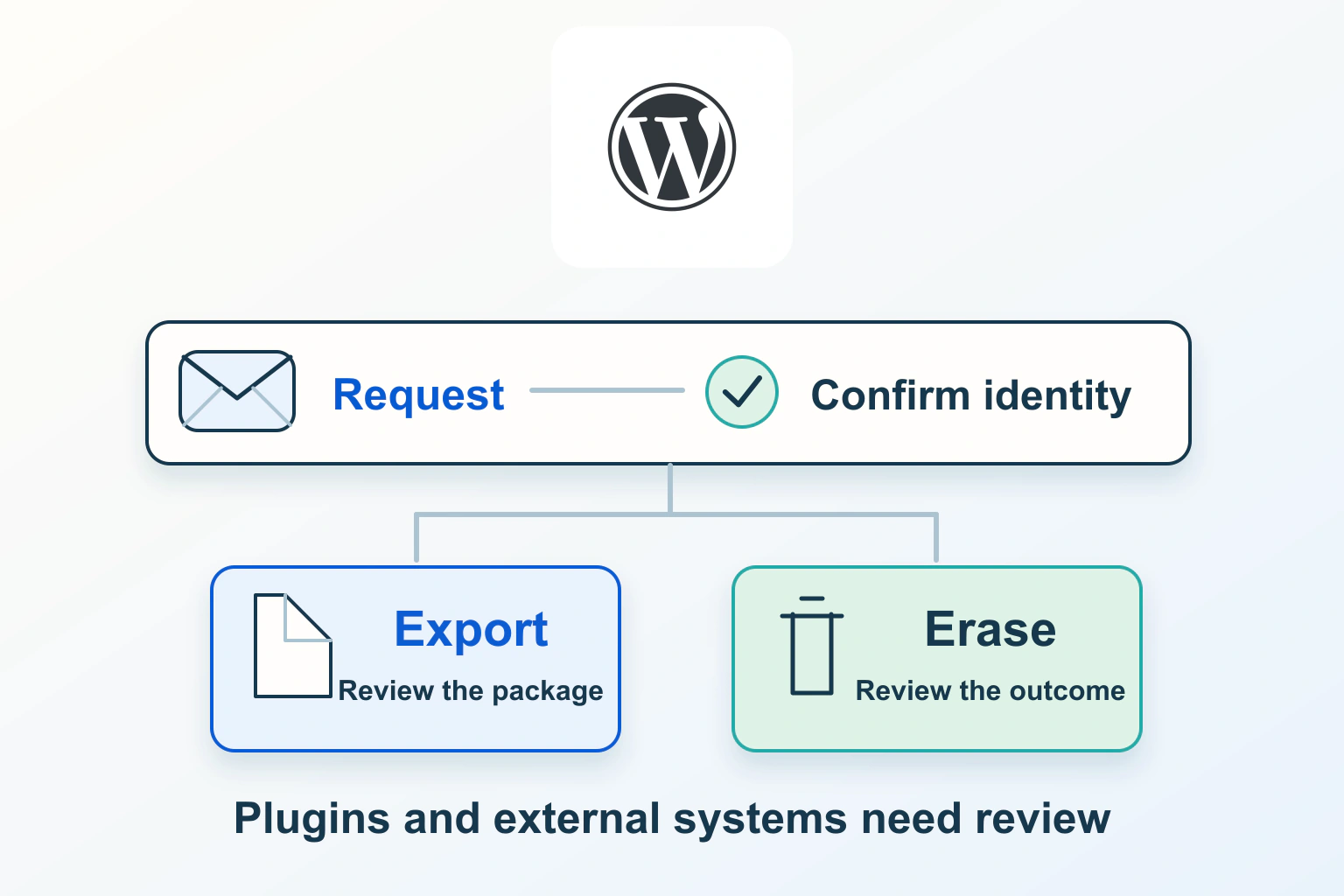
- Go to Tools → Export Personal Data (or Erase Personal Data), enter the username or email address and click Send Request. The request appears with status Pending.
- The person receives a "Confirm Action" email. When they click the link, the status changes to Confirmed.
- For an export, click Email Data under Next Steps, or hover the address and choose Download Personal Data to inspect the ZIP first. The emailed link points to a ZIP containing an
index.htmlfile. - For erasure, click Erase personal data under Next Steps and read the result message.
- When the case is closed, Remove request deletes only the request record.
WordPress's Export Personal Data documentation lists what core exports: site details, user information, comments and media. Everything else depends on plugins and outside services, which the rest of this guide covers.
Choose the correct tool and request type
Tools → Export Personal Data can produce a ZIP containing personal information gathered by WordPress and participating plugins. It is different from Tools → Export, which exports website content for other purposes. A posts-and-pages export is not a substitute for a person's data response.
Tools → Erase Personal Data addresses removal through the available erasers. Its Remove request control removes the administrative request record; it does not perform the requested data erasure. The similar-looking words describe different consequences.
Write the person's actual request in a short internal case record: a copy of information, removal of particular information, closure of an account, or clarification of something held. Do not convert a request for a copy into deletion because the erasure screen is nearby.
Build a storage map before promising completeness
For a small workshop site, the map might include public comments, member accounts, a form plugin, booking records, a newsletter platform, support mail and backups. Give each location an owner and a documented retrieval or removal route. Form uploads need their own entry; the file-upload workflow explains where those files usually live.
| Location | Question to resolve | Evidence to keep |
|---|---|---|
| WordPress core | Which matching records appear in the native result? | Reviewed result and relevant identifiers. |
| Installed plugin | Does this version participate, and which fields does it handle? | Documentation plus a synthetic-record check. |
| External service | Does it hold related information outside WordPress? | Separate owner and case outcome. |
| Mailbox or offline copy | Is related correspondence stored separately? | A scoped review, with unnecessary copies avoided. |
| Backup or archive | What retention and restoration process applies? | A documented follow-up and restore safeguard. |
Map known historical addresses or account identifiers only when they are appropriately verified and relevant. One email search cannot establish that the same person's records never used another identity. Avoid treating a coincidental name match as proof that two records belong together.
Verify the requester without collecting unnecessary new data
The native workflow uses an email confirmation request, followed by administrator handling. Enter the intended username or address in the correct personal-data screen and review it before sending the request. Pending is not the same state as confirmed or completed.
Do not treat possession of a name as sufficient to release a sensitive export. If the person cannot use the registered mailbox, follow an established alternative verification process proportionate to the request. A convenient force or direct-download option is not a reason to bypass identity checks.
Make the internal case identifier usable without copying the whole request into every task system. Record who is authorized to decide, what scope was agreed and where the protected working material lives. When the scope is unclear, clarify it before an irreversible operation.
Check plugin participation on the installed version
Your plugin audit already lists which plugins store visitor data; use it as the checklist here. The WordPress Plugin Handbook documents privacy capabilities and exporter/eraser hooks. A plugin can register handlers, but the existence of that mechanism does not prove every installed component uses it or includes every field.
On an isolated rehearsal site, create a small controlled record through the actual form or feature and note where it is stored. Run the relevant request, then compare the output with the expected record. Include an optional field and a stored attachment if the feature supports them and they matter to your use.
Ask the maintainer a specific question when coverage is unclear: “Does version X export and erase these stored form fields through the native privacy tools?” A feature request in an old support thread may describe an earlier version. Keep the installed version and current documented answer beside your finding.
Inspect an export before handing it over
After verification and appropriate administrator review, use the native export route. Inspect the ZIP in a controlled environment and compare its contents with the agreed storage map. Do not assume an empty section means the site never held any information about that person.
Check that the file belongs to the intended request, is readable and does not contain unrelated people's information. Treat both the file and its download address as sensitive. Avoid putting either in a public support ticket, shared screenshot or unrestricted cloud folder.
Read the expiration information in the actual generated notice instead of promising a fixed lifetime from an old tutorial. Plan a secure replacement route if it expires before the verified recipient retrieves it. Keep only the working copies needed under your process; creating an export should not create an unmanaged permanent archive.
Review the erasure result rather than only its status
Only execute erasure after verification, scope and any retention questions have been resolved by the responsible person. Native erasure changes live data and is not a reversible draft. Review the administrator result for retained items, errors and explanations rather than equating Completed with “nothing remains anywhere.”
For the hypothetical workshop, the synthetic acceptance case expects a particular test submission to disappear from its normal lookup. If the result instead reports retained information, investigate the explanation and component owner. Repeatedly pressing the action is not a substitute for understanding what the handler did.
Keep an unresolved item open in the case record with its reason and next action. Do not run blanket database deletions to make a result look clean; that can destroy unrelated records, audit context or information the responsible owner has decided must be retained.
Handle accounts, external copies and recovery separately
WordPress's privacy overview explains that these tools are only part of a broader process, external services can fall outside coverage, and erasure does not automatically delete a registered account and its profile. Decide account closure separately and review any content-ownership consequences before using Users controls.
The native erasure tool also does not remove information from backups and archives. Keep the relevant case outcome available to the people who authorize restoration, so an older copy does not silently reintroduce erased live records. Use the backup recovery workflow when planning that rehearsal.
Close the case when the agreed scope is accounted for: native result reviewed, separate systems handled or explicitly unresolved, recipient response prepared through the appropriate route, and unnecessary working copies addressed. If confirmation mail fails, diagnose delivery with the mail-path troubleshooting guide rather than weakening requester verification.
A useful final record explains what happened and what remained outside the tool. That is more dependable than a screenshot of a completed request with no evidence of coverage.