 Pagember

Inspect the backlog before adding another cron trigger. Scheduled work can accumulate because the runner is not invoked, a callback fails or code keeps creating duplicate schedules. Those causes need different repairs. Running every due event or deleting the queue can change real business activity without resolving the cause.
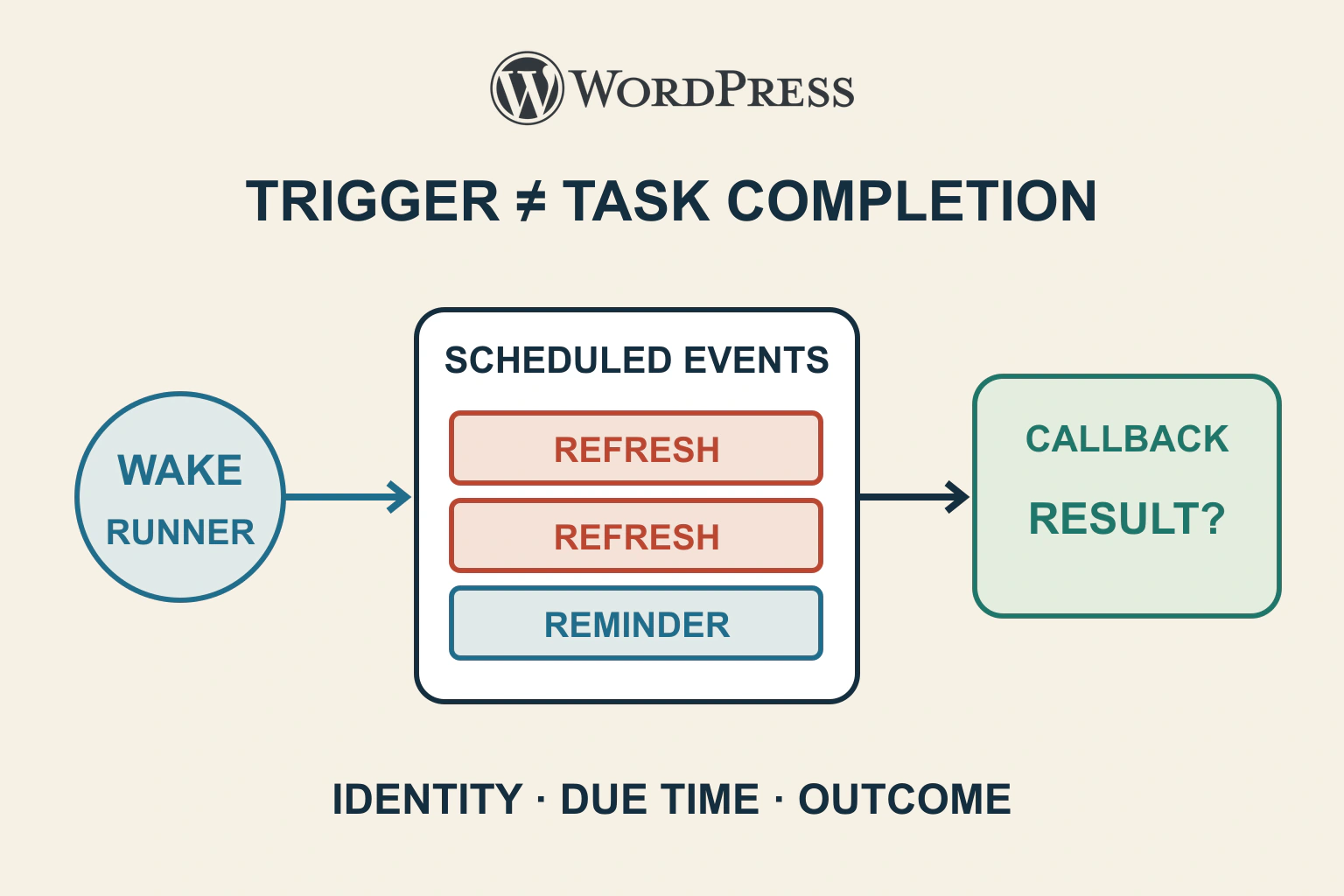
For example, a membership directory has hundreds of similar scheduled entries for its nightly refresh. Staff also report delayed reminders. The refresh and reminder delivery may share a runner, but they are not automatically the same failure. Identify which event belongs to which capability.
Inventory without executing the queue
Record the site and environment, current time with timezone, WordPress version and existing runner arrangement. Ask whether the symptom is overdue due-times, repeated hook identities, slow completion or missing downstream results. A large list containing future events is not necessarily a backlog.
WP-CLI’s cron event list reference documents hook, next-run time and recurrence, with optional arguments and signature fields. An authorized maintainer can list events using established private tooling. Treat arguments as potentially sensitive and redact them before sharing.
wp cron event list --fields=hook,next_run_gmt,recurrence --format=tableAdd next_run_relative to the fields to see overdue events at a glance: they show “now” instead of a future time. If you prefer the dashboard, the free WP Crontrol plugin lists the same events under Tools → Cron Events. This listing is a read-only inventory. Confirm the exact installation first. Do not substitute a run command merely because the list contains overdue work; that can execute unrelated due actions.
Separate the trigger from completion
The WordPress Cron handbook explains the default page-triggered scheduling model. WP-Cron is not a constantly running system scheduler; quiet periods can delay opportunities to run due work. A working trigger does not establish that an individual callback completes.
Compare runner invocation with evidence that the refresh began and finished. Inspect its intended output, such as the refreshed public listing. Keep trigger, callback start, callback completion and accepted result separate.
The missed scheduled-post guide covers one editorial item. A recurring backlog needs event identity and accumulation evidence, especially where jobs send email, synchronize records or call external services.
| Observed pattern | Question to resolve | Useful evidence |
|---|---|---|
| Many unrelated hooks overdue | Is the common runner invoked? | Configured trigger and bounded runner observations |
| One hook repeatedly fails | Which callback or dependency fails? | Owner, error and task outcome |
| Near-identical entries multiply | Is code scheduling repeatedly? | Hook, arguments, recurrence and growth |
| Queue current but reminders absent | Did execution reach delivery? | Task acceptance and downstream evidence |
Compare identity before calling events duplicates
Two entries with the same hook may legitimately operate on different records. Compare arguments and recurrence alongside the name. Repeated copies with effectively identical purpose can indicate a registration error even when timestamps differ.
WordPress’s scheduling guidance warns that repeatedly calling the scheduling API can create many copies and describes checking for an existing schedule. Have the owning developer review the registration path and relevant arguments. Cleanup should follow a corrected ownership rule.
Suppose the refresh is registered on each page load without an appropriate existing-event check. Deleting extras temporarily shrinks the list while new visits recreate them. The durable repair addresses scheduling code and then handles verified redundant entries deliberately.
Inspect callback dependencies
Find the component registering the hook and callback. Confirm it is loaded in the runner’s context. An event remaining in the schedule does not prove that its callback is still attached after a plugin change.
Review bounded errors and timing through authorized observability. A remote request can fail, a required service can be unavailable or a task can exceed environment limits. Avoid logging complete payloads, member records or credentials.
The controlled plugin troubleshooting workflow can help when a recent change altered callback availability. Preserve unrelated capabilities while isolating the responsible component on a protected copy.
Identify the queue that actually holds the work
Some plugins maintain their own task tables, retry rules and worker model, using WP-Cron only to wake a dispatcher. The native event list may show one recurring runner rather than every pending business task. Trace the backlog to its owning system.
For reminders, inspect the plugin’s maintained documentation and supported queue view. A current native cron list cannot prove internal deliveries succeeded. Likewise, a plugin’s pending-job count does not mean every row is a native WP-Cron event.
Keep the handoff precise: component, scheduler, queue, task identity and desired result. This prevents additional generic invocations while the real issue remains an application retry or failing dependency.
Plan execution and cleanup as changes
Manually invoking due work can send messages or modify records. Decide which safe task can be rehearsed, which effects must be isolated and how repeated execution is handled. Do not run the entire queue to test whether one refresh completes.
Before removing an event, record owner, purpose and replacement schedule. Prepare recovery through the backup workflow, but remember that restoring a database can overwrite legitimate activity since the backup. A focused change needs a focused recovery plan.
The usual correction for a low-traffic site is to replace page-triggered cron with a real server schedule. First add this line to wp-config.php so visits stop triggering it:
define( 'DISABLE_WP_CRON', true );Then create a cron job in the hosting panel (in cPanel, Cron Jobs) that calls WordPress every five or fifteen minutes. With WP-CLI on the server, run only events that are due:
*/15 * * * * cd /path/to/site && wp cron event run --due-now --quietWithout WP-CLI, the job can request https://example.com/wp-cron.php?doing_wp_cron with curl or wget instead. The WordPress handbook on the system task scheduler describes this setup. Remember that --due-now runs every overdue event in one pass, including emails and syncs that piled up, so clear duplicate entries first and run it once by hand on a copy if the backlog is large. If the trigger arrangement truly needs correction, coordinate one responsible runner with the host. Overlapping system jobs can increase contention and duplicate side effects. Verify a replacement before retiring a working trigger.
Also agree an acceptable delay and workload. A nightly refresh that takes longer than expected may need a capacity investigation; simply invoking it more frequently can make overlapping work worse. Record the owner’s intended recurrence instead of treating a shorter interval as automatically better.
A useful follow-up compares rates as well as totals. If ten legitimate tasks arrive while twelve finish, a smaller backlog can be meaningful; if ten are simply deleted, the same smaller number says nothing about completion. Tie counts to the component’s actual workload and retain the observation interval.
Verify accumulation over time
- Record relevant event identities and the oldest due time.
- Apply one explained correction on an authorized test copy.
- Observe normal scheduling opportunities without forcing the decisive run.
- Confirm callback completion and the intended safe result.
- Check duplicate growth stops and legitimate schedules remain.
- Exercise the relevant failure or retry case and inspect recovery.
Accept the repair when the affected workload progresses through its lifecycle and queue growth matches its design. A shorter queue screenshot alone proves neither execution nor correct completion. Retain the original inventory and subsequent observation window so the next report can be compared meaningfully.