 Pagember

A UTM link adds labels to a website address so a configured analytics system can distinguish incoming campaigns. It does not install that system, obtain a visitor's consent or prove a sale. The useful result is a report that helps you make a decision, not an impressive collection of tagged URLs.
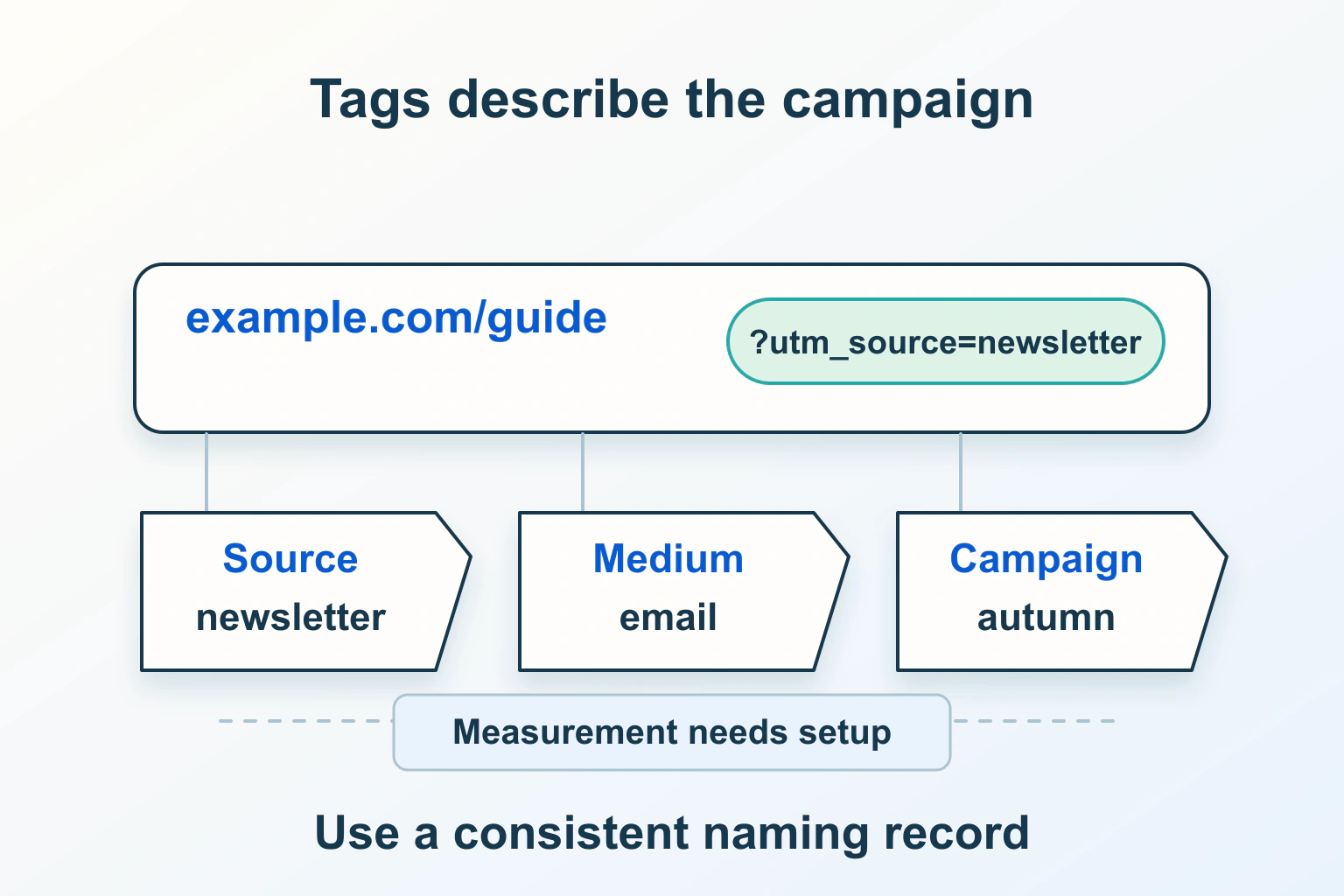
Start with one question: did the workshop announcement bring readers to the registration information, and did those readers complete the intended next step? Then separate the link labels, observed visits and verified outcomes. The workshop campaign below is hypothetical.
Choose the question before the parameters
Imagine a community workshop promoting one public information page through a newsletter and a printed event notice. Its editor wants to distinguish those sources and compare two newsletter placements. The audience does not need a different landing page for every label; the editor needs a stable record of what each link represents.
Decide what action actually matters. Reaching the information page, starting a form and receiving a successful registration are three different events. Do not rename a page visit “registration” because that makes a dashboard look better. The guide to measuring accepted inquiries shows how to count the outcome rather than the button click. Our analytics and Search Console introduction explains the broader separation between visibility, website activity and commercial results.
Keep the naming convention small and readable
Google's custom campaign URL guidance describes source, medium and campaign labels. Values are case-sensitive, so a team using Newsletter, newsletter and NEWSLETTER may create distinctions it never intended. Agree the spelling before sharing the links.
For this hypothetical project, the source can identify the publication, the medium can describe the distribution method, and the campaign can identify the announcement. Use a separate content label only when distinguishing placements serves a question. These are illustrative project conventions, not mandatory names or a promise that a particular reporting channel will be assigned.
| Field | Sample value | Meaning in the campaign record |
|---|---|---|
| utm_source | community_bulletin | The publication carrying the link |
| utm_medium | The agreed distribution method | |
| utm_campaign | autumn_workshop | The specific announcement |
| utm_content | opening_button | One placement to compare, if useful |
A short lowercase convention is an editorial choice that reduces avoidable variation. Keep the dictionary with the campaign owner, destination, publication date and placement. Do not invent dozens of labels before anyone knows how they will use the report.
If you send newsletters through an email platform, it can add these labels for you. MailerLite and ActiveCampaign both offer a Google Analytics tracking option for campaigns that appends UTM parameters to the links in an email. Send yourself a test, check which source, medium and campaign values the platform writes, and match them to your dictionary so automatic and hand-built links use the same spelling.
Build from the correct public destination
Copy the intended public address first, without administrator access or a temporary preview token. Confirm it answers the promise in the campaign. Add the chosen parameters using a URL builder or another method that correctly encodes values; avoid editing a long existing address by guesswork.
A hypothetical completed address could look like this. The example.com domain is illustrative, not a live workshop or a tracking endpoint:
https://example.com/workshop?utm_source=community_bulletin&utm_medium=email&utm_campaign=autumn_workshop&utm_content=opening_buttonThe first query parameter follows a question mark, and later parameters are separated by ampersands. If the address already has a query string or a section fragment, preserve its meaning while adding campaign information. A fragment is not a substitute for a query parameter. Check the completed address rather than trusting its appearance in a spreadsheet cell.
Use this technique for incoming links distributed outside the website. Do not add UTMs to ordinary internal menus just to count clicks; choose an appropriate internal interaction event instead. Equally, do not append your own campaign parameters to a partner's issued affiliate URL without checking its documented rules and approved tracking features.
Keep private information out of the labels
Google's guidance on personally identifiable information warns against sending it in URLs and campaign fields. An email address, telephone number or named subscriber does not belong in a UTM value. Use a campaign-level label that explains the placement without identifying a person.
Review the entire destination address, not just the fields you added. A copied account page might already contain a customer identifier or access token. Query parameters can travel beyond the original message through browser history, copied links and reporting systems, so avoid using them as a private note area.
This check does not replace the website's collection and consent review. If measurement has not been approved and configured, a labeled address remains merely a labeled address. Keep the campaign useful to readers even when no analytics event is collected.
Test the route as an ordinary visitor
Open each exact link from the intended channel where practical. Check the first address, redirect route and final destination. A shortener, language redirect or canonical-host redirect may change the journey; inspect whether the labels that your measurement design needs survive.
For the hypothetical newsletter, test the opening button and the footer link separately. Confirm that both reach the workshop information and that their content labels remain distinguishable. Repeat on a phone if the destination or email layout differs there. A working desktop paste is not a test of the actual newsletter link.
Inspect the final page's title and content as well as its URL. Our link-preview guide helps when an otherwise correct campaign shares an unrelated or stale preview. A preview defect and an attribution defect need different repairs.
Verify collection in the intended reporting scope
If the chosen measurement implementation is active and authorized, carry out a controlled test using its supported diagnostic tools and document the visitor's consent state. Confirm that the relevant event or visit is recorded with the intended labels. A parameter still visible in the address bar does not establish that it reached a report.
Google's campaign attribution documentation distinguishes manual and automatic tagging and the scopes of traffic dimensions. An advertising integration can also affect precedence. Before calling a value missing, record the dimension, report and filters you are examining.
A first-user question concerns acquisition of a user; a session question concerns the current session; an event attribution question can answer something else again. Do not compare similarly named columns as though they described identical activity. Preserve the report setup with the campaign record so another editor can repeat the check.
The GA4 session documentation is also important when testing repeated visits. Avoid the older assumption that changing a campaign parameter automatically begins a fresh GA4 session. Use the current model and a clearly described test rather than generating repeated clicks until a preferred number appears.
Interpret the result without inventing certainty
Suppose the hypothetical newsletter produces recorded visits from both placements, but the registration outcome is not instrumented. You can compare those observed arrivals within the same reporting scope. You cannot yet say which placement generated more successful registrations.
Check whether the periods, destinations, collection settings and audience treatment are comparable. Small totals deserve caution, and differences can have several causes. Do not declare that the blue button won because it received one additional observed visit while the other version was sent on a different day to another audience.
Keep reporting URLs separate from decisions about preferred search addresses. Our query-parameter and canonical guide covers duplicated page addresses. Adding campaign labels is not a reason to create a separate indexable article for every placement.
Use a short acceptance and recovery record
- The campaign dictionary explains every label and its owner.
- Each distributed link reaches the promised public page through the expected route.
- No personal information, private token or unauthorized affiliate modification is present.
- The authorized measurement check uses a named report, scope and consent state.
- Visits and completed outcomes remain separate in the interpretation.
If labels disappear, repair the responsible builder or redirect and test the exact shared route again. If reports disagree, compare scope and filters before rebuilding the links. If a bad label has already circulated, retain it in the record and explain its mapping; changing tomorrow's spelling does not rewrite yesterday's observations.