Pagember

Fireflies Topic Tracker is a useful way to revisit questions that keep surfacing in a project. Instead of relying on someone remembering which weekly call mentioned an approval delay, you can build a repeatable route to the relevant conversation. Its value increases when the team reviews those moments and decides what needs to happen next.
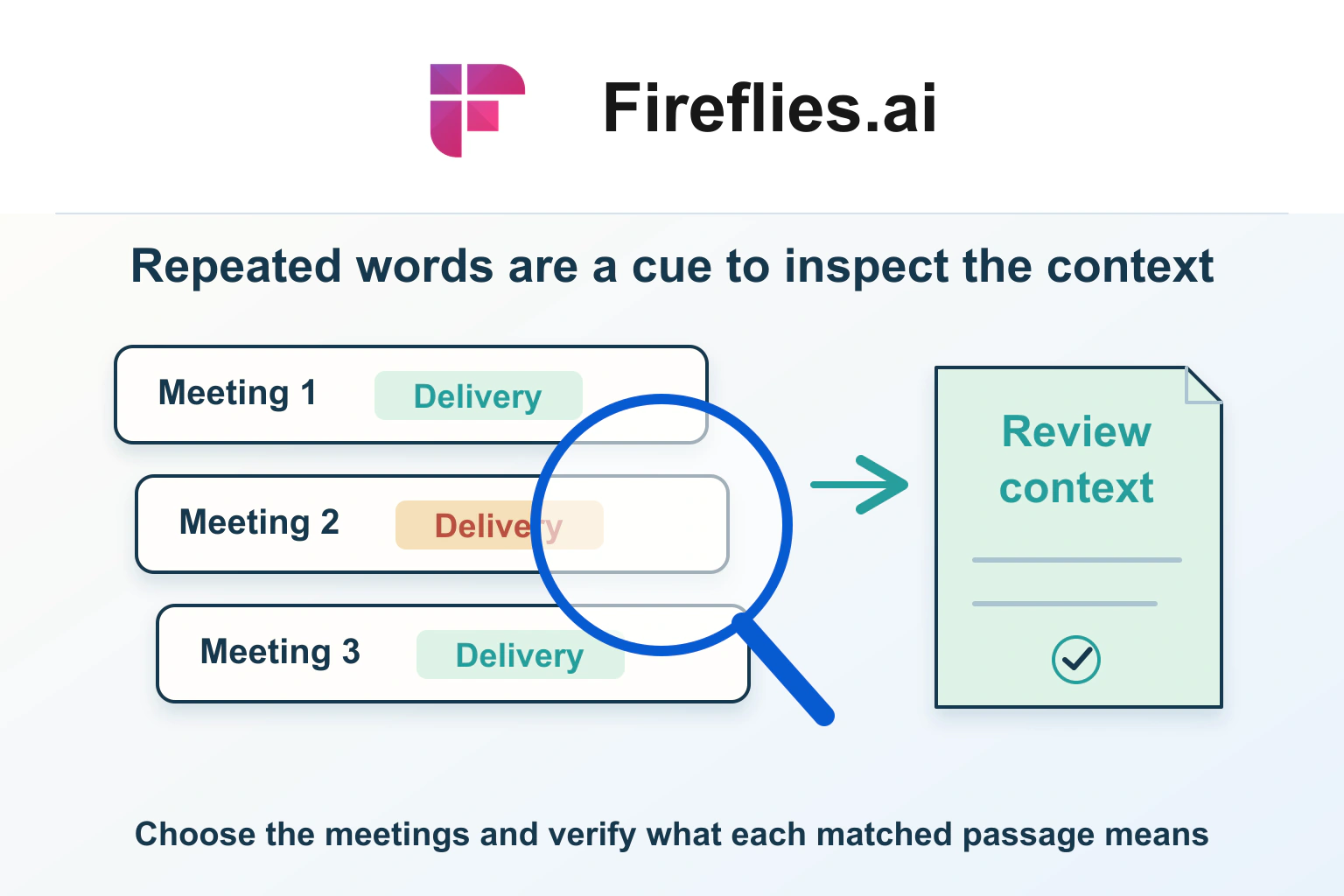
Imagine a website project with weekly planning calls. The team wants to know whether content approval is still delaying launch preparation. A keyword tracker can help locate the discussion, but the useful result is a verified account of the blocker, its owner and the next review date. A count of mentions is only a starting point.
Define one question before creating a topic
Begin with a practical question such as “Which content items are still waiting for approval?” That is more useful than a broad objective to analyze every conversation. Identify who will review the findings and what decision they need to make before the next meeting.
For the project, propose a tracker focused on approval language. Draft terms people actually use, such as awaiting approval, sign-off and content review. Keep a short note explaining why each term belongs. Avoid filling the tracker with every ordinary project word; an enormous collection of loose matches makes the subsequent review harder.
Agree what counts as a relevant result. A speaker may say that approval arrived, that approval is missing or that no approval is required. All three can contain the same word while implying different actions. The team’s interpretation should preserve those differences.
 Play video: Fireflies Meeting Notes: Review Summaries, Search Transcripts & Share with Your Team
Set up a small tracker with the right access
Fireflies documents Topic Tracker as a keyword-and-phrase feature requiring a meeting transcript and a Pro or higher plan. In Settings → Personal → AI Settings, create a topic, add its title and keywords, then save it. Workspace admins can enable a topic for teammates; regular users manage their own topics.
Inside a meeting recap, Smart Search provides the topic’s highlighted transcript moments. A topic can be edited as vocabulary changes. This offers a repeatable starting point for review without making every mention a confirmed decision.
Create one personal pilot before asking an admin to share the vocabulary more widely. Write down the first version of the terms and the intended review question. Use a clear topic name, such as Content approval, so a colleague can understand its purpose without reading the configuration history.
Establish which meetings belong in the review
The Fireflies Meetings guide explains channels for organizing related calls, local search within the selected channel and wider meeting search. Meeting filters include host, participants and date range. Public channels are workspace-visible; private channels are limited to invited members.
For the hypothetical project, keep a manual inventory of the weekly calls expected in the period. Confirm which have a usable transcript and which the reviewer may access. A missing call is a coverage gap to investigate, not evidence that the approval issue disappeared that week.
Use consistent meeting names and dates to identify the project’s calls. When reviewing broader Analytics, use its supported filters rather than assuming a channel selection automatically carries into every analytics view. Keep the chosen meeting scope beside the findings so another team member can understand what the review includes.
Open the matching passage and preserve its meaning
Fireflies distinguishes Smart Search from aggregated Analytics. Smart Search supports reviewing moments within one meeting. The Analytics dashboard is documented for Business and Enterprise plans; Topics Insights separates the number of conversations containing a keyword from its total mentions. Filters let reviewers narrow the period and meeting set.
In the project example, open the relevant transcript passage and review enough surrounding discussion to understand the subject. “The draft is approved except for the pricing paragraph” should not become “content approved.” Record the exception and who is responsible for resolving it.
Link the working note back to the relevant meeting where access permits, and label an interpretation as an interpretation. If an owner or deadline is not explicit, raise a clarification question for the next call. This is a review workflow proposed for the team; Topic Tracker is not being presented as automatic project-status verification.
| Illustrative mention | Interpretation to check | Useful follow-up |
|---|---|---|
| Still awaiting approval | Which item remains blocked? | Confirm an owner and next review |
| Approval arrived yesterday | Which version was approved? | Record the accepted version |
| No sign-off is needed | Does this apply to the whole task? | Preserve the stated scope |
| We should discuss approval later | Was any decision actually made? | Carry an open question forward |
Compare periods without turning frequency into severity
Keep the same question, vocabulary and inclusion rules when comparing two periods. Note any changes in meeting coverage or project activity. More mentions could reflect a longer discussion, a larger review group or the same issue being repeated. They do not independently prove that the project became worse.
Maintain a compact review record outside the interpretation itself: period, included calls, tracker version, relevant passages and confirmed next steps. Keep restricted meeting details within the people authorized to see them. A broad project update can often explain the outcome without reproducing the entire conversation.
The Fireflies reviewed-action workflow covers turning one meeting into accountable actions. Here, carry only verified unresolved items across the recurring series, so a previously closed issue does not quietly become new work again.
Refine the vocabulary using actual review findings
During the pilot, keep examples of helpful matches, irrelevant matches and important passages that the proposed terms missed. If the team says editorial clearance instead of sign-off, that is a specific vocabulary improvement to consider. Avoid adding a term merely because it sounds related in the abstract.
Document changes with a date. If you revise the tracker halfway through a comparison, flag that the search definition changed rather than treating the two periods as identical. A missing keyword match is not proof that the topic was absent; inspect the underlying meeting when the decision matters.
The Fireflies recording and sharing guide covers the separate capture lifecycle. For access planning, review the Fireflies plan-selection guide and confirm current features for the account.
Use the next meeting to close the loop
Bring a short list of verified open questions to the next project call. Ask whether each blocker remains open, what changed and who owns the next step. Keep the tracker as a route back to evidence, while the team remains responsible for decisions and follow-through.
That combination is where Fireflies can be particularly helpful: repeated conversations become easier to revisit with a consistent review method. Start small, inspect the context and make the findings useful to the people doing the work. The Fireflies company guide and the AI meeting notes guides cover the rest of the setup.