 Pagember

For a normal business website, a 123RF Standard License covers what most owners need: hero images, product and service pages, blog headers, online ads and social posts, with unlimited electronic use and no attribution required. You need an Extended License only when the image itself becomes part of something you sell, such as a website template, merchandise or a printed product for resale. This guide explains the license types, credits versus subscriptions, what you may and may not do, how to keep proof of your license, and how to choose images for a landing page. For an overview of the service itself, see our 123RF company page.
The 123RF license types in plain English
123RF's license pages describe three main licenses, plus rules for Editorial Use Only content. All of them are royalty-free: you license an image once and use it within the terms, rather than paying per view. See every 123RF plan and its price in US$ on our 123RF pricing page.
| License | What it allows | Main limits |
|---|---|---|
| Standard License | Unlimited digital use, online and offline advertising, printed documents, corporate videos, and packaging up to 500,000 prints per image | No resale of the finished work; the image cannot play a "Vital Role" (a core part that adds value to a product) |
| Extended License | Unlimited print runs and digital runs, products for resale such as merchandise, eBooks, website templates and software, as long as the image cannot be separated from the product | No redistribution or reuse of the image by third parties |
| PLUS License | Broad commercial usage rights for downloads under the PLUS plan | No reselling or redistribution; merch restricted; each download covers a single use; see the PLUS terms |
| Editorial Use Only content | News, articles, blogs and other editorial purposes | Not for commercial, advertising or promotional use; a credit line is required |
123RF's support pages also list narrower Extended options, the Print Only Extended License and the Electronic Only Extended License, for buyers who only need one of those rights. An Extended License is sold separately for each image.
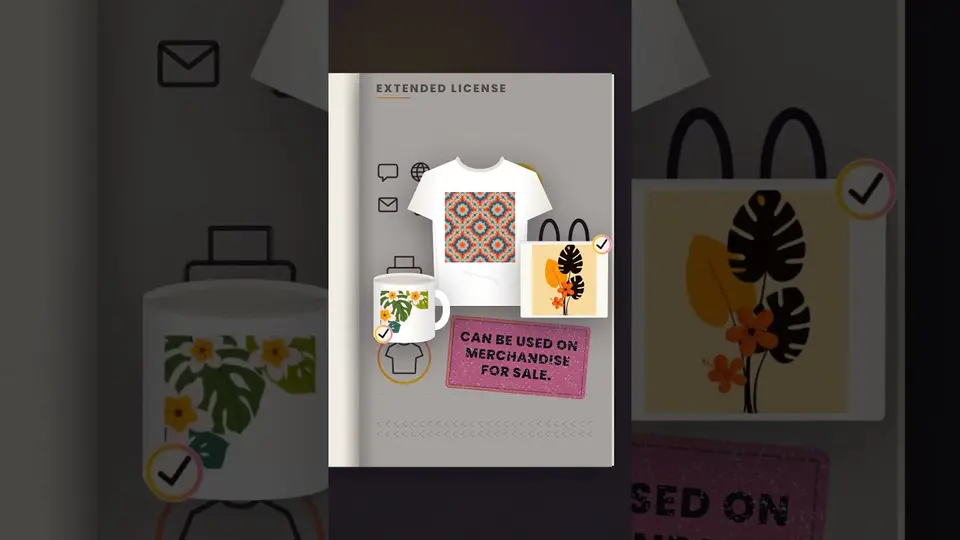 Play video: 123RF - Standard vs Extended license, stamped out ✅
Standard or Extended: the quick decision
Ask one question: is the image just illustrating my business, or is it part of a product someone pays for?
- Homepage hero, about page, service pages
- Standard
- Blog post header or inline image
- Standard
- Online ads, email newsletters, social media posts
- Standard (check the social media conditions below)
- Flyers, brochures, business cards, catalogs
- Standard
- A website or landing page template you sell or give to others
- Extended (Standard excludes templates for distribution or resale)
- T-shirts, mugs, posters or greeting cards you sell
- Extended
- Product packaging beyond 500,000 prints per image
- Extended
- Your company logo or trademark
- Not allowed under any royalty-free license
The Standard License text lists, as permitted, use "on a website" for distribution or use by others, but not in connection with any website template or software product for distribution, resale or use by others. For a business site you own, Standard is the expected fit. Read the full Standard License and Extended License before you start a project you plan to sell.
Credits vs subscriptions: how you pay
123RF's pricing page shows four ways to buy: PLUS, PLUS Team, PLUS Enterprise and Credits. They differ in how many images you can download, which licenses you can secure and how much legal protection you get.
| Option | Best for | Licenses | Liability cap listed | Users |
|---|---|---|---|---|
| Credits | Occasional buyers and anyone who needs an Extended License | Standard and Extended, for any content type | US$25,000 | 1 |
| PLUS | Individuals who download often | PLUS License (Standard licensing) | US$5,000 | 1 |
| PLUS Team | Small teams | PLUS License (Standard licensing) | US$5,000 | Up to 5 |
| PLUS Enterprise | Larger organizations | Custom licensing | Up to US$100,000 | Unlimited |
Key points from the pricing page and license terms:
- Credits are valid for one year from the date of purchase and can be used on photos, vectors, videos, audio and fonts.
- Only credits list Extended Licenses on the pricing comparison. If you might sell a product with the image, credits are the safer route.
- PLUS includes unlimited downloads and access to the 123RF AI Suite. It is a subscription; one listed option is an annual plan that auto-renews after 12 months unless you turn off auto-renewal in Account Settings.
- Under PLUS, each download is for a single use. The license terms say each additional use needs another license and a re-download, and you may not use content after your subscription expires. The license page adds that previous uses remain covered if you unsubscribe. Check the current PLUS terms if you plan to cancel later.
- Free trial downloads convert to licensed content only if you continue into a paid subscription. If you cancel, the terms say you must stop using, delete and remove those files.
123RF's pricing page shows the current promotional price and the renewal terms.
To compare credit packs and subscriptions at today's prices, see current 123RF plans.
What you may and may not do
You may
- Use licensed images on your website, in ads and in printed marketing, with unlimited electronic copies under Standard.
- Crop, edit and combine the image into your own design. The license grant covers the right to use, reproduce, modify, publish and display downloaded content.
- Use images in work you make for clients, as long as you keep the standalone image and the license. If the client wants to use the image on its own, they must license it themselves.
- Let subcontractors use the image temporarily on your behalf, provided they follow the agreement.
- Use watermarked "comps" for mock-ups only, before you buy.
You may not
- Resell, sub-license, share or transfer the image itself. Licenses are non-transferable.
- Offer the image for free download on a shared drive, website or service.
- Use any image, including vector icons, as a logo or trademark.
- Use Editorial Use Only content to advertise or promote your business.
- Remove watermarks or copyright notices, or extract content by methods 123RF does not provide.
- Use content in the sensitive categories listed in the license, such as defamatory or discriminatory uses, dating sites, tobacco or some medical products.
Two more points that catch business owners out. First, the Standard License is a single-seat license for one person, unless you buy under a Team or Enterprise plan. Second, 123RF does not grant rights to trademarks, logos, artwork or buildings that appear in an image, and says you are responsible for any extra releases your use needs. Avoid images where a brand logo or recognizable building is the main subject. Our guide to website image permissions and attribution covers the same questions for photos from other sources.
On social media, the Standard License allows posting if the platform does not claim rights in the image, or if you add your organization logo in a corner, measuring at least 125 pixels in width or length (whichever is larger), or if the image is part of a larger design you made.
Attribution and keeping proof of license
For commercial use on your own website, attribution is not required. 123RF's support pages say a credit is needed for editorial use, for video, film and TV broadcasts, and for images from the free library. The suggested credit format is "[Contributor's Name] © 123RF.com".
Keep a simple record so you can answer any question about an image later:
- Save the original download in a folder named for the project. 123RF suggests always saving a copy of licensed content.
- Record the image ID, the license type (Standard or Extended), the date and the account that downloaded it.
- Note where the image is used: the page URL, ad or print job.
- Keep your purchase records with the same project folder.
- Check Download History if needed. 123RF says you can re-download from View Account > Download History for up to a year from the first download, at no extra charge, as long as the contributor has not withdrawn the file.
- Save a copy of the license terms you agreed to. The Standard License page shows "Last Updated: September 9, 2025" at the time of checking, and 123RF reserves the right to update its terms.
How to choose images for a landing page
A license makes an image legal to use. These steps help it also do its job on the page.
- Start from the message. Write the headline first, then search for an image that shows the result your customer wants, not just your product category.
- Filter out Editorial Use Only results. They cannot be used to promote a business.
- Check the people and places. Avoid visible brand logos, artwork and landmark buildings as the main subject.
- Leave room for text. For a hero, pick an image with calm space where your headline and button will sit.
- Choose the size by pixels. 123RF lists a pixel size next to each size option. Pick a size at least as wide as the largest place the image will display, then compress it for the web. On WordPress, our image sizing workflow shows how to find that width.
- Keep a consistent look across the page: similar lighting, color and style.
- Test the crop on mobile. A wide hero often crops to a narrow vertical shape on phones.
- License before you publish. Comps are for mock-ups only.
When you start searching, use a focused keyword and add your page's main color to narrow the results.
Troubleshooting
My download did not finish
Go to View Account > Download History, select the month, and click Download Again.
The file is smaller than the size listed
123RF explains that its files are compressed JPGs, so the download is usually smaller than the full uncompressed size. Use the size chart beside the image to pick the pixel dimensions you need.
I cannot edit the vector file
Only the EPS format is editable, and some EPS files are flattened by the contributor. Check you downloaded the EPS version.
My client wants the original image file
Your license covers the finished work you deliver. If the client needs the standalone image, they must license it from 123RF.
When you know which license you need, search for images on 123RF and keep the license record with each download.
Common questions
Do I need an Extended License for my business website?
Usually not. Standard covers website use for your own business. You need Extended for templates or products you sell.
Can I use 123RF images in Facebook or Instagram ads?
Yes under Standard, provided you meet one of the social media conditions: the platform does not claim rights, you add your logo at a minimum of 125 pixels, or the image is part of a larger design.
Do credits expire?
Yes. Download credits are valid for one year from purchase.
Can my web designer download images for my site?
A designer can use images they licensed in work for you, but keeps the license. If you want to reuse the images yourself elsewhere, license them in your own account.