
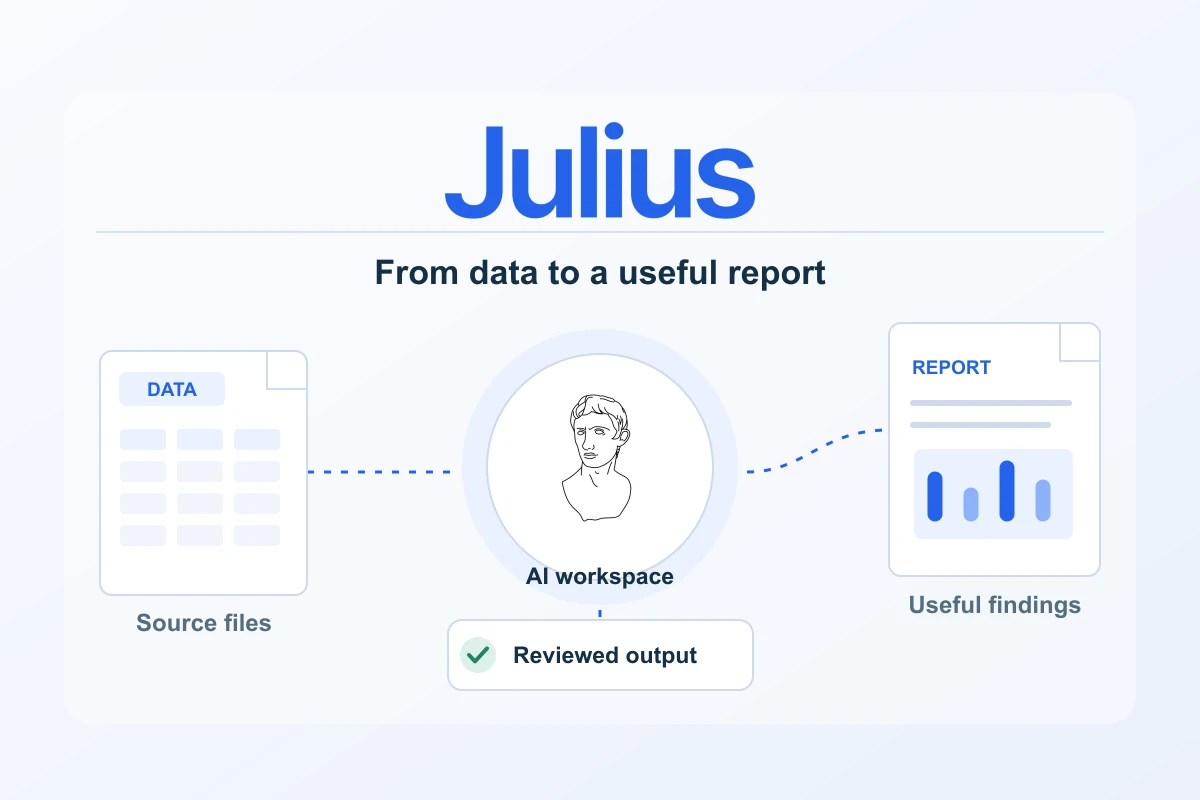
Julius is an AI-assisted workspace for making sense of data and explaining the result. Its documented workflows include uploading files, asking questions in natural language, creating charts and exporting data. Reports and presentation tools extend that process toward a useful deliverable, which makes the platform relevant to publishers, small businesses and teams with recurring spreadsheet work.
The most useful starting point is a concrete question. A website owner might want to understand a channel trend; a service business might need a clearer monthly report; a consultant might want to turn a reviewed table into a client presentation. Julius can support the analysis and explanation, while the user supplies the context and checks that the result means what it appears to mean.
Where Julius can fit in a practical workflow
| Task | Documented route | Review priority |
|---|---|---|
| Explore a spreadsheet | Upload the file and ask a defined question | Confirm columns, dates, units and source totals |
| Create an analytical visual | Build a chart from the reviewed data | Check the calculation, labels and comparison basis |
| Prepare a report | Use a report artifact to explain the findings | Keep the narrative tied to approved figures |
| Create a presentation | Adapt the reviewed findings into slides | Inspect the actual export at the intended viewing size |
The quickstart documents supported inputs including CSV, Excel, JSON, PDF and image files. Choose the source that fits the analytical task and inspect what the workspace reads. For a numerical report, a clean structured export can provide a clearer starting point than a screenshot of a table. Keep the original file so the final result can be checked against it.
The Data Explorer supports inspecting tables, filtering a working view and exporting CSV. That makes it useful for checking the scope before analysis. Ask for the row count, date range, missing values and key totals first. A small preparation step gives the later chart and recommendation a more dependable foundation.
Current plans and credit references
| Plan | Monthly billing | Annual view: displayed monthly equivalent | Subscription credits |
|---|---|---|---|
| Plus | US$20 per month | US$16 per month, billed annually | 2,000 monthly / 24,000 annual |
| Pro | US$45 per month | US$37 per month, billed annually | 5,000 monthly / 60,000 annual |
| Business | US$450 per month | US$375 per month, billed annually | 60,000 monthly / 720,000 annual |
The paid-plan cards also list 100 daily refresh credits, separate from the subscription allowance. The credit documentation says annual credits are allocated upfront, unused subscription credits do not roll over and top-ups are not currently available. Plan the commitment around work you expect to complete in the term. A credit allowance does not translate into one fixed number of completed analyses.
Plus is the lowest listed paid starting point for a focused workload. Pro provides a larger stated subscription allowance, making it worth comparing when recurring work and iteration require more capacity. Business has a much larger listed allowance and deserves a documented operational case. Check the actual tools and commercial arrangement you need rather than inferring them from a plan name.
Through the Julius partner programme, Pagember received the new-user code PAGEMBER50OFF for 50% off the first month. Confirm eligibility, the selected plan, the applied discount and the amount due in the checkout. Treat it as a first-month offer, rather than a lasting reduced price or an assumed annual discount.
Make natural-language analysis precise
A good question names the source, metric, period and intended output. Ask for a grouped table and a reconciliation before requesting a polished visual. When combining exports, specify the join key and compare totals before and after the join. These checks make it easier to catch a duplicated value or an inconsistent date range.
Julius documents visible analysis steps, including Python or R code in applicable workflows. Use the actual steps to inspect important calculations, transformations and assumptions. Availability can vary by tool, model and plan. The useful benefit is a reviewable process, rather than a reason to accept every confident answer without checking the underlying work.
Turn findings into useful reports and slides
Once the calculations are approved, the report workflow can help organise the explanation and visuals into an artifact. Give it a clear audience and a decision to support. An executive summary, a few verified findings, practical next steps and a short method note are enough for many recurring reports.
Presentation tools provide a separate route for explaining those findings in a meeting. The documentation describes formats including HTML, PPTX, PDF, PNG and Google Slides. Check the route available in the current workspace, then open the actual output in the recipient’s intended viewer. Review chart labels, clipping, line breaks and links rather than relying on the workspace preview alone.
Handle data with a deliberate scope
Upload only information you are authorised to process and the fields needed for the job. A channel summary often works with aggregated data, without customer names or contact details. For client information or sensitive records, review the current privacy, security and contractual terms against the organisation’s own requirements before choosing what to upload.
Keep your approved source files, calculation notes and finished exports in your own reporting record. Do not make workspace retention the only copy of important work. This also helps when a source is corrected or a later report needs the same metric definition. A reproducible reporting process is easier to maintain than an isolated chart.
A sensible first project
- Choose one permitted export and one business question.
- Inspect columns, dates, units, missing values and totals.
- Approve the calculation before asking for a report or presentation.
- Record actual account usage for the complete reviewed job.
- Open the final export and check readability in the intended format.
- Choose the subscription commitment from that representative work.
Julius is a strong candidate when the missing step between a spreadsheet and a decision is an accessible analytical workflow. Its file-based exploration, visible analysis and reporting tools give a clear path to evaluate. Start with a useful question, verify the answer and build a repeatable process around the result.
Pricing, credits and billing choices · Website and advertising CSV workflow · Client reports and presentation workflow
Plans & costs
Compare the full commitment and the work each plan includes. Recorded observations are not a current checkout quote.
AI tools
USD · US / global observations

Julius · Plus — monthly
- Initial term & commitment
- Initial term amountUS$20.001 month termPublished standard monthly subscription reference, before any eligible introductory discount; tax and selected checkout conditions remain separate.
- Renewal
Check local tax at checkout
Price observed 2026-10-16
Plan details & sources
Regular individual spreadsheet analysis and reviewed reporting.
2,000 monthly credits; 100 daily refresh credits as listed; 16 GB RAM. Credit consumption varies with task, model and complexity.
Choose another option if: Choose by your task and observed credit use; connectors and model availability depend on the selected subscription.
Public USD reference; no European currency, billing country or tax amount inferred. · Check local tax at checkout
Renewal: A separate future renewal amount was not established. Confirm current subscription and renewal terms at checkout.
Check local tax at checkout
Prices checked 2026-10-16Official price source ↗Observed 2026-10-16
Official price evidence ↗Julius · Pro — monthly
- Initial term & commitment
- Initial term amountUS$45.001 month termPublished standard monthly subscription reference, before any eligible introductory discount; tax and selected checkout conditions remain separate.
- Renewal
Check local tax at checkout
Price observed 2026-10-16
Plan details & sources
A larger individual analysis and reporting workload that needs the listed Pro capacity.
5,000 monthly credits; 100 daily refresh credits as listed; 32 GB RAM. Credit consumption varies with task, model and complexity.
Choose another option if: Do not equate the credit allowance to a guaranteed number of reports, files or model runs.
Public USD reference; no European currency, billing country or tax amount inferred. · Check local tax at checkout
Renewal: A separate future renewal amount was not established. Confirm current subscription and renewal terms at checkout.
Check local tax at checkout
Prices checked 2026-10-16Official price source ↗Observed 2026-10-16
Official price evidence ↗Julius · Business — monthly
- Initial term & commitment
- Initial term amountUS$450.001 month termPublished standard monthly subscription reference, before any eligible introductory discount; tax and selected checkout conditions remain separate.
- Renewal
Check local tax at checkout
Price observed 2026-10-16
Plan details & sources
A team needing the listed shared business capacity and collaboration allowance.
60,000 monthly credits; 100 daily refresh credits as listed; up to 50 team members. Credit consumption varies with task, model and complexity.
Choose another option if: Confirm per-user permissions, connector access, file persistence and the final invoice for your organisation.
Public USD reference; no European currency, billing country or tax amount inferred. · Check local tax at checkout
Renewal: A separate future renewal amount was not established. Confirm current subscription and renewal terms at checkout.
Check local tax at checkout
Prices checked 2026-10-16Official price source ↗Observed 2026-10-16
Official price evidence ↗Recorded prices can change. Check eligibility, taxes and the current full bill with the provider. Different currencies and services are shown separately.
Sources and verification
Editorial review 2026-10-16. Source check dates are recorded separately. Notes describe what each source supports and its limits.
View sources
- Julius plans and current credit allowancesChecked Public USD monthly prices and displayed annual monthly equivalents for Plus, Pro and Business; monthly and annual credit allowances; paid-plan daily refresh credits.
Limits: Annual equivalents are rounded public figures and must not be multiplied into an asserted invoice total. Confirm the complete payment, tax, term, features and current credit conditions at checkout. The stale Custom Agents FAQ is not used. - Julius credit allocation and expiry rulesChecked Annual credits are allocated upfront; unused subscription credits do not roll over; credit top-ups are not currently available.
Limits: The stale Pro annual-credit example and conflicting Free welcome-credit figures are not used. Current pricing-page allowances take precedence over those examples; conditions can change. - Julius quickstart: files, analysis and exportChecked Uploading supported files including CSV and Excel, asking natural-language analysis questions, creating charts and exporting data.
Limits: Official workflow documentation, not a hands-on test. Data quality, task complexity and review affect the usefulness of the result. - Julius tools and visible analysis stepsChecked Documented analysis tools and visible Python or R code steps; available tools can depend on the model, plan and workflow.
Limits: Do not promise universal tool access or assume every task uses the same model or language. Inspect the actual code, inputs and output when reviewing an analysis. - Julius Data ExplorerChecked Inspecting tabular data, filtering the working view and exporting CSV.
Limits: An inspected or filtered table is not proof that source data are complete or that a business conclusion is causal. - Julius reportsChecked Creating reports as artifacts from analysis, with structured explanatory content and visual output.
Limits: A generated report still needs source, calculation, narrative and export review. Do not imply independent verification by the product. - Julius presentations and exportChecked Creating presentations and documented output routes including HTML, PPTX, PDF, PNG and Google Slides.
Limits: Check the route available in the current workspace and review the actual exported file. No pixel-perfect cross-format or universal plan-entitlement guarantee is made.