
Choose devices whose essential functions have a documented usable fallback, and check local, remote and subscription features separately rather than assuming an entire smart home either works or fails.
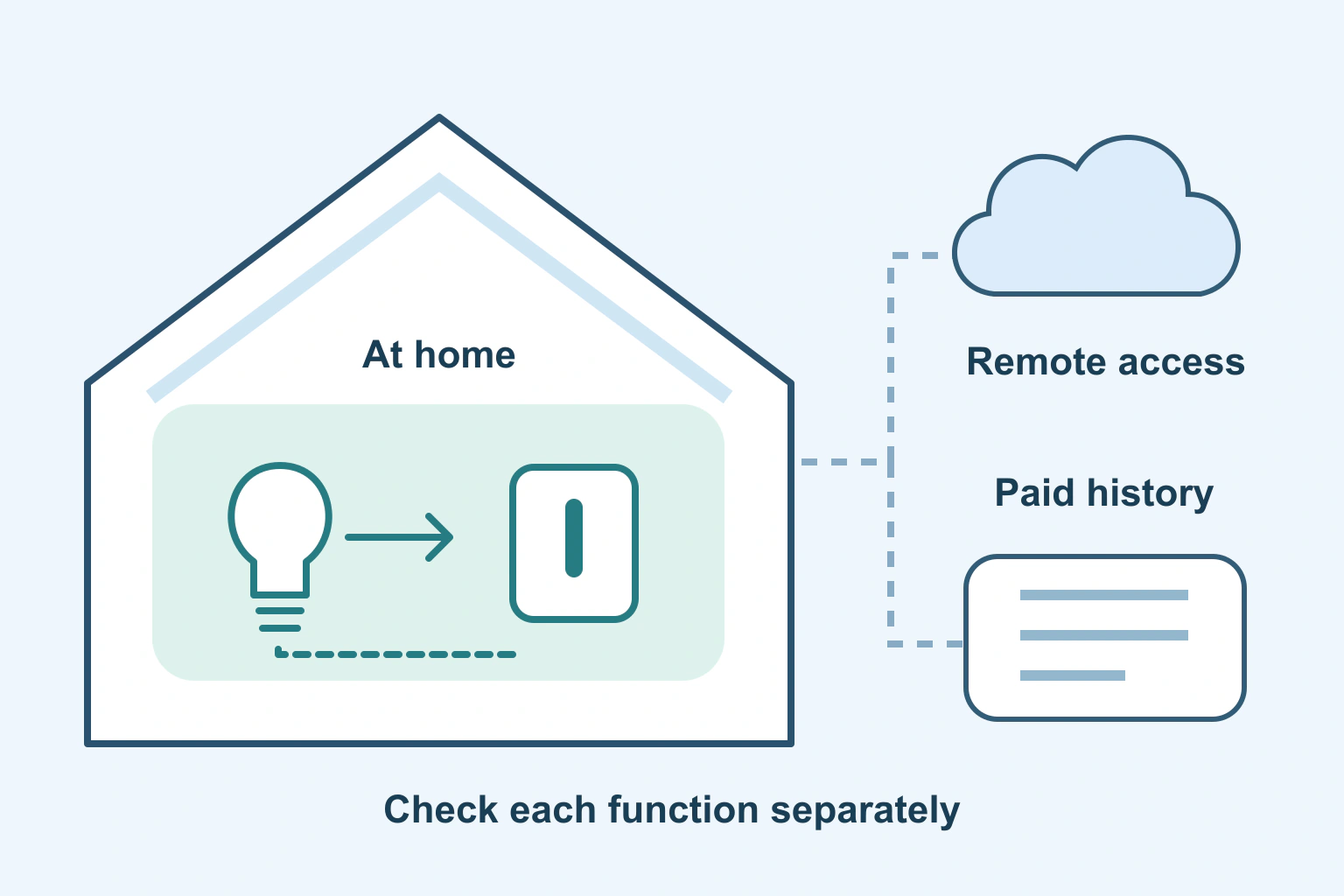
A smart home does not have one universal offline state. A light’s nearby control, a camera’s remote view and its saved recordings can depend on different things. Losing internet and ending a subscription are different events, and neither should be confused with losing electrical power.
Before buying or cancelling, ask what each essential function needs. A useful device is one whose documented behaviour fits your household, including a fallback people can actually use when an account, connection or paid feature is unavailable.
Separate four dependencies
First is power: the accessory, router and any hub need their appropriate power source. Second is local communication within or near the home. Third is internet access to a service outside the home. Fourth is entitlement to a particular paid feature.
These layers can overlap, but they are not interchangeable. An internet outage can leave a local network running. Turning off the router creates a different condition. Cancelling a recording plan can change access to stored clips while leaving other supported camera features available.
| Function you want | Question to check |
|---|---|
| Operate something in the room | Is there a usable physical or documented nearby control? |
| Run a household routine | Where does it execute, and which hub or connection does it need? |
| Control something while away | Which internet service, account and home equipment must stay online? |
| Review camera recordings | Which model, storage location and paid plan provide that history? |
| Change setup or add a device | Does initial pairing require conditions different from ordinary use? |
Fill this out for the two or three functions your household would miss most. Do not begin with every optional scene or novelty feature. A short list of essential operations produces a much clearer purchase decision.
Local control is a capability to verify
Local control means an operation can happen through the relevant nearby devices or network rather than requiring the instruction to travel to a remote service. It still depends on the actual equipment and supported setup. “Wireless” does not tell you where the decision happens.
The Connectivity Standards Alliance describes Matter as a compatible-device standard with local connectivity. That is useful context, but a standards badge is not a guarantee that every manufacturer feature or voice command works without cloud access.
For a concrete example, Philips Hue explains its Bridge/Zigbee and Bluetooth communication routes, while listing internet for control from anywhere. Those are different paths. Check the particular light, controller and routine instead of generalising from a single supported feature to the entire system.
Apple’s Matter guide also documents local pairing and control conditions that vary by software, phone and accessory type. If a product needs a hub or compatible network component for your chosen route, include it in the real setup and cost.
Remote access and recordings need separate answers
A working lamp switch tells you little about whether a remote app will connect from another city. Ask the manufacturer how remote control is delivered and what happens when the home loses internet. Check which functions resume automatically and which may need supported attention.
For cameras, distinguish live viewing, event detection, saved event clips and continuous history. They are separate capabilities. A sentence saying “camera works without a subscription” is not detailed enough if the main reason for buying it is reviewing something that happened yesterday.
Google’s Nest video-history guide differentiates recording features by model, installation and subscription. It also describes rolling history rather than permanent storage. Check the current table and terms for the exact model and market before relying on a recording period.
This example does not mean live viewing is available without internet, nor that another camera follows the same rules. Preserve any important permitted clips through the manufacturer’s supported method before changing a plan that affects access.
Ask useful questions before buying
Replace “does it work offline?” with a specific question: “Can someone in the room turn this light on using this control when the home internet connection is unavailable?” Then ask about setup, routines and remote access separately.
Find the current support article for the exact product generation. Ask genuine support for the missing detail when a sales page is vague. Record the answer alongside the model, relevant subscription and date, especially if a feature is central to your purchase.
Include household usability. Another person should not need your unlocked phone to do an ordinary essential task. Consider supported manual controls, account ownership and the normal process for adding or removing household members. Avoid improvised rewiring or unsupported changes to safety-related equipment.
A fictional household chooses around continuity
Imagine a fictional household wants smart lighting and a door camera. Its essential lighting need is straightforward: anyone in the room must still have a supported way to operate the lights. Remote scenes are convenient but secondary.
The camera requirement is different. The household wants to review certain events later, so it checks the exact recording feature, storage arrangement and plan. A free live view alone would not meet that job, even if the camera remains usable for other purposes.
The household buys only after those two questions are answered. It keeps a simple note of the physical controls and account owner. This is a fictional planning example, not a test of any named product or a claim that every outage has the same outcome.
Test safely and review subscriptions deliberately
Use manufacturer-supported checks on nonessential equipment. Record the normal configuration before a harmless test and restore it afterwards. Do not disrupt alarms, locks, medical equipment or household safety simply to experiment with an internet disconnection.
For each important device, write down the supported local operation, remote dependency and paid feature. If the household cannot accept a failure mode, change the purchase requirement rather than hoping an undocumented fallback exists.
Our subscription inventory guide helps identify the real biller and renewal. The file-preservation checklist explains why access and a retained usable copy differ. Review unnecessary phone access separately with our app-permission guide.
Your next step is one function-by-function dependency list. A clear local fallback and an understood paid service are more valuable than a broad promise that an entire home is simply “smart” or “offline.”
Sources and verification
Editorial review 2026-10-18. Source check dates are recorded separately. Notes describe what each source supports and its limits.
View sources
- Connectivity Standards Alliance: MatterChecked Matter's purpose of compatible-device interoperability and local connectivity.
Limits: Standards overview, not a guarantee that every device feature, automation or service works offline. - Philips Hue: How Hue worksChecked Specific Zigbee/Bridge and direct Bluetooth communication examples, with internet listed for control from anywhere.
Limits: Hue-system description; not a promise about all lights or every routine during a particular outage. - Apple: Pair and manage Matter accessoriesChecked Version-, device- and accessory-dependent local pairing/control and relevant Thread/hub requirements.
Limits: Specific Apple Home setup conditions; the page does not certify the reader's whole home or remote-access dependencies. - Google: Learn about event and 24/7 video historyChecked Recorded-history features depend on camera model, installation and subscription; history differs from live viewing and older records roll off.
Limits: Nest-specific page has inconsistent numerical previews in its prose/table, so this guide quotes no retention duration or price. Live viewing is not claimed to work without internet.