
Treat a related ad as an observation, inspect the provider's explanation where available and adjust account, browser and device controls by their actual scope.
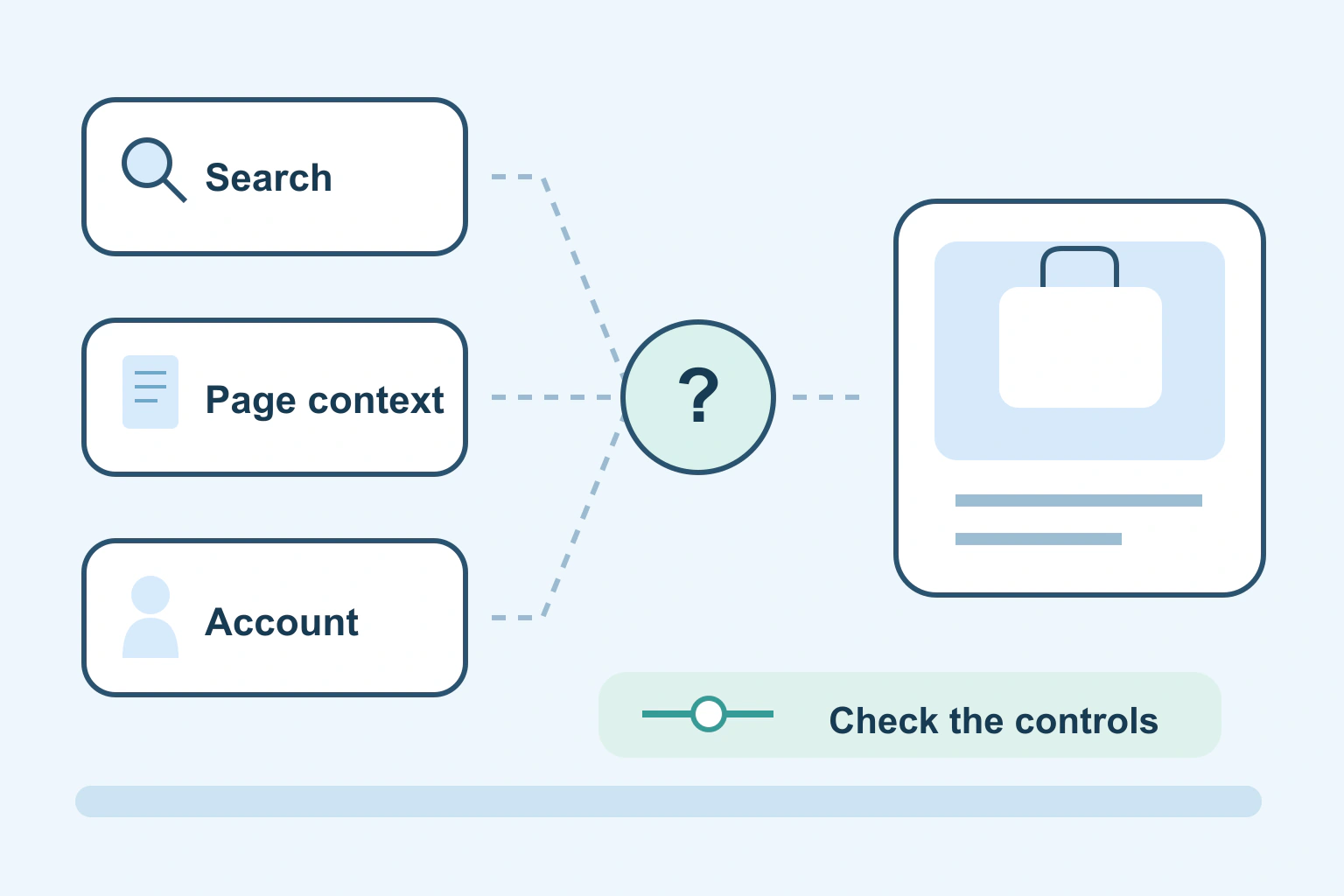
A product search can be one of several signals used to choose an advert, but a related advert does not prove exactly how it was selected. It may relate to saved account activity, a previous website visit or the page you are viewing now. The specific explanation needs evidence.
Start by separating what you observed from what you inferred. “I searched for a suitcase and later saw a suitcase ad” is an observation. “This proves a particular app listened to me” adds a cause that the advert alone does not establish.
There is more than one route to a relevant ad
The FTC explains several tracking methods, including cookies, pixels, browser fingerprinting and advertising identifiers. Companies can also connect activity across devices. These are documented possibilities, not a diagnosis of which method operated on your phone today.
An advertising system may also use information associated with an account or choices you made within its settings. That is a different route from simply storing a small file in one browser. Clearing a browser cookie is therefore not the same operation as changing an account’s advertising controls.
| Possible relationship | What it does not establish |
|---|---|
| You viewed a product or related content | That a particular tracking company received the visit |
| Activity is saved to an advertising account | That every similar advert used that activity |
| The current page has a matching topic | That personal browsing history was necessary |
| The same account is used on several devices | That the phone copied information through its microphone |
| A preference or privacy control changed | That all similar adverts must disappear |
Use the table to keep your conclusion no stronger than the evidence. Several explanations can fit the same experience. A striking match may justify reviewing settings without justifying a confident accusation about an unobserved collection route.
Personalised and contextual ads can look similar
A personalised advert uses information connected to you under the relevant system’s rules and settings. A contextual advert can be selected from the situation, such as the topic of the current page or active search. Both can show the same type of product.
Google’s advertising explanation describes both personalised and non-personalised factors. It also distinguishes Google services from partner sites and other advertising platforms. One provider’s settings cannot be assumed to control every advert on the internet.
For example, seeing a luggage advert beside an article about packing does not require the conclusion that the advertiser knew about yesterday’s suitcase search. That is an illustrative possibility, not a reconstruction of a real ad auction.
Read the explanation before changing everything
Where an ad offers an information or more-options control, inspect it through the normal interface. Identify the advertiser and advertising provider if shown. Avoid clicking the sales destination merely to discover the explanation.
Google’s My Ad Center introduction describes menus on some ads that let you learn about the advertiser and information used, as well as change preferences or report an ad. The available explanation is useful context; it is not necessarily a complete technical log of every data exchange.
Make a short private note of where the ad appeared and which account was active. Do not publish account screenshots, identifiers or a whole browsing history to ask why an advert appeared. You normally need far less private information to review the available controls.
Change the control that matches the goal
If the goal is to reduce personalisation, inspect the advertising settings for the relevant account. If the concern is an app’s permission, use the phone’s permission controls. If you want to change optional tracking on a website, inspect that site’s current privacy choices.
Google’s data-control guidance separates activity used for ads from other saved activity and recommendations. Switching off an advertising use is not automatically a request to erase all history or disable every recommendation. Read the exact description beside the control before confirming.
On supported Apple devices, App Tracking Transparency concerns a defined kind of tracking across other companies’ apps and websites. It is not the microphone permission and not a promise of an advert-free phone. Our phone-permission guide helps review those separate capabilities.
A fictional suitcase search
Imagine fictional reader Lee researches a suitcase on a laptop while signed in to an account. Later, Lee sees a suitcase advert on a phone and wonders whether the phone was listening to a conversation about the trip.
Lee checks the available ad explanation and advertising settings. Account activity or a relevant page could explain a match without microphone access. The advert alone does not establish which route was used, so Lee records the explanation rather than turning a suspicion into a conclusion.
Lee also reviews unnecessary permissions as a sensible separate step. This does not prove a previous recording occurred. The fictional example shows how to improve privacy without inventing certainty about something that was not observed.
Expect fewer signals, not a silent internet
Turning off personalised ads does not necessarily remove ads. Contextual selections can remain relevant to what you are currently reading. Requesting fewer ads about a topic can also differ from blocking a particular advert or reporting a rule violation.
Google explicitly says topic preferences do not change the overall quantity of ads and are not complete topic blocks. Check the scope of any other provider’s controls independently. Seeing another related advert afterwards is not, by itself, proof that a saved setting failed.
Avoid installing an unknown extension merely because it promises to reveal everyone tracking you. Consider what access the tool itself requests and whether its claims are explained. Do not erase useful passwords, files or account recovery information as a broad attempt to make one advert disappear.
Keep the purchase decision independent
A familiar product shown repeatedly is not a recommendation from an independent reviewer. Inspect the seller and actual offer before paying. Our online-store checklist helps with an unfamiliar shop, while the trial-offer guide helps identify later billing.
Your next step is one focused review: inspect an ad’s available explanation, identify the relevant provider and change a control whose purpose you understand. Keep possible mechanisms separate from proven facts, and make privacy choices because they fit your preferences rather than because a coincidence feels like proof.
Sources and verification
Editorial review 2026-10-18. Source check dates are recorded separately. Notes describe what each source supports and its limits.
View sources
- FTC: How websites and apps collect and use your informationChecked Cookies, pixels, fingerprinting and advertising identifiers as possible tracking technologies, cross-device activity, and privacy-control limitations.
Limits: General consumer explanation, not evidence of which technology caused one advert; this guide does not infer a particular collector or covert recording. - Google: How personalized ads workChecked Documented personalised and contextual ad factors, account activity, and distinct partner-site arrangements and control scope.
Limits: Google's own advertising system; does not describe every platform or prove a signal was used for a reader's specific advert. - Google: Control what data is used to show adsChecked Controls for information and activity used in ad personalisation, with recommendation/history distinctions.
Limits: Controls have service/account scope; switching off one advertising use does not imply all stored activity or recommendations are deleted. - Google: Get started with My Ad CenterChecked Ad menus can show advertiser/information context and controls; requesting fewer topic ads is not a block and does not reduce total ad quantity.
Limits: Available on some Google-service ads; not a universal full tracking log or removal of all ads. - Apple: If an app asks to track your activityChecked App Tracking Transparency purpose and managing the specific app-tracking permission on supported Apple systems.
Limits: A defined cross-company tracking control, not a global ad blocker or replacement for microphone, browser and account controls.