
Read the exact issue, country and affected item first; compare one offer across its source data, public landing page and checkout before changing the catalog.
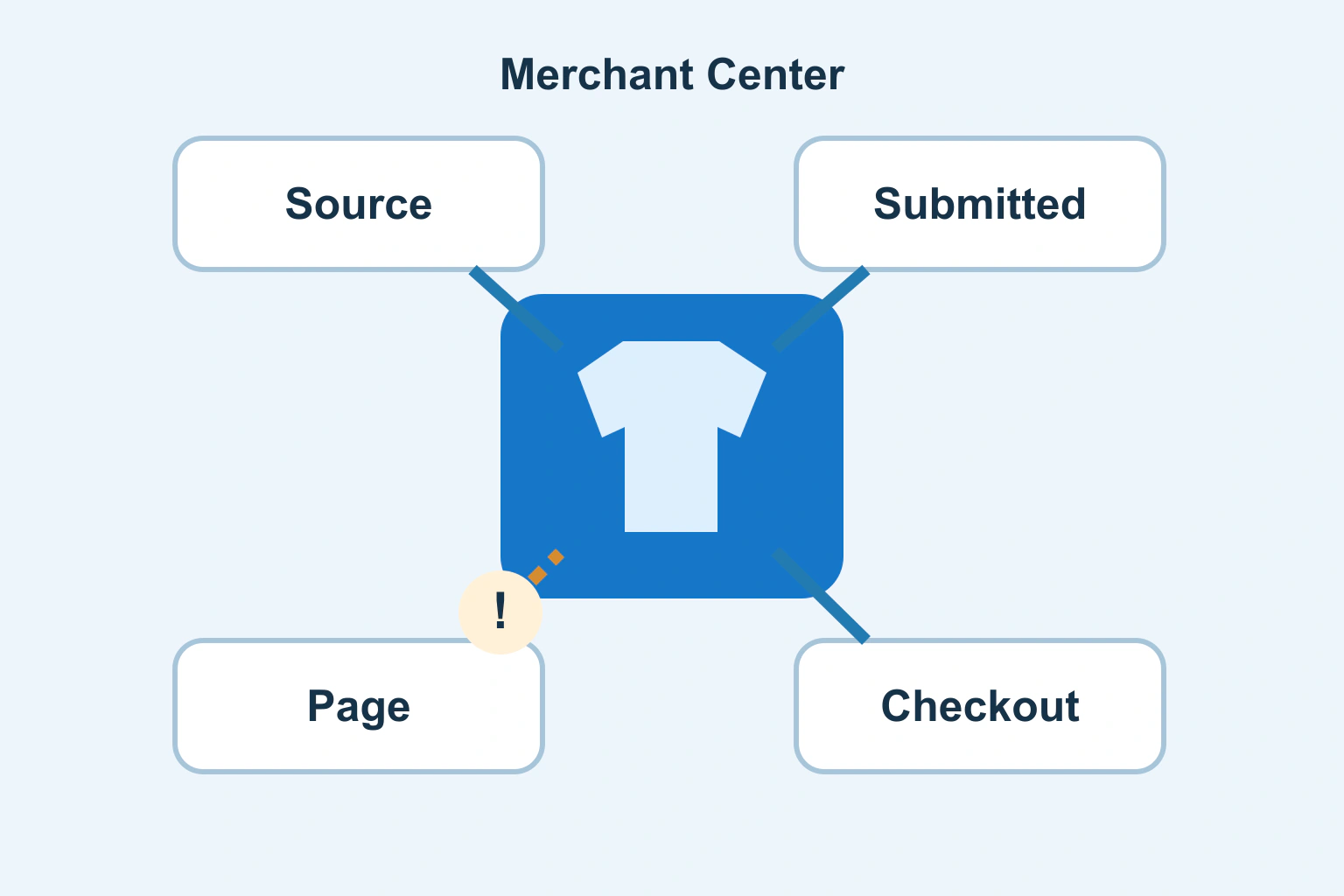
Start a Merchant Center product disapproval investigation with one affected offer and the exact reported issue. The product editor, exported data, public page and checkout can each show a different version of the same item. Editing titles at random or requesting another review will not reveal which version is wrong.
The aim is a traceable correction: locate the discrepancy, repair its owning source and verify the public result. This guide does not promise approval or replace the specific instructions shown in your account.
Record the issue and its scope
Open the intended Merchant Center account and inspect the affected item through Needs attention. Record the item identifier, target country, language, destination or program, exact issue and example URL. Keep account screenshots private and redact unrelated details before asking for help.
Google’s issues documentation distinguishes product-level issues from account-level problems. A fix for one missing attribute cannot establish that an account-wide policy issue is resolved. One product warning is also not proof that the whole business is suspended.
Group items by the reported cause. If every blue variant has the same mismatch, inspect the common mapping. If unrelated products fail for different reasons, keep separate investigations rather than applying a speculative replacement across the whole catalog.
Choose one exact offer as the reference
A product family is not sufficiently precise. Identify the actual size, colour, condition, pack quantity and model. Record the store SKU or variation identifier alongside the submitted item ID. These values can be related without being identical.
Open the submitted URL as a logged-out visitor and note what is selected before touching the controls. A link for a blue medium shirt that initially opens red small has a different issue from an incorrect amount on the blue medium option itself.
Next locate the source that owns the submitted data: a spreadsheet, store record, integration mapping or API-managed item. Editing the account’s displayed value without understanding that ownership can produce a temporary correction overwritten by the next synchronization.
| Layer | Evidence for one offer | Question |
|---|---|---|
| Store source | Variant ID, amount, currency, availability | Is parent data inherited incorrectly? |
| Submitted item | Processed attributes and link | Is the mapping or export stale? |
| Public page | Initial selection and visible offer | Does it open the intended variant? |
| Checkout | Same item and purchasable amount | Does the offer remain consistent? |
Work through a fictional mismatch
A fictional shop submits an in-stock blue medium shirt. Its source record is correct, but the integration generates the parent product URL without the variant selection. The public page initially shows another option with a different price. The operator reproduces this without buying anything.
The justified correction is to repair the mapping or link-generation route so the submitted offer opens the intended option. Changing the source amount to match whichever variant happens to open would hide the link defect and damage correct catalog data.
This example is an investigative model, not a tested Merchant Center account. Another store might have correct URLs but stale cached stock information. Preserve the symptom separately from the suspected cause until the comparison identifies the broken layer.
Compare the page as a buyer sees it
Google’s landing-page requirements call for the page to represent the submitted product or variant with consistent key information. Check identity, selected options, amount, currency, availability and the route to purchase. A matching title alone does not establish a matching offer.
Inspect mobile and desktop. An option selector obscured by an overlay can create a different experience. Record the initial usable state rather than a screenshot taken after manually choosing the correct item. Check whether the page later changes to a different amount or selection unexpectedly.
The currency and locale guide helps distinguish display formatting from a different amount. Preserve the actual price and clarify the target country and currency. Do not switch values simply because punctuation looks unfamiliar.
Do not invent identifiers to remove a warning
Obtain assigned identifiers from reliable product records or the manufacturer. Google’s GTIN guidance says not to guess or make up values and recognizes that some products have no assigned GTIN.
A store SKU is an internal identifier, not automatically a GTIN. A code borrowed from a similar product may identify another size, model or pack. The relationship must connect the precise item to its genuine identifier; passing a length check does not make an identifier accurate.
If the information is missing, preserve that uncertainty and obtain the correct documentation. Follow the issue’s instructions for the product type. Do not falsely describe the item as lacking identifiers to avoid a requirement that applies to it.
Investigate reachability without removing protection blindly
A page can load for an administrator while challenging or rejecting visitors. Check the exact reported URL through authorized site-owner tools. Record an actual error, redirect or blocked state before blaming the feed. A working homepage says little about a failing variant URL.
Our HTTP 401 and 403 investigation explains how to locate the refusing layer. A crawler-access problem requires a focused configuration review. Removing every firewall rule or exposing a private preview creates a broader risk without establishing the cause.
Preserve the original evidence and make the smallest supported correction. When a different maintainer owns the integration, cache or access layer, give them the specific item, URL and mismatch rather than a vague request to make Google work.
Verify the correction before requesting review
Synchronize through the intended source, inspect the processed item and reopen its final URL. Check that a competing source or scheduled export does not restore the old value. Compare another affected item and an unaffected nearby item to detect an overbroad mapping change.
Use the review route offered for the specific issue after the correction is live. Keep the review result separate from the engineering change. A request being submitted is not approval, and approval does not certify every other item in the account.
Eligibility is also different from guaranteed traffic or sales. The measurement introduction separates visibility, visits and commercial outcomes. Keep your item trace as an operational record: the next catalog change can then be checked against a known failure rather than starting the same investigation again.
Sources and verification
Editorial review 2026-10-18. Source check dates are recorded separately. Notes describe what each source supports and its limits.
View sources
- Google: Issues in Merchant CenterChecked Product and account issues have different scope; Needs attention supplies the specific issue and review route.
Limits: No promise of approval or review timing. - Google: Landing page requirementsChecked The page must represent the submitted product or variant with consistent key information.
Limits: Product, program and country requirements still need review. - Google: GTIN attributeChecked Use correct assigned identifiers; do not guess or invent GTINs.
Limits: Some products lack assigned GTINs; that does not authorize false identifiers.