
Begin with a few role addresses and a named owner. Use aliases for one person's identities, separate users for independent access and deliberate sharing for team work; add only rules you can verify.
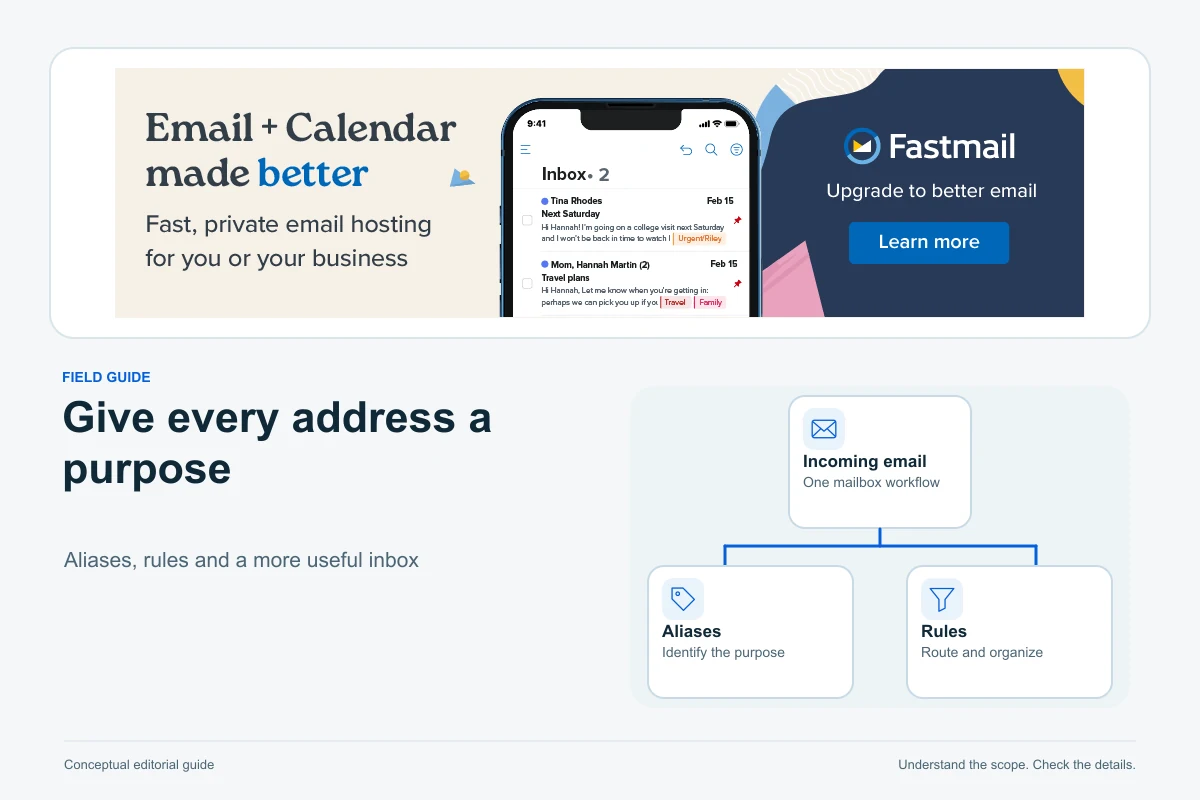
One person can run several useful business email addresses without switching between several logins. With Fastmail, aliases provide those extra identities, and address actions or rules can organise the incoming work. The key is deciding whether you need another address, another person or a genuinely shared workflow.
This guide builds an illustrative system for a small studio handling enquiries, suppliers and billing. It uses official Fastmail documentation checked on 13 October 2026, rather than a hands-on test of your account. It is about organising human correspondence, not sending newsletters or automated website messages.
Start with responsibilities, not the maximum number of aliases
A fictional one-person studio might publish hello@example.com for enquiries and accounts@example.com for billing discussions. Both can be handled by the owner. Creating an alias for every conceivable department would make the business look more complicated without establishing who actually answers.
Fastmail distinguishes extra addresses from extra users: an alias delivers into an existing account, while a user has separate login credentials, a mailbox and storage. Use that distinction to model your operation. Aliases are useful for a solo owner wearing several hats; a colleague who needs independent access needs a user arrangement. See addresses versus users.
| Need | Useful starting point | Question to settle |
|---|---|---|
| One owner, two public roles | Two aliases on that owner’s account | Will both reach the same person? |
| Second person, private work | Separate user | What should administrators be able to access? |
| Two people receiving enquiries | Shared address or deliberate routing | Copies for each person, or one shared message view? |
| Team handling the same correspondence | Shared folder with agreed permissions | Who replies, and how is work ownership recorded? |
| High-volume support with assignments | Assess a helpdesk workflow | Are ticket ownership and response tracking required? |
These are operating choices, not promises that a particular subscription includes every possible team feature. Check the current account and plan requirements before adding paid users.
Create a small address register
Record the address, purpose, owner, receiving destination, sending name and review date. For example, the studio owner might manage hello@ and accounts@, while a future assistant receives a separate personal account. Keep the register in a private working document rather than publishing internal routing details on the website.
Use names that clients can recognise. If accounts@ receives billing conversations, give it an appropriate display name and signature rather than the personal nickname used for family mail. A role address helps continuity when responsibilities change; it does not create confidentiality on its own.
Set up an alias and one clear delivery action
In Settings → My email addresses, select Add address, choose Create an alias, enter the address and select the intended domain. Save its delivery and composing choices. An administrator creating an address for another user works through Users & Sharing → Aliases. Fastmail says a new alias can take up to 15 minutes to take effect. See the alias setup guide.
For accounts@, a simple starting point is delivery to a Billing folder, leaving unrelated mail in Inbox. Avoid adding forwarding, deletion and several overlapping rules during the same first test. You want to know which change produced the result.
Fastmail’s My email addresses screen identifies types such as Username, Alias and Shared alias. It also lets you edit an address’s delivery settings and sender identity. Use it to check the address actually created, rather than inferring a separate mailbox from the fact that an address appears in a list. See the address management reference.
Use folders to make work visible
Create a small folder structure, such as Enquiries, Billing and Suppliers, through Settings → Folders. Fastmail supports nested folders and also offers labels; choose the approach that helps you find work consistently. The folder settings include advanced options such as a default composing address and auto-purge. Leave automatic deletion out of an initial workflow until you have an intentional retention policy. See the folder guide.
Design folders around actions you really take. A folder called Billing should have a regular review habit, because moving a message out of Inbox does not mean its invoice has been dealt with. A large tree organised by every client, supplier and month is worthwhile only if someone can maintain it.
Add rules only where the address action is insufficient
Fastmail processes blocked senders and spam handling before address actions, and then rules. Rules run in their listed order. In Settings → Filters & Rules, Create rule lets you choose conditions, preview matching messages, select actions and save. Conditions can require all matches or any match. See the rule documentation.
For the studio, an editorial example is a recipient condition matching accounts@, with a folder action for Billing. If an address action already does exactly that, another rule adds little. A separate supplier-specific rule may be useful if it handles a different task. Name each rule for what it does so a future operator can understand it.
Be careful with conditions assembled from a real message: the sender, recipient or subject may be narrower or broader than you intended. Preview ordinary rules with several relevant messages before saving. Start with a reversible action such as filing, rather than deleting or marking every matching item read. Repeat the test after reordering rules.
Test replies as well as incoming organisation
Send a few clearly labelled tests from an unrelated mailbox you control. Then open each received message, reply, and inspect what the other mailbox sees. The address and display name should match the role you intend customers to contact.
| Illustrative test | Expected outcome to verify | If it fails |
|---|---|---|
| New enquiry to hello@ | Visible in the intended work queue | Check alias target and filing actions |
| Billing question to accounts@ | Filed in Billing without being lost | Check rule conditions and order |
| Reply from the billing conversation | Correct role address shown to recipient | Check From selection and composing settings |
| New message started in a folder | Chosen sender is appropriate | Check folder defaults before sending |
| Message to an unrelated address | Unaffected by the billing rule | Narrow an overbroad condition |
Test on the applications you will actually use. A workflow observed in webmail should not be assumed to behave identically in every third-party client. In particular, check new-message defaults, sent-copy location and replies before relying on a shared process.
Choose shared delivery or shared visibility deliberately
A shared address and a shared folder solve different coordination questions. Fastmail documents sharing a folder through Settings → Folders → advanced preferences → Team sharing, selecting users and permissions. The owner can choose whether one person’s read action marks a message read for everyone or whether each person keeps an individual unread state. Shared messages count against the folder owner’s mail quota. See sharing mail.
For two people covering enquiries, first decide whether they should receive separate copies or work on the same shared set of messages. Then establish a handover convention: who handles a conversation, who covers absences and where the final response is visible. Read/unread status alone is a poor substitute for explicit responsibility.
Separate copies can suit a low-volume announcement where both people only need awareness. A shared folder can suit a small team wanting to inspect the same correspondence. If several agents must claim tickets, avoid duplicate replies and report response times, a dedicated helpdesk may fit the operating model better. Validate the required features in that product rather than treating extra aliases as a ticketing system.
Give each person their own login rather than sharing a password. Fastmail administrators manage users through Users & Sharing. Its user-management documentation also explains that administrator visibility and privacy settings need a deliberate choice. Review those settings with the person joining, rather than promising that an ordinary user account is automatically invisible to every administrator. See managing users.
Use catch-all and plus addressing for the right reasons
A catch-all receives mail sent to otherwise unmatched addresses at a custom domain. An explicitly created alias takes precedence over it. This can help catch an unexpected address, but it also means you will receive mail for addresses you never deliberately issued. Consider the workload before enabling it on a public business domain. See catch-all behaviour.
For a permanent public address such as hello@, an explicit alias gives you a visible entry in the register and a deliberate target. A catch-all is not a reason to skip ownership checks. If a specific address is retired, test the actual response with your catch-all configuration rather than assuming deletion always stops delivery.
Plus addressing can be useful for registrations: for example, owner+suppliers@example.com still reaches the owner, and a matching folder name can trigger filing. Some forms reject plus signs. Sending from a plus or subdomain address requires setting up that sending identity, and custom-domain subdomain sending needs appropriate DNS. See the plus and subdomain guide.
A plus tag is an organisation aid, not a secret or proof that a particular business leaked an address. Other people can recognise or remove a tag. Use a consistent public role address when clarity matters more than tracking which registration used it.
Keep the scope human, and review the system as it grows
Fastmail’s terms require keeping login details confidential and exclude programmatically generated outbound mail to addresses outside the customer account. A tidy role-address system is therefore not permission to turn the service into a shop’s receipt engine, a newsletter sender or a high-volume automation relay. Use a permitted service for those tasks. See the current terms.
Review the address register when someone joins or leaves, when responsibilities change and when a folder becomes a dumping ground. Confirm that important contacts use a monitored address. Keep rules you can explain; remove duplication after testing, and preserve messages according to your actual retention needs.
Fastmail is worth assessing when you value several useful identities, a focused inbox and practical organisation for a small operation. Start with one real workflow, prove delivery and reply behaviour, then expand. If your domain is not connected yet, follow our custom-domain email setup guide. If you instead need ticket assignments, extensive automation or a broader office suite, compare those needs before buying more mailbox users.
Pagember participates in Fastmail’s affiliate program and may earn a commission from qualifying purchases through our Fastmail links.

Sources and verification
Editorial review 2026-10-13. Source check dates are recorded separately. Notes describe what each source supports and its limits.
View sources
- Fastmail: addresses versus usersChecked Alias versus separate login/mailbox/storage distinction.
Limits: No numerical allowance or pricing inferred. Several role addresses are not proof that several user subscriptions are needed. - Fastmail: create and manage aliasesChecked Alias creation route, delivery and composing choices, administrative route and up-to-15-minute activation note.
Limits: No account action or third-party client result tested. Catch-all interaction is separately qualified rather than assuming deletion always stops delivery. - Fastmail: My email addressesChecked Username/Alias/Shared alias address types and address editing view.
Limits: A shared address label is not evidence of ticket assignment or a separate shared mailbox with every possible team feature. - Fastmail: foldersChecked Folder creation, nesting, labels alternative, composing default and auto-purge settings.
Limits: No deletion period recommended; retention policy and independent third-party client behaviour remain reader-specific. - Fastmail: Filters & RulesChecked Blocked/spam/address-action/rule processing order; listed rule order; rule creation preview; all/any conditions and filing actions.
Limits: Example workflow is editorial, not a claim of account testing. No-preview rules are not used or described as previewable. - Fastmail: sharing mailChecked Folder sharing route and permissions, shared versus per-person read state, folder-owner quota.
Limits: Shared visibility is not asserted to provide ticket ownership, collision prevention or helpdesk reports. Permissions must be checked in the actual account. - Fastmail: managing usersChecked Administrative user-management route, separate user creation and deliberate privacy/admin settings; admin access to user data is a relevant default to review.
Limits: No assumption that all user data is automatically private from admins; no user created or subscription charge authorised. - Fastmail: catch-all aliasesChecked Wildcard reception for custom domains and precedence of specific aliases.
Limits: Catch-all's workload and naming choices are editorial analysis. Deletion outcomes must be tested with actual catch-all configuration. - Fastmail: plus and subdomain addressingChecked Plus delivery and matching-folder filing, form rejection caveat, sending identity setup and custom-domain DNS qualification.
Limits: Tags are not promised as secret, sender authentication or proof of a data leak. No subdomain/DNS configuration performed. - Fastmail: current service termsChecked Keep user login credentials confidential; programmatic outbound mail outside the customer account prohibited; human communication scope.
Limits: No recommendation to share passwords or use mailbox SMTP for shop receipts, newsletters or external automation. Not legal advice or content approval evidence.