 Pagember

A DMARC aggregate report is a receiver's account of observed email authentication, not a list of people who read your messages. The useful next step is to reconcile its streams with the services that actually send for your domain. An unfamiliar address deserves investigation; it is not automatically a new server to authorize.
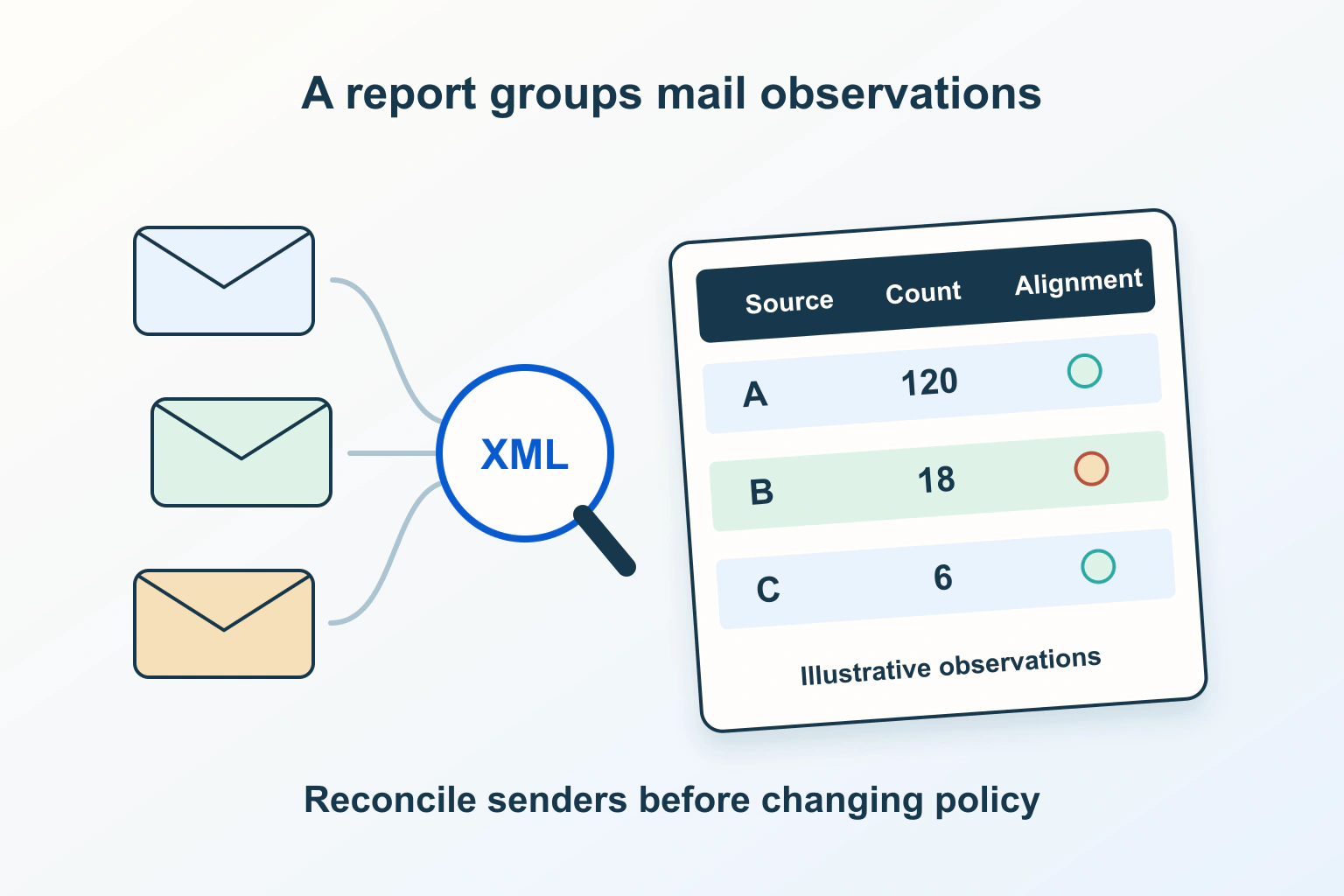
This guide uses a hypothetical workshop publisher and invented report counts. If you need the initial authentication setup, begin with the SPF, DKIM and DMARC planning guide. Here the job begins after reports arrive.
Keep the report and its review period together
RFC 9990, published in May 2026, defines extensible XML aggregate reporting. Record the reporter, report identifier and UTC reporting period. A record contains a connecting source IP and message count. Preserve the identifier when checking for duplicate reports rather than counting every downloaded attachment as new activity.
Give each imported file an internal reference in a protected archive. Keep receipt time separate from the period being described. A report arriving on Thursday can describe Wednesday; comparing it with Thursday's campaign schedule would create a misleading investigation.
Use a maintained parser or a reporting service you have assessed for this data. Do not upload an operational report to an unfamiliar online converter merely to obtain a colorful chart. If your tool rejects the file, retain the error and original safely for its maintainer instead of manually stripping unfamiliar elements until it accepts them.
Separate raw authentication from aligned authentication
In the report, policy_evaluated gives the DMARC-aligned SPF and DKIM outcomes and applied disposition. The auth_results section records underlying authentication results without interpreting them for DMARC. A raw pass and an aligned pass therefore answer different questions; compare the recorded domains rather than treating every occurrence of “pass” as equivalent.
The current DMARC specification requires a passing SPF or DKIM result aligned with the visible From domain. Either qualifying method can satisfy DMARC. A signature that passes for an unrelated service domain does not alone establish alignment with your business's From address. Authentication also does not certify harmless content or guarantee inbox placement.
This shortened, invented record shows where each result sits. The source IP is a documentation address and the domains are placeholders:
<record>
  <row>
    <source_ip>192.0.2.25</source_ip>
    <count>12</count>
    <policy_evaluated>
      <disposition>none</disposition>
      <dkim>fail</dkim>
      <spf>fail</spf>
    </policy_evaluated>
  </row>
  <identifiers>
    <header_from>workshop.example</header_from>
  </identifiers>
  <auth_results>
    <dkim>
      <domain>receipts-service.example</domain>
      <selector>s1</selector>
      <result>pass</result>
    </dkim>
    <spf>
      <domain>bounces.receipts-service.example</domain>
      <result>pass</result>
    </spf>
  </auth_results>
</record>auth_resultsshows DKIM and SPF both passed, but for the receipt service’s own domains.policy_evaluatedshows both as fail, because neither domain aligns withheader_from(workshop.example).dispositionis none because the domain publishesp=none; under quarantine or reject, these 12 messages would be affected.- The fix is to set up DKIM signing for workshop.example in the receipt service, not to add its IP to SPF.
For the hypothetical publisher, the first review question is concrete: did the expected workshop notification use the intended sending identity? A reassuring dashboard badge cannot answer that question if it describes a different domain or a different message stream.
Build a small reconciliation sheet
Start with your own inventory, not a search result for an IP address. List staff correspondence, website inquiries, receipts, newsletters and less frequent notices. Assign a person who can confirm each service and supply an authorized sample. A vendor name guessed from network ownership is only a lead, not proof that your account generated the mail.
| Hypothetical stream | Observed group | Investigation | Review outcome |
|---|---|---|---|
| Workshop notices | 180 messages; aligned result passes | Match an owned sample and the scheduled run | Known stream, evidence retained |
| Old receipt sender | 12 messages; raw pass but no aligned pass | Ask its owner whether the old integration remains active | Known service needing configuration review |
| Unrecognized source | 37 messages; no aligned pass | Check the sender inventory and responsible teams | Unresolved; no authorization inferred |
Those numbers are invented observations for one receiver and period. The example does not describe an actual domain, and its three groups are not a complete catalog of possible report results. Keep your real working sheet private and record what supports each conclusion.
For the old receipt service, request a representative permitted message and its original headers through an approved support route. Compare that evidence with the service's current configuration and recorded purpose. The service may have been retired, partly migrated or still needed for occasional notices; the report alone cannot decide which.
Investigate unknown sources without expanding trust
Ask whether a colleague added a tool, an agency still operates an integration, or an application sends only during a rare business event. Give each open question an owner and review date. “Nobody recognized it in chat” is an incomplete investigation, not a documented decision to trust or accuse a sender.
Do not paste an unfamiliar IP into SPF as a troubleshooting shortcut. First establish the legitimate service, the identity it should use and its supported configuration. If no legitimate owner emerges, retain that uncertainty and ask the mail administrator to assess it alongside other evidence.
Likewise, do not call every failure a breached account. Your incident process may require escalation, but authentication observations need context. Record suspected abuse separately from confirmed business senders and from confirmed incidents. That distinction keeps later decisions understandable.
Measure the reports you actually have
Reporting is not a universal census. The DMARC specification does not make every receiver supply the evidence your dashboard would need for complete coverage. An absent report is not proof of zero messages or flawless authentication. A reported disposition also does not establish that a person saw, opened or read an individual message.
For the example, 180 plus 12 plus 37 gives 229 observed messages. Describe any calculated proportion as a share of those included observations, with the reporter and period attached. Do not relabel it “percentage of all company email” unless you have independently established that wider denominator.
Before comparing periods, check for duplicate files, missing reporters and partial collection. A sudden improvement can reflect changed coverage rather than repaired sending. Keep a short collection note beside the chart so the next reviewer can distinguish a real configuration event from an incomplete archive.
Make the reporting mailbox operational
Google's reporting guidance describes XML reports and a dedicated collection mailbox. Give that mailbox an accountable owner, protected access and a review routine. Use the current RFCs for protocol interpretation rather than copying a legacy policy example from a monitoring tutorial.
Decide who handles unreadable files, unexpected volume and an owner leaving the business. Record retention and any reporting processor in your operational notes. Collection without review merely moves the unanswered question into another inbox.
When a suspected website notification is involved, follow the contact-form mail diagnosis as a separate delivery investigation. A form entry being saved, a message being handed to a sender and a receiver reporting authentication are different events. Avoid solving all three by changing the same DNS value.
Close the review with evidence and remaining questions
- Identify the report, reporter and UTC period, and check duplicate handling.
- Read the aligned outcomes separately from raw authentication results.
- Reconcile recognized streams with accountable owners and authorized samples.
- Keep unfamiliar sources unresolved until there is supporting evidence.
- Describe counts and proportions within the actual collection coverage.
- Write a proposed configuration investigation with an owner and recovery plan.
Once every legitimate stream passes aligned, the domain can move toward enforcement and, if branding matters, BIMI logo eligibility. This review does not prescribe a new enforcement policy. Any later change needs the real sender inventory, current service instructions and a controlled validation process. Use mailbox versus marketing email when a supposed authentication problem is really confusion over which service should send. A good report review produces a defensible next action, including an explicit decision to gather more evidence.