 Pagember

A useful audio manual should be easy to update when one instruction changes. In ElevenLabs Studio, organize the approved script into chapters, review generated paragraphs, preserve accepted takes and export a new edition after revisions. Treat the written manual, project and downloaded files as connected parts of one release.
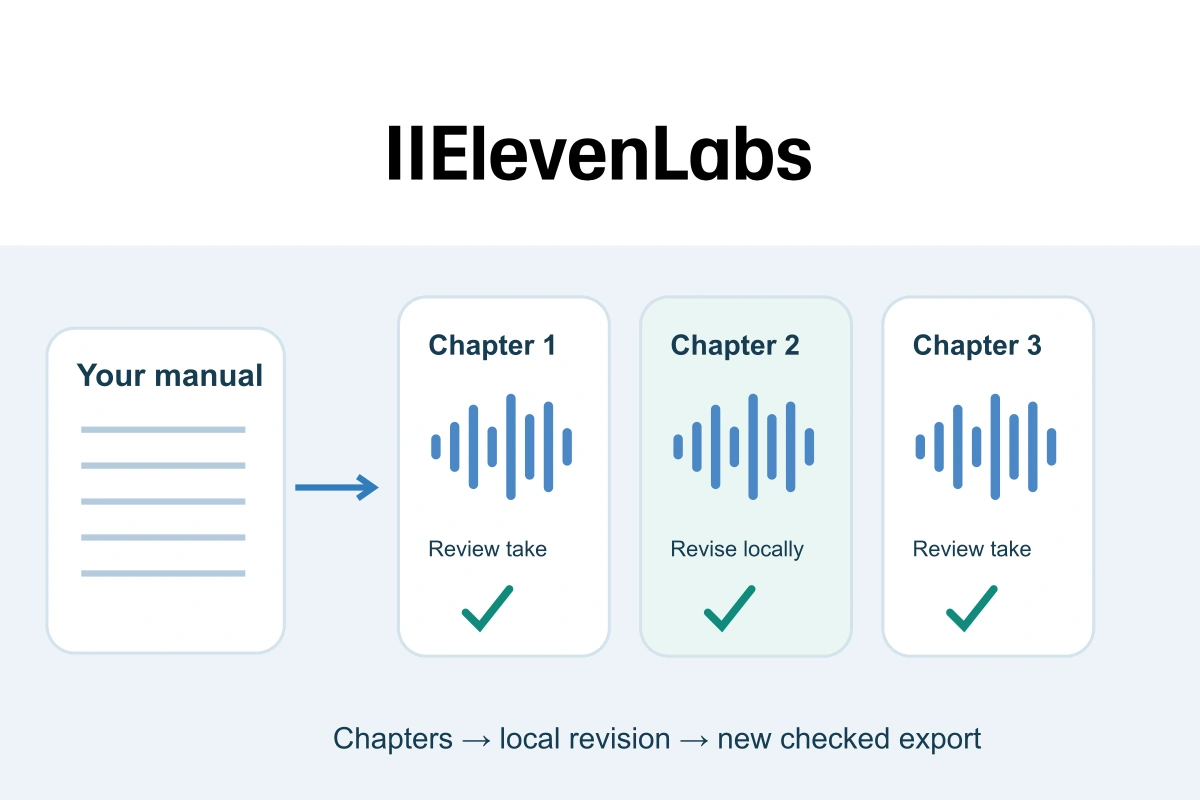
Studio is a good candidate for this job because its Audio projects support long-form narration, a chapter sidebar, paragraph history, locking and MP3 or WAV exports. These are documented capabilities in the current Studio overview, rather than results from a listening test we performed.
ElevenLabs annual pricing during Black Friday 2026
On November 21, ElevenLabs showed US$99 for the first year of Creator annual and US$445.50 for the first year of Pro annual for eligible purchases through its campaign page. Its terms also list US$495 for eligible subscribers switching from Pro monthly to annual. The offer was listed through December 1 at 11:59 p.m. Eastern time.
Generate a representative chapter before choosing a tier. Include the credit cost of edits and alternative takes, then compare the first payment with the regular annual renewal that applies to your account. Check taxes, eligibility, and the renewal amount on your order summary. Read ElevenLabs’ official offer terms for the full conditions.
Start with one approved manual and a chapter map
Choose material you own or have permission to process and publish. Remove confidential records, live passwords and personal examples before uploading it. Keep an approved written master with a version label; an audio project should not become the only place where the actual instructions exist.
Imagine a community workshop preparing its own volunteer handbook. The audio edition covers opening the shared room, finding materials and recording a handover. These are original teaching examples, not tested operating or safety instructions.
| Chapter | Listener's result | Review focus |
|---|---|---|
| 1. Find the current instructions | Recognize the correct handbook edition | Edition label matches the written master |
| 2. Locate shared materials | Find the labeled materials shelf | Location and sequence are unambiguous |
| 3. Record the handover | Write a useful next-person note | The note contains the next action, not personal details |
Give each chapter one clear task. References such as “see the table above” need a spoken explanation or an explicit pointer to the written companion. If the learner must inspect a diagram, say so rather than pretending the audio can replace that visual.
Import for structure, then inspect what arrived
The official import reference lists EPUB, PDF, DOCX, TXT, HTML and URL inputs. It recommends a properly structured EPUB for chapter recognition, with chapter headings formatted as Heading 1. A supported file extension does not establish that your particular document will arrive with the structure you want.
After import, compare the project with the chapter map. Check the opening, a middle section and the end for missing passages, repeated headers, page numbers or table text in the wrong order. Fix the working script before generating everything.
The chapter guide describes adding, renaming, removing and reordering chapters in the Audio project's Chapters sidebar. Use those controls to make the navigation match the learner's tasks, not merely the page breaks of the original file.
Approve a sample paragraph before the full project
Start with a representative passage containing a real instruction and the awkward terms your manual uses. Here is an original hypothetical sample for chapter two:
Before taking materials, read the label on the shared shelf. Choose the item listed in your session plan. If the item is missing, leave a note for the coordinator rather than taking something from an unlabeled box.
Listen for action order, the distinction between labeled and unlabeled, and the ending of each sentence. Ask a reviewer to explain the instruction without looking at the script. Then compare every word with the approved text. Those two checks examine understanding and accuracy separately.
Keep voice, model and relevant settings in your project notes. For difficult names and numbers, use the separate pronunciation workflow. This guide concentrates on maintaining a longer project, rather than rebuilding that dictionary process.
Keep accepted takes and protect finished paragraphs
Generation History lets you listen to, download and restore earlier audio for a paragraph. Compare the full instruction before preferring a more expressive take: a pleasant delivery is not useful if it changes a number or loses a qualifying word.
Once a paragraph is accepted, the paragraph lock can protect its current version from accidental changes. Locking is available after audio exists. Unlock when revision is needed; the documentation says regeneration, voice/settings changes and history access are unavailable while locked.
Keep a short external note of what was approved and why. A lock is an editing control, not a backup of the written manual or a publication license. Avoid deleting useful previous generations just to tidy the screen: the history documentation describes removal as permanent.
Revise one instruction and record the affected chapter
Suppose the hypothetical workshop changes the shelf label from Shared materials to Session materials. Record the written edit first. A compact change note could read: handbook version 1.1; chapter two, paragraph one; shelf label corrected; reviewer still needs to check the new audio and exported edition.
Unlock that paragraph if necessary and update its script. The selection-regeneration guidance says audio must already exist for the entire paragraph before the selection option appears. It recommends regenerating a whole phrase or sentence for better results, rather than treating every changed word as an isolated replacement.
Listen to the revised sentence with the surrounding paragraph. Check the label, pauses and transition back into unchanged speech. Then inspect the rest of the chapter for another reference to the old label. A narrow edit is efficient only when it also leaves the complete lesson coherent.
Export a new edition and inspect the credit warning
An edited project is not an updated download. The export troubleshooting reference says to export a new chapter or project version after changes. Previous exports remain available through export history.
Check scope before confirming: a full-project export converts any paragraphs that still lack audio, across its chapters, and can consume credits. The documented flow shows that cost before confirmation. Exporting an already generated project still needs a new version, even when no further conversion is required.
Use an understandable file label such as volunteer-handbook-v1-1-chapter-02, and record which export it came from. Play the downloaded file, not only the editor preview. Compare the corrected instruction, chapter opening and ending with the written master before replacing an older edition.
Release the audio and written companion together
- Confirm the final chapter order and edition label.
- Listen to every instruction whose wording changed.
- Verify that a replaced paragraph did not lose its beginning or ending.
- Update the written companion and the list of files being distributed.
- Open the actual published or shared audio destination and check the correction.
Our website-audio delivery guide covers the player and reading version. Keep the last approved release recoverable until the new one passes review, rather than leaving learners to guess which similarly named file is current.
Decide whether this is the right production workflow
ElevenLabs Studio is particularly worth assessing when a manual has several stable chapters and occasional local corrections. The documented history and chapter controls support that kind of maintained library. For a single short narration, our short voiceover guide covers the smaller task.
Before commercial distribution, check the current publication rules: eligible paid-generated output, source and voice rights, and non-Beta status matter. Free output does not carry a commercial license. Confirm the actual plan and project requirements without assuming a universal number of finished minutes.
Your first useful evaluation is one approved chapter, one deliberate wording correction and one checked new export. If that process is clear and repeatable for your reviewers, expand to the rest of the manual with the same chapter map and release record.
ElevenLabs and the ElevenLabs logo are registered trademarks or trademarks of ElevenLabs, Inc. Used with permission. Brand and affiliate terms.
