 Pagember


Kinsta’s Black Friday offer runs through December 1, 2026 for new customers on eligible plans. Kinsta advertises 50% off three months on monthly billing or three months free on annual billing. An additional free first month applies to selected plans.
For a WordPress move, Kinsta includes unlimited free migrations and lists 14 days of backup retention for Single 20GB. Choose your billing period, then use the live plan card to confirm the amount due after any free month and the regular price.
What Kinsta’s Black Friday offer costs
The public offer is open to new customers on eligible plans through December 1, 2026. The Single 20GB card gives a concrete example for one WordPress install on the bandwidth-based plan. It lists 20 GB of monthly server bandwidth, 10 GB of storage and 125 GB of CDN bandwidth.
| Billing | Campaign benefit | What to confirm |
|---|---|---|
| Monthly | 50% off three months on eligible plans. | First charge after any free period and the regular monthly rate. |
| Annual | Three months free on eligible plans. | First annual bill after any free period and the next renewal. |
An eligible free first month delays the first payment. Check when the promotional rate starts and when the standard rate returns for your selected plan.
Before you order, check what is due at sign-up, the free-period end, the next charge and the standard renewal rate for your plan. Include any tax, add-ons, usage charges and time on both hosts while you migrate. Existing customers can check the separate offer path on Kinsta’s campaign page.
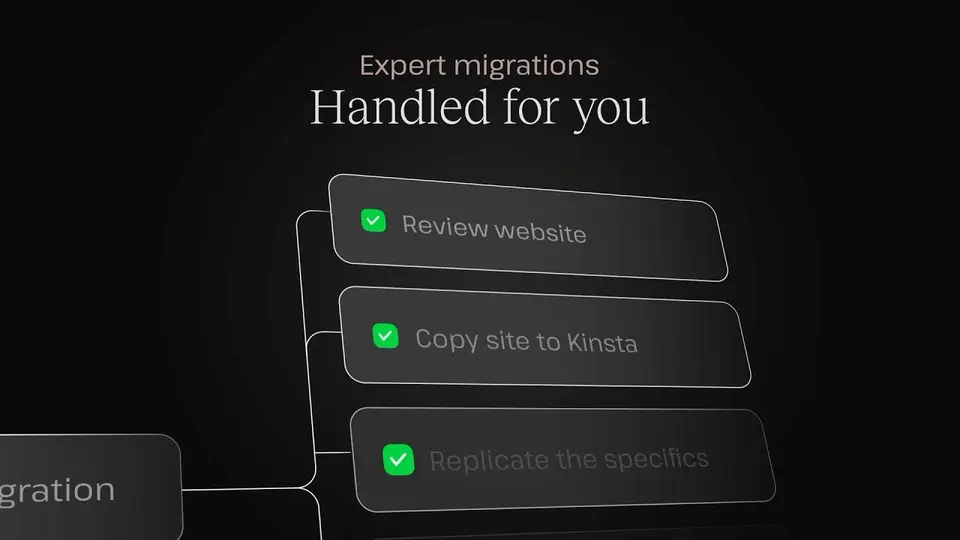 Play video: Kinsta Handles Migrations for You for Free
Build a regular-price baseline before assessing a sale
Use the regular-price references below to compare like with like. Each row describes a selected plan and usage model recorded before the campaign. Check the plan available to you against current Kinsta pricing.
| Plan | Sites and primary usage allowance | Storage and CDN bandwidth | Billing after an eligible free period |
|---|---|---|---|
| Single 20GB | 1 WordPress install; 20 GB server bandwidth | 10 GB storage; 125 GB CDN bandwidth | Monthly: US$35 per month Annual: US$420 list, US$315 with the campaign |
| Single 35k | 1 WordPress install; 35,000 visits | 10 GB storage; 125 GB CDN bandwidth | Monthly: US$35 per month Annual: US$420 list, US$315 with the campaign |
| WP 2 | 2 WordPress installs; choose the 40 GB server-bandwidth or 70,000-visit model | 20 GB storage; 250 GB CDN bandwidth | Monthly: US$70 per month Annual: US$840 list, US$630 with the campaign |
The first-month page can also display campaign pricing while the offer is active. Match the plan name, usage model and billing period before comparing it with the regular references above. The separate Launch card has different allowances from Single 35k.
The annual price buys a prepaid period. It does not mean you can pay a small annual-equivalent amount each month and leave with no remaining commitment. Use the explicit annual amount, US$315 or US$630 with the campaign (US$420 or US$840 at list price), for the cash decision; multiplying a rounded monthly marketing display can produce the wrong invoice.
The real first-year cost depends on when the bill arrives
Kinsta's regular billing terms describe the first 30 days free on selected plans for a new customer without a previous WordPress subscription, applying to the first WordPress plan. Billing starts after that qualifying free period. Do not assume an additional plan, an existing account or a returning customer qualifies.
| Stage | Selected single-site plan, monthly | Selected single-site plan, annual | WP 2, annual |
|---|---|---|---|
| First 30 days | Qualifying plan subscription is free. | Qualifying plan subscription is free. | Qualifying plan subscription is free. |
| When the free period ends | US$35 starts the first paid monthly cycle. | US$315 is due for the next 12 paid months with the campaign (US$420 at list price). | US$630 is due for the next 12 paid months with the campaign (US$840 at list price). |
| Remaining initial paid term | Further monthly cycles are charged at the applicable rate. | The subscription period bought by that annual payment continues. | The subscription period bought by that annual payment continues. |
| Next renewal | Check the upcoming monthly charge. | Occurs after the paid year, which follows the free period; confirm the then-current rate. | Occurs after the paid year, which follows the free period; confirm the then-current rate. |
On annual billing, Kinsta shows the twelve-month list price of US$420 for Single 20GB and US$840 for WP 2, then the campaign total of US$315 and US$630: three months off, charged after the free first month, before tax. On monthly billing, Single 20GB is US$17.50 a month for three months after the first month and renews at US$35; WP 2 is US$35 for three months and then US$70. Confirm the plan and the renewal amount on the order summary before paying.
At the regular rates above, 12 monthly payments total US$420 for a selected single-site plan or US$840 for WP 2. On annual billing Kinsta lists the same US$420 and US$840, and the campaign brings them to US$315 and US$630. Compare charges over the same paid period, then check which amounts the campaign replaces for the plan you choose.
Choose monthly billing if the flexibility matters more than the regular annual saving. Choose annual billing when the plan fits and committing the full amount is sensible. Check cancellation and refund terms separately; do not assume that an annual purchase can be treated like a rolling monthly service.
Choose visits or bandwidth using the site's actual pattern
A visit-based plan and a server-bandwidth plan measure different things. A site with many small, cached pages can have a different usage pattern from a site serving large files. Do not convert visits to GB with a generic formula, or count CDN and server bandwidth as one shared allowance.
Before choosing, collect a representative busy month of traffic and data-transfer information, then ask how that use maps to Kinsta's own counters. An existing analytics report is useful context, but its visit total does not automatically equal the host's billable count. Allow room for a planned campaign or seasonal increase rather than selecting a plan that fits only the quietest month.
Count WordPress installs and storage independently. Two small sites still need a plan that supports two installs. A single site with a large media library can outgrow 10 GB of storage even if visits fit. The 20 GB in Single 20GB is its server-bandwidth allowance, not 20 GB of file storage.
Budget for usage beyond the allowance
Kinsta's overage documentation lists separate charges for visits or server bandwidth, storage and CDN bandwidth. The traffic charge follows the selected plan model; do not add visit and server-bandwidth charges as though both were the primary traffic meter on the same plan.
| Usage | Published charge | Original budgeting example |
|---|---|---|
| Visits on a visit-based plan | US$0.50 per 1,000 visits above allowance | 10,000 billable visits above allowance would add US$5. |
| Server bandwidth on a bandwidth-based plan | US$0.50 per GB above allowance | 10 GB above allowance would add US$5. |
| Storage | US$2 per GB per month, prorated daily | 2 GB above allowance for a full monthly period would add US$4; a partial period differs. |
| CDN bandwidth | US$0.05 per GB above allowance | 100 GB above allowance would add US$5. |
The examples apply the published unit prices; they are not observed invoices. Several types of excess usage can occur together, so a low traffic overage does not establish a low total bill. Monitor the actual account counters and review capacity before a predictable traffic peak.
A later upgrade does not retrospectively erase charges already incurred. Kinsta also describes payment or restriction measures for extreme overages. If the site has little headroom, compare a suitable larger plan before the busy period rather than treating overages as unlimited capacity available on demand.
Schedule the migration around the site, not just the sale
Kinsta advertises free WordPress migrations. That removes a potential migration-service charge; it does not establish that your site will move immediately, that every dependency is covered or that the selected hosting plan has unlimited capacity. Confirm the site, access requirements, scope and schedule before canceling the old host.
A sale deadline and a safe cutover date answer different questions. Keep enough overlap to copy the site, inspect it privately and resolve failures. For a shop, membership site or booking system, agree how changes made during the move will be preserved. Moving an earlier database snapshot without a plan can lose newer activity.
- Before ordering: inventory the sites, storage, important plugins, domains, email routing and external services. Confirm the proposed plan can support them.
- Before the copy: retain a recoverable independent backup and confirm who owns the move, DNS change and acceptance checks.
- Before pointing visitors at Kinsta: inspect representative pages, images, redirects and administrator access. Check essential forms and integrations in an appropriate safe mode.
- For a transactional site: agree the cutover window and method for preserving new orders, members or bookings. Verify the current data before opening the destination to live activity.
- After the change: check the public domain, HTTPS, redirects, intended email routing and important functions. Keep the source available until the move is accepted and a recovery option remains.
These are proposed acceptance checks, not a migration Pagember performed. No zero-downtime result, completion time, speed improvement or support response is established by this guide.
Check backups and SSL before relying on the bundle
The selected entry plans list daily backups with 14-day retention. Kinsta's backup documentation distinguishes the included schedule from more frequent backup add-ons. A site receiving valuable changes throughout the day may need a shorter recovery interval than a daily copy provides.
Identify a recovery point, who can restore it and what newer data would be replaced. Retention is a window in which copies may be available, not proof that the exact version you need can be recovered successfully. Keep an independent recovery option and verify the process in a safe environment. A recovery plan should specify the files and database needed, the available restore point and the person responsible for accepting the result.
Kinsta documents SSL through its Cloudflare integration. Confirm the domain setup, certificate coverage and successful HTTPS after the move. An included SSL feature does not itself verify that DNS is correct, redirects work or a page is free of mixed-content problems.
Eligibility and refunds need their own check
The campaign is for new customers on eligible plans. Kinsta provides a separate offer path for existing customers. The standard free first month is limited to qualifying customers on selected plans, so confirm both the campaign discount and free-period eligibility for your account.
Kinsta's money-back guidance applies to first-time customers and says that, after a qualifying free period, its 30-day guarantee starts at the renewal into paid service. Dedicated charges, one-time fees and overages are excluded. Confirm how the policy applies to the actual purchase; an eligible subscription refund does not imply every associated charge is refundable.
Save the terms shown when ordering, the exact plan and usage model, the free-period end, first paid bill, next renewal and any add-ons. That record is more useful than a screenshot of a headline percentage with no billing context.
Can the free first month come before the Black Friday discount?
Yes, on plans that qualify for the free first month. Kinsta’s campaign FAQ says the Black Friday discount starts afterward. Compare the published annual amount for your plan with its regular annual price. That gives you the bill to budget for.
Does a free migration mean unlimited sites?
No. Migration assistance and hosting capacity are separate. The selected Single plans support one WordPress install; WP 2 supports two. Confirm capacity and the migration scope for the sites you intend to move.
Is the Black Friday offer a good reason to move?
Only if the documented service, capacity and continuing cost fit the site. The campaign is a good moment to move if you want managed WordPress hosting with staging, daily backups and a CDN included; check that the plan's bandwidth and storage cover your traffic first.
Our buying conclusion
Use the free migration to plan a smooth move. Choose a plan with room for your WordPress installs, then check the first paid invoice and renewal against your budget.
Buy when the plan fits your site, the continuing cost fits your budget and you have time to verify the move. Use our Kinsta overview for service details or our Black Friday cost checklist to compare other website expenses.
Pagember checked the public campaign and plan pricing on November 21, 2026. The example totals use those published amounts.