
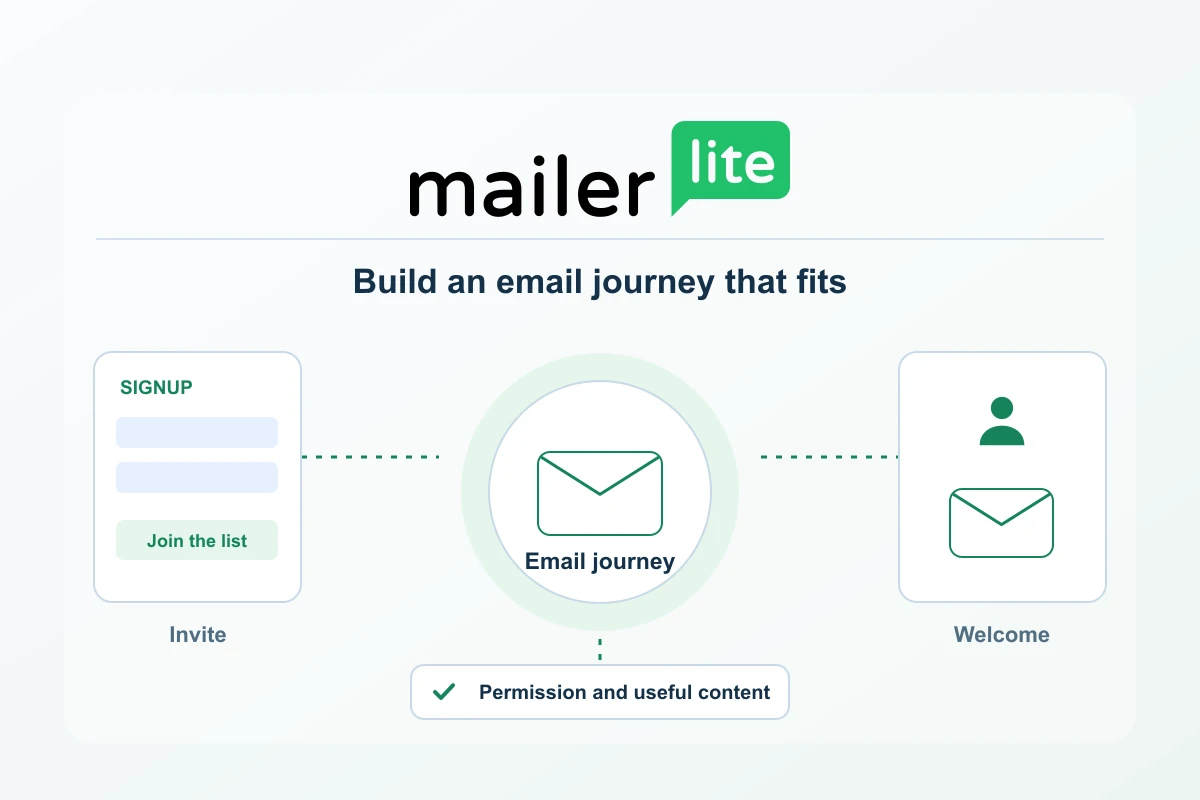
MailerLite connects newsletters with the practical work around them: collecting subscribers, organising interests and sending a useful welcome journey. Its documented form, group, segment and automation workflows make it a relevant option for creators and small businesses that want a manageable relationship with a permission-based audience. A good starting project is one clear signup promise followed by an email that delivers on it.
The current plans are Free, Comfort, Power and Enterprise. Compare them using both audience size and sending frequency, then look at the operating limits that affect your actual workflow. This guide draws on official documentation checked on 16 October 2026 and original editorial planning. It does not claim a live MailerLite implementation, a deliverability benchmark or a measured commercial result.
Begin with a newsletter people can recognise
Decide who the newsletter serves, what it delivers and how often it will arrive. A monthly resource roundup, a focused educational series and a service-business update are distinct editorial products. Give the signup page a clear description and make the first email consistent with it. The platform is most useful when it supports a promise you can maintain.
Choose one main action for each message. That might be reading a guide, using a checklist or responding to a relevant question. Keep the destination current and useful. A concise email with a clear purpose is easier to review than a message that attempts to introduce every service and offer at once.
The main workflow components
| Component | Documented role | Practical planning question |
|---|---|---|
| Signup form | Collect contact details into a selected group | What exactly is the visitor requesting? |
| Group | Maintain deliberate audience membership | Which journey or interest does this label represent? |
| Segment | Build membership from defined conditions | Should this audience change as the data changes? |
| Automation | Run steps from a subscriber event or condition | What starts the journey and what should happen next? |
| Campaign | Send a defined newsletter to selected recipients | Why is this message useful to this audience now? |
These parts can form a small, coherent system. A visitor joins through a relevant page, receives the promised introduction and then enters the appropriate regular newsletter. Keep the initial path understandable before adding alternative triggers or a large number of branches. Every extra path creates another message, condition and destination to maintain.
Connect the form to the welcome experience
MailerLite’s embedded-form workflow includes selecting a group, editing fields and setting the button and success experience. Its installation documentation covers embedding, an official WordPress plugin and shareable form links. Choose the route that fits your website’s actual editing and maintenance process. Check it inside the real page, with the surrounding navigation and mobile layout.
Confirmation and welcome have different jobs. Double opt-in confirms a requested signup; a welcome automation can then deliver the resource and explain what follows. The current documentation distinguishes form confirmation from API and integration settings. Review the route you use and test the whole sequence, rather than treating a successful form submission as proof that the welcome message has arrived.
Use groups and segments with clear meanings
A group can identify a deliberate interest or entry route. A segment evaluates conditions, allowing membership to change as the underlying information changes. Name both for a purpose that another person can understand. Keep a short record of the data or action that determines membership so a later campaign does not rely on an unexplained label.
For example, an audience interested in website maintenance may belong to one editorial group, while a segment identifies a narrower current condition. Rebuild such conditions deliberately when migrating from another platform. Check AND and OR logic and review sample contacts. The goal is a useful audience definition, not merely a large number displayed beside a segment name.
Current plan and price references
At the 500-subscriber selection, the current USD monthly references are US$12 for Comfort and US$25 for Power. Free has a smaller allowance of up to 250 subscribers and 2,500 emails per month. Comfort’s send allowance scales with the selected subscriber tier; Power lists unlimited monthly sending subject to fair use. The separate pricing guide provides USD annual references and worked sending-budget examples.
Compare the actual billing tier before committing. The active-subscriber rules apply across the billing cycle, and paid plans upgrade automatically when either the subscriber limit or monthly email-sending limit is exceeded. The billing documentation describes prorated upgrade charges; on annual plans, exceeding either limit automatically charges the default payment method for the proportionate new annual cost and remaining term. Check this Automatic Upgrades policy alongside the sending budget, currency, tax and renewal conditions. Annual prepayment does not remove the cost of over-limit usage.
Match the plan to the journey
Count the active journeys as well as the audience. A form, a confirmation message and a welcome automation have different roles; a trial can make more tools visible than the permanent Free plan retains.
| Plan | Included working capacity | Useful when | Boundary to check |
|---|---|---|---|
| Free | Up to 250 subscribers, 2,500 monthly emails and two users; three active forms, three active automations and five steps per automation. | One small newsletter and a short introduction fit inside the limits. | Check the features retained after a premium trial. Campaigns and automation messages use the same send budget. |
| Comfort | Three users, 50 active automations, 10 forms and 10 websites/landing pages combined. Monthly sends equal ten times the selected subscriber-tier ceiling. | Several maintained signup routes need a defined paid operating budget. | The subscriber tier and send limit are separate upgrade triggers. |
| Power | Unlimited monthly sending subject to fair use, the listed unlimited operating allowances and multiple automation triggers. | A genuine sending or workflow requirement exceeds Comfort. | Unlimited does not remove fair use or the need for appropriate subscription permission. |
| Enterprise | Custom commercial arrangements. | A larger operation needs an individually agreed package. | Confirm the written scope, allowances and payment rather than borrowing another plan’s limits. |
Draw the actual welcome sequence before choosing. If it fits the smaller envelope, extra capacity is not necessary simply to send a useful introduction. If a required journey exceeds a limit, compare that specific gap with the next plan. Paid automation step capacity and sending volume are separate checks; neither guarantees inbox placement or sales.

Build a sending budget from the calendar
List the campaigns expected each month and their intended audiences. Then add the likely email activity from welcome sequences and other automations. A monthly newsletter and a multi-message onboarding journey consume sending capacity differently. Use the actual operation to choose a plan, with deliberate room for justified changes in frequency or subscriber growth.
Move an existing list deliberately
MailerLite documents importing CSV or TXT files and copying data from Excel, with field matching, group selection and an automation-entry choice. Prepare a small representative sample first. Check the imported records and the reason for any rejected rows before transferring the wider eligible audience. Retain the subscription source and exclusions in a controlled record.
A list move also involves the signup routes, sender setup and messages that surround the data. Rebuild and check those connections before retiring the original platform. Preserve the difference between active readers and people who have unsubscribed or otherwise should not receive a campaign. A useful migration carries forward the meaning of the audience as well as its addresses.
A focused first evaluation
- Define one audience and one clear signup promise.
- Choose the form, group and welcome trigger deliberately.
- Confirm the real sending-domain setup using account-issued instructions.
- Follow a controlled signup through confirmation and the delivered email.
- Inspect the message, main link and final destination on a phone.
- Compare the post-trial plan with the features and limits the journey needs.
Before launch, confirm that the account and proposed content fit MailerLite’s current policies. A platform’s affiliate programme and its rules for sending newsletters serve different purposes. For the newsletter itself, keep the subscriber expectation, sender identity and sending permission clear. Review the workflow after changing a form, resource or automation trigger.
MailerLite is a strong candidate for a newsletter that needs connected signup and welcome workflows with a clear route to greater sending capacity. Begin with a useful message and a small verified journey, then expand from actual audience needs. That approach gives the platform a practical role in building and maintaining a recognisable publication or customer relationship.
Pricing and send-budget guide · Signup and welcome workflow · Email-list migration checklist
Plans & costs
Compare the full commitment and the work each plan includes. Recorded observations are not a current checkout quote.
Newsletters
USD · US / global observations

MailerLite · Comfort 1000
- Initial term & commitment
- Initial term amountUS$19.001 month termper month
- Renewal
Taxes excluded
Price observed 2026-10-16
Plan details & sources
Ordinary newsletters at this audience tier.
1000 active subscribers; 10000 sends/month; 3 users.
Choose another option if: A mailbox is needed, the list lacks permission or the extra capacity is unused.
Global calculator USD selected; country unconfirmed · Taxes excluded
Renewal: Future then-current rate not confirmed
Taxes excluded
Prices checked 2026-10-16Official price source ↗Observed 2026-10-16
Official price evidence ↗MailerLite · Power 1000
- Initial term & commitment
- Initial term amountUS$39.001 month termper month
- Renewal
Taxes excluded
Price observed 2026-10-16
Plan details & sources
Documented send-volume or user-seat needs beyond Comfort.
1000 active subscribers; Unlimited sends subject to fair use; unlimited users.
Choose another option if: A mailbox is needed, the list lacks permission or the extra capacity is unused.
Global calculator USD selected; country unconfirmed · Taxes excluded
Renewal: Future then-current rate not confirmed
Taxes excluded
Prices checked 2026-10-16Official price source ↗Observed 2026-10-16
Official price evidence ↗Recorded prices can change. Check eligibility, taxes and the current full bill with the provider. Different currencies and services are shown separately.
Sources and verification
Editorial review 2026-10-19. Source check dates are recorded separately. Notes describe what each source supports and its limits.
View sources
- MailerLite current plansChecked Free, Comfort, Power and Enterprise feature and capacity comparison.
Limits: Public plan descriptions; current checkout, tax and account-version conditions still need confirmation. - MailerLite plans and billingChecked Tier-based sending allowance, shared sending budget and automatic upgrades.
Limits: No account purchase, delivery test or measured conversion result. - Create an embedded formChecked Form editing and group assignment.
Limits: Official current MailerLite documentation checked 16 October 2026. Not a hands-on workflow test; confirm the account version and selected plan. - Add a form to a websiteChecked Embedding, official WordPress plugin and shareable form routes.
Limits: Official current MailerLite documentation checked 16 October 2026. Not a hands-on workflow test; confirm the account version and selected plan. - Double opt-inChecked Confirmation and separate API/integration setting.
Limits: Official current MailerLite documentation checked 16 October 2026. Not a hands-on workflow test; confirm the account version and selected plan. - Create and use groupsChecked Audience membership.
Limits: Official current MailerLite documentation checked 16 October 2026. Not a hands-on workflow test; confirm the account version and selected plan. - Create and use segmentsChecked Dynamic conditions and AND/OR logic.
Limits: Official current MailerLite documentation checked 16 October 2026. Not a hands-on workflow test; confirm the account version and selected plan. - Import subscribersChecked Import methods, field mapping and automation-entry choice.
Limits: Official current MailerLite documentation checked 16 October 2026. Not a hands-on workflow test; confirm the account version and selected plan. - MailerLite terms of useChecked Current service policies must be reviewed for intended newsletter use.
Limits: General pointer to applicable provider policies; this company guide does not assert approval of every business model or content category.