
Choose an explicit draft lifecycle and minimal storage policy; acknowledge successful saves and authorise every operation while keeping drafts separate from final submissions.
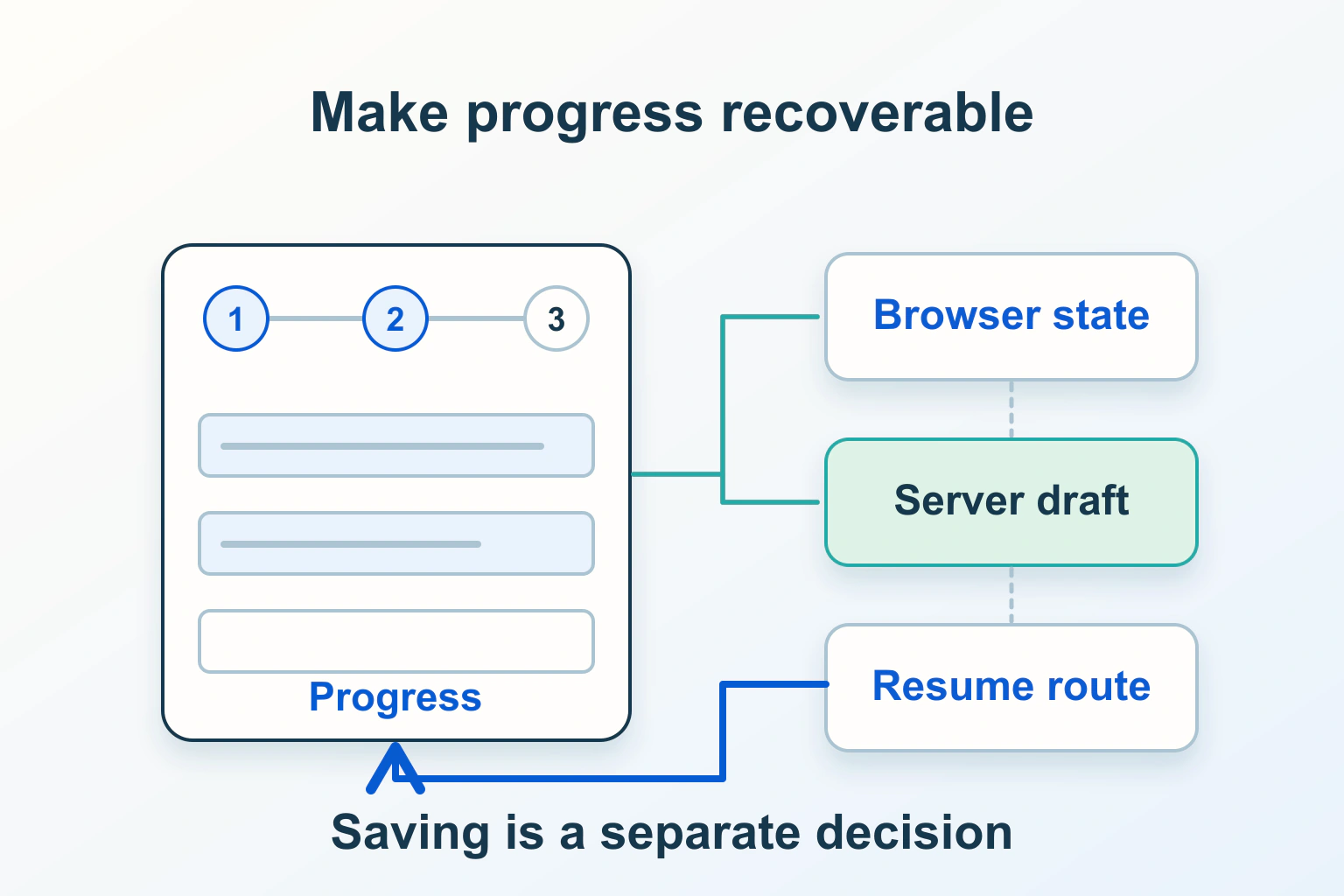
Next, Back, Save and Submit must have different promises in a multi-step form. Define which answers survive navigation, what is actually stored, who can resume a draft and when the final action occurs. Show “Saved” only after the chosen storage operation succeeds, and keep a recoverable draft distinct from a completed request.
This guide concerns the form’s progress and draft lifecycle. It uses a fictional equipment-enquiry form and proposes synthetic acceptance checks. It does not claim that a form builder preserves data automatically, or that dividing a page into steps improves conversion by a measured amount.
Give each step a real job
Group related questions into meaningful stages, such as equipment, requirements and review. WAI’s multi-page forms tutorial recommends logical grouping, understandable progress and review of completed steps while retaining entered data. A progress bar alone does not supply those behaviours.
Explain optional stages and the final action before visitors invest time. “Step 2 of 3: Requirements” helps someone locate their work; “Almost done” is misleading if conditional questions can add several screens. If the total is conditional, use wording that remains true after the branch changes.
For the fictional enquiry, Step 1 chooses equipment and Step 2 describes the intended use. Step 3 reviews the request. Neither pressing Next nor saving Step 2 should send an enquiry to staff. The final button should say what it actually does.
Choose a persistence promise you can support
| Promise to the visitor | Boundary to verify |
|---|---|
| Answers stay while moving between steps | Application state survives its own Next, Back and validation transitions. |
| Answers survive a same-tab reload | The chosen storage is available and recovery reconstructs the right form version. |
| Return later on this device | Retention, shared-device exposure and an honest expiry are explained. |
| Resume through an account on another device | Server storage, authentication and draft ownership are enforced. |
sessionStorage is scoped to an origin and tab and can survive reloads during that page session. It ends with the tab’s lifetime, and browser policy can block storage. It is not an account, a backup or a permission check.
For a short non-sensitive preference flow, same-tab recovery may be enough. A long business enquiry may need an account-backed draft instead. Avoid presenting a browser-only feature as “Continue anywhere”, and provide a usable route when storage is unavailable rather than failing silently.
Save a deliberate field list, not the whole form object
List which values are necessary to resume the task. In the equipment example, a product choice and quantity can be enough to restore early progress. A password, session identifier, payment detail or sensitive free-text answer should not enter browser storage by default merely because it shares the form’s state object.
The OWASP HTML5 security guidance warns that script-accessible storage is not a confidentiality or authorisation boundary and should not hold session identifiers or sensitive information under that assumption. Treat recovered values as untrusted input.
Use an explicit allowlist with a form identifier and schema version. Decide whether draft retention is necessary, how expiry works and how visitors discard a draft. A general “we save your progress” sentence should not conceal that private answers remain on a shared browser after the person walks away.
Make the save acknowledgement truthful
For a server-backed draft, distinguish unsaved edits, saving, acknowledged saved state and failed saving. Do not display a green Saved label when the request was only queued locally or the server returned an error. If offline work is supported, label it as waiting to sync.
In the fictional form, a visitor edits a quantity from two to three and immediately presses Back. The application must know whether three reached storage or only exists in the current screen. Keep the latest unsaved values available where safe and explain what will happen if the visitor leaves.
Handle out-of-order responses. An earlier save must not overwrite a later edit simply because it arrives last. A version or conflict policy belongs in the application’s supported draft design; adding a debounce timer alone cannot establish correctness. Give the visitor a clear retry after failure and retain the distinction between stored and current values.
Enforce ownership on every draft operation
A draft identifier in a URL or browser storage is not permission to read it. OWASP’s authorisation guidance calls for permission checks on every request. Apply them when creating, reading, updating, listing and deleting drafts, not only at the final submission screen.
After sign-out or an account switch, the interface must not resume the previous person’s private enquiry under the new identity. Test that boundary with two synthetic accounts. Do not put a bearer-style resume token in analytics, support screenshots or public links; a token-based resume mechanism needs its own reviewed security and expiry design.
Specify staff access as well. A customer draft is not automatically a submitted lead for every employee to browse. Agree which roles can access it and why, and keep an expiry or deletion process that actually removes the relevant stored draft.
Reuse answers within the process
WCAG 2.2’s Redundant Entry criterion, at Level A, addresses information needed again in the same process. It must be auto-populated or available to select, with exceptions for essential re-entry, security or information no longer valid. Browser autofill alone is not sufficient for this criterion.
For the equipment enquiry, reuse the chosen product on the review step rather than asking the visitor to remember and type it again. If an invoice address can match a previously entered delivery address, offer that choice alongside the new fields.
This requirement does not mandate retaining data between sessions. Do not use accessibility as a reason to keep every sensitive answer indefinitely. Review the separate form labels, errors and confirmation journey as well; correct draft handling does not repair an unnamed control.
Recover expired, changed and conflicting drafts
When an old draft uses an outdated form schema, decide which safe fields can be migrated and which require review. If the selected equipment was discontinued, show the retained choice and ask for a replacement. Silently mapping it to another product changes the request’s meaning.
Explain expiry before and after it happens. Where a security session ends sooner than a stored draft, distinguish “Sign in to resume” from “Your draft has expired”. Do not reveal an old answer just to prove it existed. Prefer a clear recovery route over an empty form that gives no reason for the loss.
Files need a separate design. A file input may require reselection after recovery; a restored filename is not proof the file remains available. If the application keeps an uploaded draft file, review storage, access and deletion through the file-upload workflow rather than copying file bytes into a generic browser draft.
Keep final submission separate from saving
Revalidate the current answers and relevant business conditions on submission. A draft’s earlier valid selection may no longer be available. Present a review that matches the values actually being sent, including any change since the last acknowledged save.
The fictional enquiry becomes a submitted request only after the handler accepts that final action. Draft saving must not reserve inventory, confirm an appointment or imply payment. If the final request fails or its outcome is uncertain, explain that state and provide a supported way to check or retry without duplicating the request.
After success, decide whether the draft is deleted, archived or marked submitted so returning to it cannot accidentally create another enquiry. Keep the confirmation’s reference separate from a generic progress percentage.
Test recovery rather than only a straight run
- Go forward, edit an earlier answer and return to review.
- Trigger a validation error and confirm valid allowed answers remain.
- Reload the same tab, then separately test the promised return-later route.
- Fail a save request and verify Saved never appears prematurely.
- Open the draft in a second tab and resolve conflicting edits deliberately.
- Change account and confirm the other account cannot read or update the draft.
- Resume an expired or outdated draft and check its recovery message.
Use synthetic values and record expected outcomes before running these checks. Accept the design when every storage promise is true, failure preserves recoverable work appropriately, ownership holds and the final action occurs exactly where the interface says it does. A form with fewer visible fields still needs a complete lifecycle.
Sources and verification
Editorial review 2026-10-14. Source check dates are recorded separately. Notes describe what each source supports and its limits.
View sources
- W3C WAI: Multi-page FormsChecked Logical steps, truthful progress, optional stages and review of completed steps with entered data retained.
Limits: Splitting a form is not evidence of a measured conversion gain or complete accessibility conformance. - W3C: Understanding WCAG 2.2 SC 3.3.7 Redundant EntryChecked Same-process information reuse, Level A, exceptions, browser-autofill limitation and no cross-session retention mandate.
Limits: The criterion does not justify indefinite storage or replace separate security and data-protection decisions. - MDN: Window sessionStorageChecked Origin and tab scope, reload persistence within the page session and storage-policy restrictions.
Limits: Browser storage is not durable account-backed recovery, authorisation or a cross-device promise. - OWASP: HTML5 Security Cheat SheetChecked Risks of storing sensitive information and session identifiers in script-accessible storage and trusting recovered values.
Limits: Choosing a different browser database alone does not establish confidentiality or safe draft ownership. - OWASP: Authorization Cheat SheetChecked Deny-by-default resource access and permission validation on every request.
Limits: Authentication alone does not establish permission for a particular draft or operation.