
Consider ElevenLabs Studio when you own a longer script and need chapters, paragraph-level review and a controlled update process. Start with one representative chapter before committing a full manual to generation.
Pagember is an independent affiliate of ElevenLabs and may receive compensation for referrals.
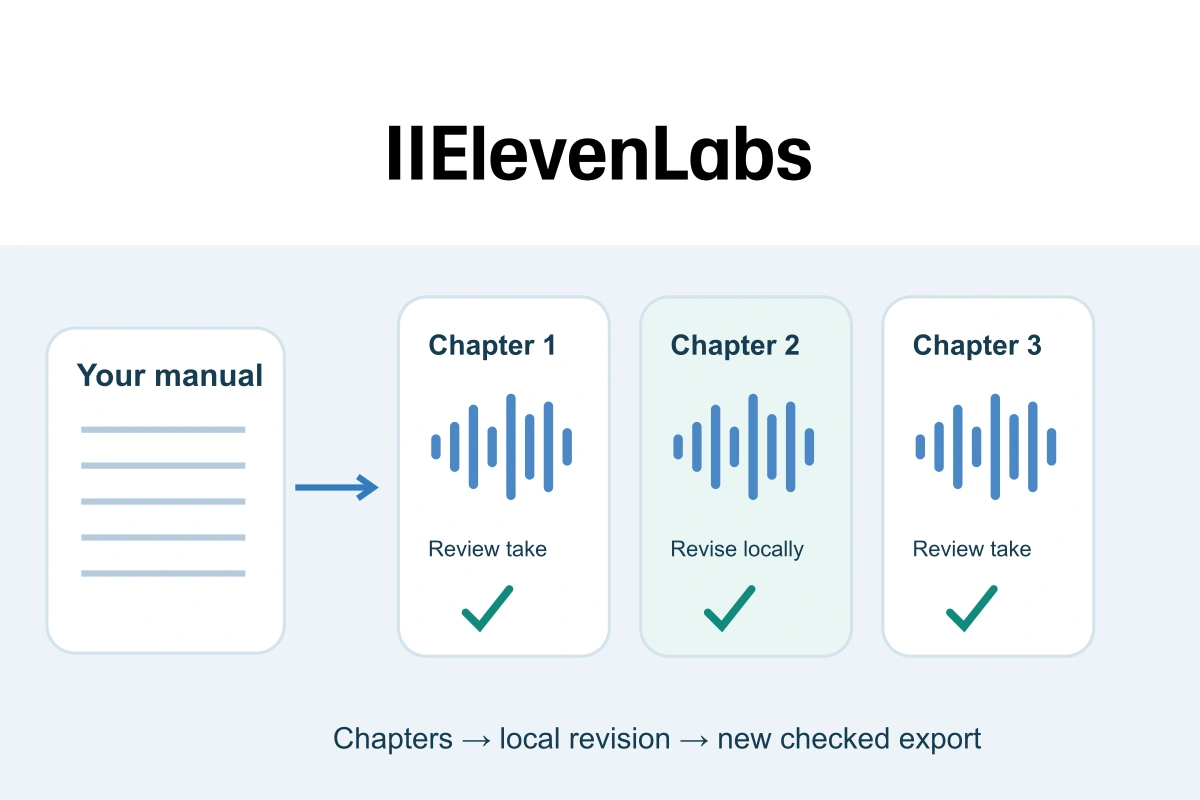
A useful audio manual should be easy to update when one instruction changes. In ElevenLabs Studio, organise the approved script into chapters, review generated paragraphs, preserve accepted takes and export a new edition after revisions. Treat the written manual, project and downloaded files as connected parts of one release.
Studio is a good candidate for this job because its Audio projects support long-form narration, a chapter sidebar, paragraph history, locking and MP3 or WAV exports. These are documented capabilities in the current Studio overview, rather than results from a listening test we performed.
Start with one approved manual and a chapter map
Choose material you own or have permission to process and publish. Remove confidential records, live passwords and personal examples before uploading it. Keep an approved written master with a version label; an audio project should not become the only place where the actual instructions exist.
Imagine a fictional community workshop preparing its own volunteer handbook. The audio edition covers opening the shared room, finding materials and recording a handover. These are original teaching examples, not tested operating or safety instructions.
| Chapter | Listener’s result | Review focus |
|---|---|---|
| 1. Find the current instructions | Recognise the correct handbook edition | Edition label matches the written master |
| 2. Locate shared materials | Find the labelled materials shelf | Location and sequence are unambiguous |
| 3. Record the handover | Write a useful next-person note | The note contains the next action, not personal details |
Give each chapter one clear task. References such as “see the table above” need a spoken explanation or an explicit pointer to the written companion. If the learner must inspect a diagram, say so rather than pretending the audio can replace that visual.
Import for structure, then inspect what arrived
The official import reference lists EPUB, PDF, DOCX, TXT, HTML and URL inputs. It recommends a properly structured EPUB for chapter recognition, with chapter headings formatted as Heading 1. A supported file extension does not establish that your particular document will arrive with the structure you want.
After import, compare the project with the chapter map. Check the opening, a middle section and the end for missing passages, repeated headers, page numbers or table text in the wrong order. Fix the working script before generating everything.
The chapter guide describes adding, renaming, removing and reordering chapters in the Audio project’s Chapters sidebar. Use those controls to make the navigation match the learner’s tasks, not merely the page breaks of the original file.
Approve a sample paragraph before the full project
Start with a representative passage containing a real instruction and the awkward terms your manual uses. Here is an original fictional sample for chapter two:
Before taking materials, read the label on the shared shelf. Choose the item listed in your session plan. If the item is missing, leave a note for the coordinator rather than taking something from an unlabelled box.
Listen for action order, the distinction between labelled and unlabelled, and the ending of each sentence. Ask a reviewer to explain the instruction without looking at the script. Then compare every word with the approved text. Those two checks examine understanding and accuracy separately.
Keep voice, model and relevant settings in your project notes. For difficult names and numbers, use the separate pronunciation workflow. This guide concentrates on maintaining a longer project, rather than rebuilding that dictionary process.
Keep accepted takes and protect finished paragraphs
Generation History lets you listen to, download and restore earlier audio for a paragraph. Compare the full instruction before preferring a more expressive take: a pleasant delivery is not useful if it changes a number or loses a qualifying word.
Once a paragraph is accepted, the paragraph lock can protect its current version from accidental changes. Locking is available after audio exists. Unlock when revision is needed; the documentation says regeneration, voice/settings changes and history access are unavailable while locked.
Keep a short external note of what was approved and why. A lock is an editing control, not a backup of the written manual or a publication licence. Avoid deleting useful previous generations just to tidy the screen: the history documentation describes removal as permanent.
Revise one instruction and record the affected chapter
Suppose the fictional workshop changes the shelf label from Shared materials to Session materials. Record the written edit first. A compact change note could read: handbook version 1.1; chapter two, paragraph one; shelf label corrected; reviewer still needs to check the new audio and exported edition.
Unlock that paragraph if necessary and update its script. The selection-regeneration guidance says audio must already exist for the entire paragraph before the selection option appears. It recommends regenerating a whole phrase or sentence for better results, rather than treating every changed word as an isolated replacement.
Listen to the revised sentence with the surrounding paragraph. Check the label, pauses and transition back into unchanged speech. Then inspect the rest of the chapter for another reference to the old label. A narrow edit is efficient only when it also leaves the complete lesson coherent.
Export a new edition and inspect the credit warning
An edited project is not an updated download. The export troubleshooting reference says to export a new chapter or project version after changes. Previous exports remain available through export history.
Check scope before confirming: a full-project export converts any paragraphs that still lack audio, across its chapters, and can consume credits. The documented flow shows that cost before confirmation. Exporting an already generated project still needs a new version, even when no further conversion is required.
Use an understandable file label such as volunteer-handbook-v1-1-chapter-02, and record which export it came from. Play the downloaded file, not only the editor preview. Compare the corrected instruction, chapter opening and ending with the written master before replacing an older edition.
Release the audio and written companion together
- Confirm the final chapter order and edition label.
- Listen to every instruction whose wording changed.
- Verify that a replaced paragraph did not lose its beginning or ending.
- Update the written companion and the list of files being distributed.
- Open the actual published or shared audio destination and check the correction.
Our website-audio delivery guide covers the player and reading version. Keep the last approved release recoverable until the new one passes review, rather than leaving learners to guess which similarly named file is current.
Decide whether this is the right production workflow
ElevenLabs Studio is particularly worth assessing when a manual has several stable chapters and occasional local corrections. The documented history and chapter controls support that kind of maintained library. For a single short narration, our short voiceover guide covers the smaller task.
Before commercial distribution, check the current publication rules: eligible paid-generated output, source and voice rights, and non-Beta status matter. Free output does not carry a commercial licence. Confirm the actual plan and project requirements without assuming a universal number of finished minutes.
Your first useful evaluation is one approved chapter, one deliberate wording correction and one checked new export. If that process is clear and repeatable for your reviewers, expand to the rest of the manual with the same chapter map and release record.
ElevenLabs and the ElevenLabs logo are registered trademarks or trademarks of ElevenLabs, Inc. Used with permission. Pagember is not sponsored by, endorsed by, or affiliated with ElevenLabs except as an independent participant in the ElevenLabs Creator Affiliate Program. Brand and affiliate terms.

Sources and verification
Editorial review 2026-10-19. Source check dates are recorded separately. Notes describe what each source supports and its limits.
View sources
- ElevenLabs: What is Studio?Checked Current Studio 4.0 Audio projects, long-form narration, Chapters sidebar, paragraph history/locking and MP3/WAV export.
Limits: Documented capabilities, not a test of an account, voice, audio quality or all interface variants. - ElevenLabs: Which file formats can I import with Studio?Checked EPUB and the listed document/URL inputs; properly structured EPUB with Heading 1 chapter titles for recognition.
Limits: Does not guarantee that every PDF, layout or document structure will import faithfully. - ElevenLabs: How do I add chapters to a Studio project?Checked Audio-project Chapters sidebar, chapter creation, rename/remove actions and drag reordering.
Limits: Feature description rather than an import-fidelity or listener-comprehension test. - ElevenLabs: What is Generation History in Studio?Checked Listen, download and restore earlier paragraph generations; permanent removal of a generation.
Limits: Not a guarantee of waveform reproducibility or a substitute for maintaining source and export copies. - ElevenLabs: What does the lock icon mean in Studio?Checked Lock after paragraph audio is generated; locked paragraphs prevent regeneration/settings and history access until unlocked.
Limits: An editing control, not an access-control system, backup or rights grant. - ElevenLabs: Can I regenerate individual words in Studio?Checked Whole-paragraph generation prerequisite for selection regeneration and recommendation to regenerate a complete phrase or sentence.
Limits: No guarantee that a regenerated selection is indistinguishable from surrounding audio or free of credit use. - ElevenLabs: Why aren't my changes reflected in my download from Studio?Checked A new export after edits; full-project conversion of ungenerated paragraphs with credit notice; previous exports in History.
Limits: No exact cost or universal finished-audio-minute quota; editor changes do not rewrite already downloaded files. - ElevenLabs: Can I publish the content I generate on the platform?Checked Free output lacks a commercial licence; eligible paid output is subject to source rights, applicable terms and non-Beta requirements.
Limits: Not a rights clearance for any particular manual, voice or customer production. Additional service-specific terms can apply. - ElevenLabs affiliate termsChecked Limited official-mark licence, required attribution and independent-affiliate disclosure.
Limits: Programme terms do not imply endorsement of this article, an audio test or rights to third-party source material.