
Choose one responsible markup generator, align identifiers and offers with visible product facts, and test representative variants. Valid markup creates eligibility, not a promise of rich results.
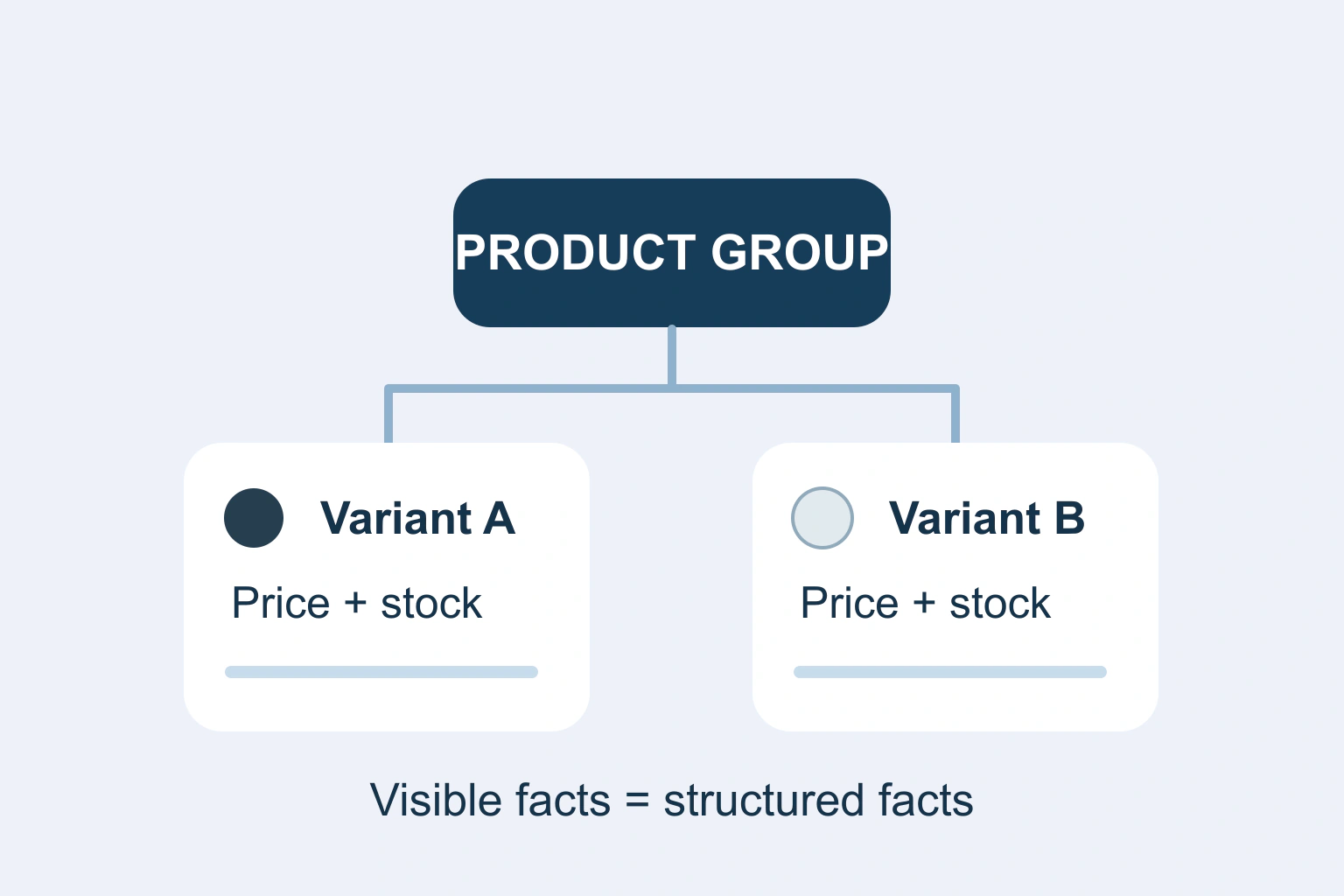
Product structured data should describe the real product and offer shown to the reader. Keep variant identity, price, currency and availability aligned with the visible page and store record. Test the actual published output rather than assuming that installing a schema plugin has solved the problem.
The objective is consistent information. Rich-result eligibility does not guarantee that a search engine will display an enhancement, and a syntactically valid object can still describe the wrong variant. Start with the product facts, then inspect how the site expresses them.
Map the product and offer separately
A product identity is different from an offer to buy it. The same item can have a current price and stock state that change without becoming a new product. Conversely, a colour, size or material variant may need its own stable identity even when it shares a parent description.
Google’s merchant-listing reference documents Product and Offer information for purchasable products. Choose the relevant feature requirements rather than borrowing markup from an editorial review page that does not sell the item.
List which system owns each field: product catalogue, inventory, pricing, policy settings or a maintained template. A manually pasted price has no automatic reason to update when the shop changes. Prefer a supported generator connected to the authoritative record.
Establish one clear owner for generated markup
Inspect the page for output from the theme, commerce platform, SEO plugin and custom code. Multiple objects are not automatically wrong, but contradictory descriptions of the same offer need investigation. Do not delete every object indiscriminately; identify the responsible component and intended relationships.
| Field | Authoritative check | Possible mismatch |
|---|---|---|
| Variant identity | Actual SKU or supported identifier | All variants share an unintended identity |
| Price and currency | Offer available to the reader | Old price remains in custom markup |
| Availability | Sellable stock policy | Out-of-stock item marked in stock |
| URL | Page opening the intended item | Variant link resets to another option |
Ask the maintainer to document the chosen generator and remove obsolete conflicting output through a controlled change. Preserve unrelated organisation and breadcrumb information. A product fix should not accidentally erase useful markup elsewhere on the page.
Describe the variant relationship accurately
Google’s product-variant documentation describes ProductGroup with properties including variesBy, hasVariant and productGroupID. It provides different examples for single-page and multi-page designs. Follow the model that matches the real site.
Do not assume that changing a dropdown creates a new crawlable page. Test a direct variant URL in a fresh session. It should open the relevant selection and show the matching image, price and availability when the site is designed to provide that route.
Keep parent attributes separate from variant-specific ones. A shared description can cover the collection, while dimensions, colour or price may differ. Copying every attribute from a parent into every child can create claims that are false for particular options.
A worked consistency check
Imagine a fictional lamp offered in two finishes. The small black version has a different price and availability from the larger white version. Start with a small table of those verified facts and their identifiers before examining any JSON-LD.
Open each supported URL and compare the visible selection, catalogue record and generated offer. If the white version is unavailable but the markup uses the black version’s in-stock state, fix the generator mapping. Do not change the inventory merely to make the test tool stop reporting a discrepancy.
Next inspect a sale ending or a variant returning to stock in a safe test environment. Verify which saved record changes and when the public markup reflects it. This tests the update path, not just a static example chosen because its initial values happen to agree.
Respect visible content and real policy terms
Google’s structured-data guidelines require relevant, up-to-date information representing page content. Do not add invented ratings, reviews, shipping conditions or policies solely to fill optional fields.
Review regional and customer-specific pricing carefully. A members-only amount should not silently become the public price for everyone. Currency conversion, tax and destination settings must be handled by the supported implementation, with the visible offer and structured representation reviewed together.
Check return and delivery policies against the business’s actual current rules. Repeating a generic example from documentation does not make its conditions true for your store. Optional fields are useful when accurate and maintained; unsupported detail adds risk rather than quality.
Validate syntax and meaning separately
Use the relevant rich-result test for the published page or candidate markup. Fix critical technical errors and understand warnings instead of treating every optional suggestion as a requirement. Preserve the test date and the exact URL or variant tested.
Then carry out a human comparison with the actual offer. A parser cannot establish that the warehouse has stock, the displayed image belongs to the correct variant or a review is genuine. Technical validation and factual review answer different questions.
Inspect the rendered result when JavaScript generates or changes markup. Check what a crawler inspection tool sees through its supported interface, and investigate caching when the public page still exposes an old offer. Avoid repeatedly pasting another schema object over an unexplained stale one.
Monitor changes rather than promising visibility
After a controlled release, review product enhancement reports and inspect examples that are invalid or unexpectedly missing. Distinguish crawl/indexing issues from eligibility problems and from an eligible page simply receiving no enhanced presentation.
Keep regression examples for a normal product, a variant group, a sold-out option, a sale and any region-specific offer. Repeat the relevant checks when templates, catalogue integrations or pricing rules change. A one-time green test does not protect future updates.
Make the underlying buying information useful even without a search enhancement. Clear variant selectors, accurate prices and honest availability help the visitor directly. Structured data should reflect that maintained offer rather than becoming a separate promotional story written for machines.
Include a variant URL opened without prior cookies in the review. A page that remembers the editor’s previous selection may look correct during a quick check while a new reader receives another option. Record the initial selection as well as what happens after changing it, so the intended product identity remains clear.
Continue with the relevant checks
Keep other structured-data identities consistent. Understand variant parameters and canonical choices. Verify the real product-to-checkout journey.
Sources and verification
Editorial review 2026-10-18. Source check dates are recorded separately. Notes describe what each source supports and its limits.
View sources
- Google merchant listing structured dataChecked Product and Offer requirements for purchasable products.
Limits: Eligibility documentation, not a rich-result guarantee. - Google product variantsChecked ProductGroup relationships and single/multi-page examples.
Limits: Implementation must match the actual site architecture. - Google general structured data guidelinesChecked Relevant, visible and current content requirements.
Limits: Validation alone does not establish factual accuracy.