
Prepare a short owner brief covering the audience, tasks, content, functions, budget, timing and handover. Compare quotes on the same scope rather than on price alone.
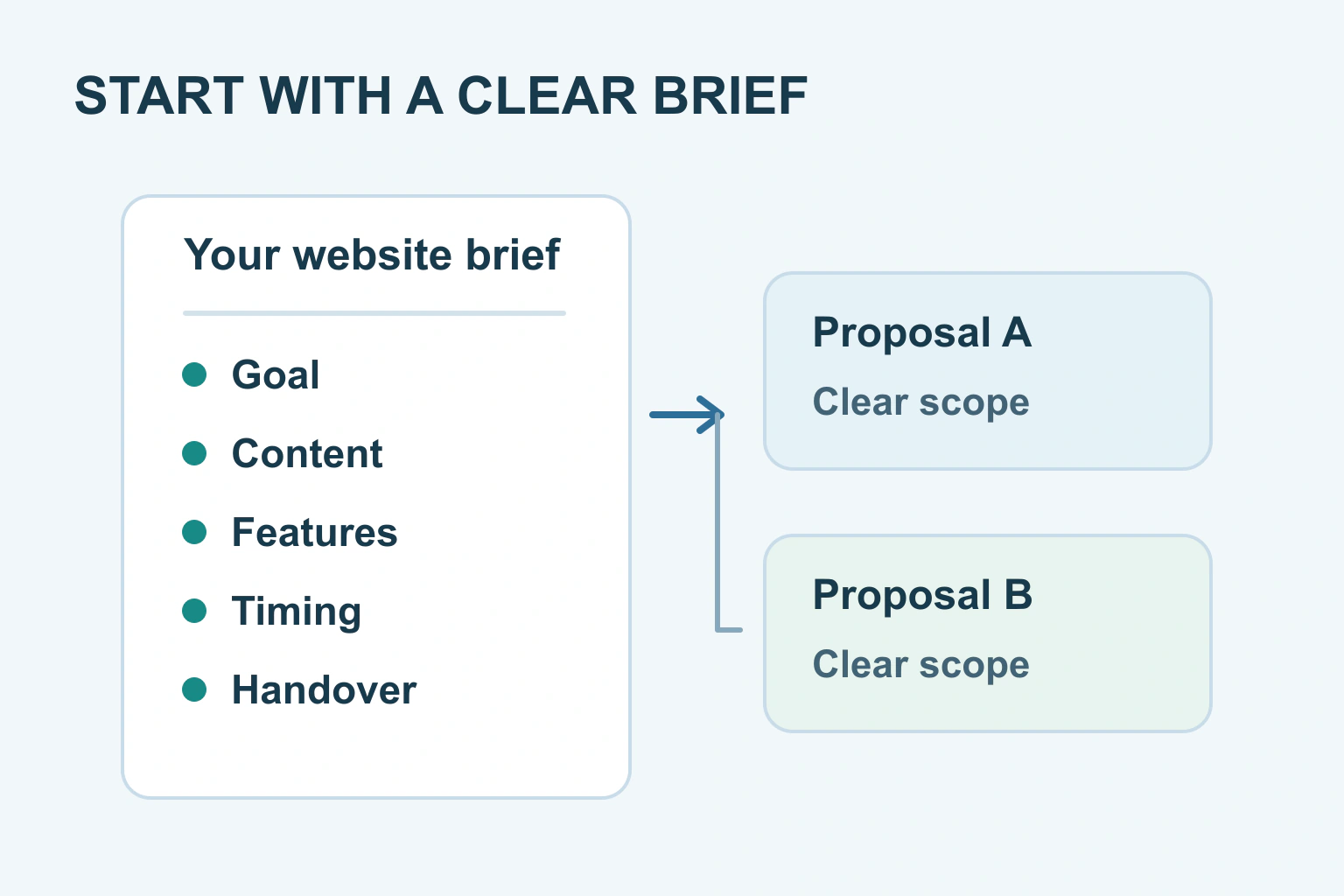
You do not need a technical specification to ask for a website quote. Prepare a short description of who the website is for, what those people need to do, what content you already have and which functions matter. Say where you need advice instead of filling gaps with guesses.
A useful brief makes proposals easier to compare. Without one, the cheapest quote might cover a few prepared pages while another includes writing, photography, bookings and ongoing care. The difference may be scope rather than value.
Describe the job the website should do
Start with a plain sentence: people should be able to understand my classes and ask about a place. Then list the essential steps: see the timetable, check the location, understand the cost and send an enquiry. This explains more than asking for a modern website with excellent search optimisation.
GOV.UK’s user-needs guidance recommends starting with the person’s problem rather than a chosen solution. Applied to your brief, that means explaining the booking problem before prescribing a particular booking app. A designer can then suggest a suitable approach.
Name the audience without inventing a detailed marketing persona. Are they local parents, existing customers, first-time buyers or people comparing a specialist service? Include what you know from genuine enquiries. Mark assumptions as questions the project should help answer.
Take stock of content and account ownership
Make a list of the text, photographs, logo files, documents and existing pages available. Separate ready-to-use material from drafts and missing items. Confirm you have permission for images and testimonials. A picture found online should not be described as an asset the designer is free to reuse.
Tell the supplier who is expected to write the final copy, choose photographs and upload content. If you have ten service pages but only two are written, mention that. Content preparation can affect timing just as much as building the layout.
List the domain and current hosting provider if a site exists. Share names and ownership details at first, not passwords. Our domain-account ownership guide explains why the business should retain control even when another person handles the build.
Separate essential features from later ideas
Write down what each feature needs to accomplish. An enquiry form, an appointment request and a confirmed paid booking are different jobs. If you say booking system, explain whether customers choose a time, pay, receive a confirmation and change their reservation.
| Item in the brief | Useful detail to provide | Question for the supplier |
|---|---|---|
| Contact | Enquiries go to one business inbox | What happens after a visitor sends a message? |
| Bookings | Staff must approve requested dates | Is this a request or an instant confirmed booking? |
| Content | Six pages, three still need writing | Who finishes and uploads them? |
| Updates | The owner will change a monthly timetable | Is training and an editable timetable included? |
| Existing site | Some current addresses receive enquiries | How will useful old links be handled? |
Label items essential for launch, useful later or only under consideration. This helps a supplier offer a smaller first phase without quietly removing a function you depend on. Ask them to identify exclusions in writing so you can decide whether they are acceptable.
Be clear about budget and deadlines
If you have a budget range, explain whether it covers only the build or also text, photography, hosting and subscriptions. A budget is useful context. It is not a substitute for an itemised proposal explaining what you receive.
For a deadline, state the reason. A fixed exhibition opening is different from a preferred launch month. Tell the supplier when you can approve content and provide missing material. Ask what could change the schedule and who must respond at each stage.
Our guide to packages, estimates and quotes explains why those labels mean different things in an offer. Ask which price is fixed, which items are allowances and how extra work is approved. Do not assume that every future revision is included.
Ask about the life of the website after launch
business.gov.au’s website-planning guide includes hosting, content and website structure. These are separate decisions even when one supplier bundles them. Ask for a clear list of recurring services, who pays them and what happens if you change supplier later.
Specify the updates you expect to make yourself. Ask for the relevant editor access, a short handover and instructions matched to your site. Also ask who handles software updates, backups and recovery where these apply. Receiving a live link does not answer those questions.
Include accessibility in the brief from the start. W3C’s planning resources explain the value of assigning responsibilities and involving users. Ask what accessibility work and testing the proposal includes. A vague statement that the template is accessible does not establish that your finished site will meet its requirements.
A fictional brief that gives a designer something useful
Imagine a small repair business preparing its first site. Its brief says: local customers need to check which repairs are offered and request an assessment. It has a logo and ten owned photographs. It needs help writing four service pages and wants to update opening hours itself.
The business does not need online payments at launch. It does need enquiries to reach the correct inbox and a mobile layout that makes the phone number easy to use. Its deadline depends on a planned shop opening, and the owner can approve drafts each Friday.
This fictional example creates concrete questions for a proposal. It does not need server specifications or a chosen plugin. A supplier can explain how to meet the requirements and list the costs of the build, content and ongoing services separately.
Send the same brief and compare the same scope
Keep the brief to a readable document and a folder of relevant examples. For each example website, say what you like: the clear timetable, the project photographs or the contact route. Asking for an exact copy creates different problems from asking for a useful pattern.
- Write the audience and main task.
- List launch content and who will provide it.
- Separate essential features from later ideas.
- State the budget scope and meaningful deadline.
- Ask for ongoing costs, ownership, testing and handover.
- Compare written inclusions and exclusions before accepting.
If the supplier asks you to fill in a form, our quote-request form guide explains the information a business might reasonably need at first contact. Your next step is a shared brief both sides understand, with uncertain items clearly listed for discussion.
Sources and verification
Editorial review 2026-10-18. Source check dates are recorded separately. Notes describe what each source supports and its limits.
View sources
- GOV.UK: Learning about users and their needsChecked Start with the user's problem and outcome rather than assuming a particular solution.
Limits: Written for government services; the commercial brief worksheet is original editorial application. - business.gov.au: Set up a business websiteChecked Website planning includes goals, content structure, domain, hosting, usability, accessibility and maintenance choices.
Limits: Australian business guidance is a planning reference, not a universal legal checklist or price estimate. - W3C: Planning and Policies OverviewChecked Accessibility belongs in project planning, responsibilities and user involvement.
Limits: Does not certify a supplier or prescribe a complete contract.