
Define one inventory authority, distinguish physical stock from sellable availability, verify reservation and update behaviour, and reconcile exceptions. Synchronisation is not a promise of zero overselling.
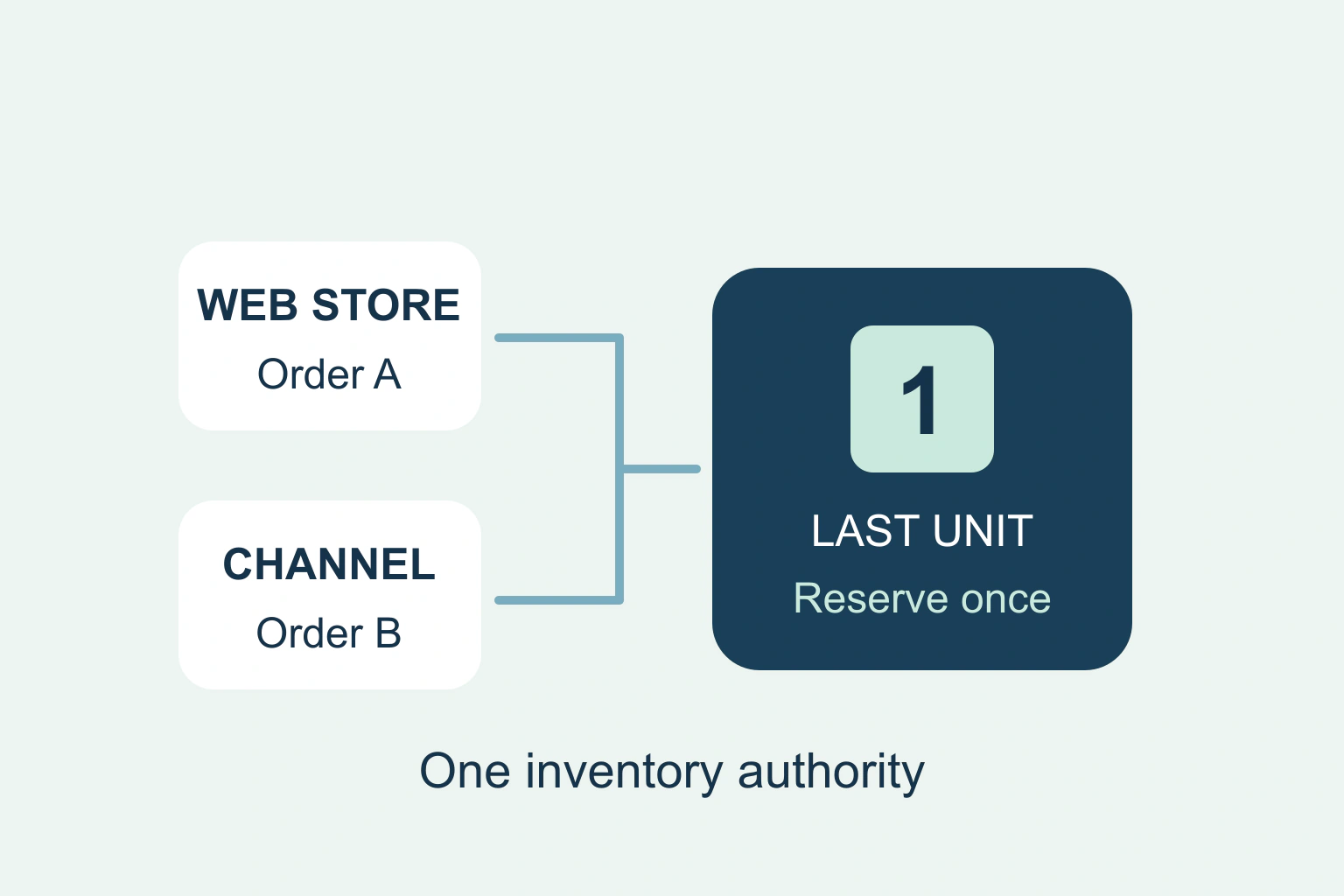
To reduce overselling, every sales channel needs a reliable view of the stock it is allowed to sell and a defined way to reserve or consume it. Identify the inventory authority, distinguish physical stock from available stock, and test how orders and updates affect the final unit. A connector labelled real time is not proof that simultaneous orders are handled safely.
There is no universal setting that guarantees zero overselling across unrelated systems. The right controls depend on the store, marketplaces, point of sale, warehouse and integration. This guide helps an owner ask specific questions and organise a safe verification.
Define the inventory authority
Write down which system decides the sellable quantity for each product and location. Then list every system allowed to change it. A warehouse, store and spreadsheet all overwriting an absolute number can conflict even when each looks internally correct.
Use stable product and variant identifiers. A similar display name is insufficient to map a blue medium shirt to the correct stock record. Check bundles, multipacks and products assembled from shared components, because one sale can consume more than one inventory item.
Record whether a channel receives a complete count or an adjustment and what happens after a failed update. This is a concrete integration question, not merely a request for a faster synchronisation interval.
Distinguish on-hand stock from sellable stock
A physical count can include goods already promised to an order, damaged units or stock reserved for another purpose. Incoming stock may not yet be available. The number shown in the warehouse does not automatically represent what the next customer can buy.
Shopify’s inventory-state documentation separates available, committed, unavailable, incoming and on-hand quantities. Use your platform’s actual definitions when reviewing the integration rather than assuming every field named stock means the same thing.
| Quantity | Business meaning | Review question |
|---|---|---|
| Physical/on hand | Units present at a location | Which are already committed or unusable? |
| Available | Units allowed for new sales | Is this the value sent to channels? |
| Reserved/committed | Units held for an existing action | When is the hold created and released? |
| Incoming | Expected future stock | Is selling it an intentional preorder policy? |
A worked last-unit sequence
Imagine one fictional item remains available. Two channels each display one unit. Customer A orders on the website while customer B orders on a marketplace before the first stock update reaches it. Both displays can have been accurate at their last refresh and still accept conflicting demand.
Trace what reserves the item, what system receives the order first and how the other channel learns the new quantity. If the second channel cannot check the authority during purchase, a delay window remains. The business may need channel allocation, a buffer, or a policy that avoids exposing the last shared unit everywhere.
Do not simply set every channel to one again after the conflict. First establish the actual orders and physical stock. A manual reset can make the oversell repeat or overwrite a valid reservation.
Review intentional overselling and location rules
Check whether stock tracking and selling-when-out-of-stock are enabled for the relevant variant. A preorder can be legitimate when its terms and delivery expectation are clear. It should not be accidentally enabled merely to make a sold-out label disappear.
Shopify’s out-of-stock guidance documents a continue-selling option and different point-of-sale behaviour. Confirm the actual route used by staff and customers; a website restriction does not establish that every channel applies the same rule.
Review fulfilment locations and their eligibility separately. Stock in a location that does not serve an online channel may not be sellable there. Avoid fixing the display by pooling unrelated quantities without confirming where the order can really be fulfilled.
Ask how concurrent updates are protected
An integration reading ten units and later writing nine can overwrite another change made between those steps. Developers should use the platform’s documented concurrency and adjustment mechanisms, with clear ownership of absolute inventory values.
Shopify’s inventorySetQuantities reference describes compare-and-set behaviour and warns about inaccurate quantities when concurrent writes bypass the comparison. This is a platform-specific example of why update semantics matter. It is not an instruction to paste API calls into a live store.
Ask the integration maintainer how rejected changes are retried, whether repeated events can double-decrement stock and how an authoritative current state is restored. A successful HTTP response alone does not prove every business update succeeded; inspect the supported result and errors.
Test a small representative set safely
Use a sandbox or approved test product and documented test route. Cover a normal sale, two near-simultaneous orders, payment failure, cancellation, refund, return, manual adjustment and a temporary channel outage. Define the expected stock result before each scenario.
Verify the outcome in the inventory authority and each channel, including reservation release. A refund does not always mean an item is physically returned or ready to sell. Likewise, cancellation and expiry may have different stock consequences depending on the integration.
Test variants and bundles that share components. Check timestamps and update lag without turning a single successful trial into a zero-oversell guarantee. Keep the test order records clearly identified so they do not distort business reporting.
Reconcile and handle exceptions
Schedule comparisons between physical counts, the authority and channel availability. Investigate mismatches by item and location. Preserve the adjustment reason and relevant order references in the protected operational record rather than correcting numbers without explanation.
Assign an owner for integration alerts and unsynchronised changes. If an update queue fails while the store continues accepting orders, decide whether the affected channel should temporarily limit sales. That decision should reflect the actual business risk and supported controls.
When overselling occurs, give the customer accurate options through the responsible process. Do not invent a dispatch promise while investigating. Fix the stock cause and the affected order separately, then retain the incident as a regression case for future integration changes.
Document who can make emergency stock changes and how those changes return to the authoritative record. An off-platform phone order or a manual sale at a stall can consume the final unit too. Include those ordinary operational routes in the process rather than reviewing only automated online channels.
Continue with the relevant checks
Make repeated business events safe to process. Reconcile current state when events arrive out of order. Test the complete ordering journey.
Sources and verification
Editorial review 2026-10-18. Source check dates are recorded separately. Notes describe what each source supports and its limits.
View sources
- Shopify inventory statesChecked Available stock differs from on-hand, committed, unavailable and incoming.
Limits: Platform-specific definitions; integrations differ. - Shopify selling out of stockChecked Intentional continue-selling configuration and POS distinction.
Limits: Does not establish behaviour in all third-party channels. - Shopify inventorySetQuantitiesChecked Compare-and-set support and concurrent-write warning.
Limits: Version-sensitive API reference, not a complete integration implementation.