
Pilot a narrow, reversible browser task only where the target browser and agent actually support the current interface; retain ordinary access and enforced application authorization.
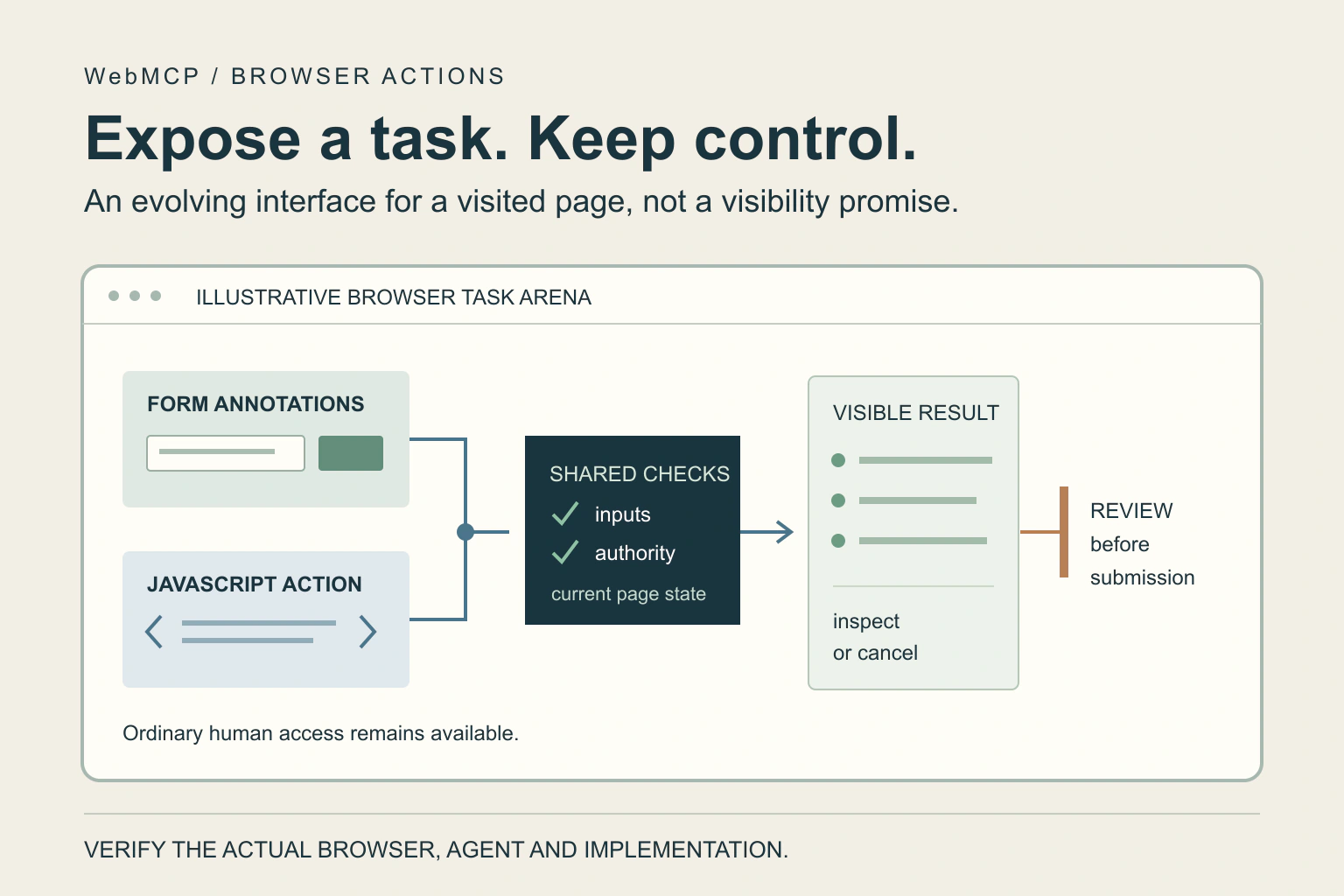
WebMCP lets a website describe structured actions that a compatible browser agent can use while visiting the page. Its useful promise is a clearer task interface, such as filtering available events. It is not a guarantee of AI-search visibility, universal browser support or permission to perform every action in a signed-in session.
As of 17 October 2026, treat support and syntax as evolving. Begin with a real reader task, verify the intended browser and agent, and keep the normal human interface working. A small reversible pilot is more informative than adding tools to every page.
Identify the actual consumer and task
Write who will use the feature and what completion means. For an event website, an agent might apply a date and accessibility filter and return the visible matches. For a support page, it might prepare the appropriate form from information the user supplied.
Do not start with a vague instruction to make the website AI ready. Name the target browser, agent experience and supported task. If you cannot identify a consumer that can invoke the interface, the expected benefit remains speculative.
Chrome’s WebMCP documentation describes page-registered tools and says consumers need to visit the site to discover them. That is different from a search engine discovering and ranking your article. Our llms.txt guide addresses another often-confused AI publishing claim.
Keep browser tools separate from remote access
A browser page already has interface state: the selected filters, current cart or authenticated user. WebMCP exposes useful actions in that context. A remote MCP server instead connects a client to a separate tool or data service. Similar terminology does not make their deployment or security arrangements interchangeable.
For website owners, the immediate question is what the page action can do using the current session. A tool that changes visible filters and a tool that submits an order carry different consequences even when both are described by a structured input schema.
Do not place a server credential into page code to make a browser tool powerful. The application’s existing server-side permissions must still decide whether the current user may perform the requested operation.
Two ways to describe an action
| Approach | Documented purpose | Review question |
|---|---|---|
| Imperative API | Register actions using JavaScript | Does the handler preserve application validation and visible state? |
| Declarative API | Annotate standard forms | Does the annotated form still validate and explain its actual submission? |
| Ordinary interface | Keep direct human use available | Can someone complete the task without a compatible agent? |
The documented approaches are implementation options, not a choice between safe and unsafe behavior. A small form can still cause a consequential change. A JavaScript tool can be a harmless read operation. Review the effect, inputs and authorization rather than the amount of code.
Have the maintainer use current official syntax for the tested browser version. Avoid copying an old experimental example into a live template without checking whether the interface has changed.
A fictional event finder
Imagine a fictional event website offering a tool called find_sessions. Its inputs are a date range and a requirement for step-free access. Its result is a visible list of matching sessions with stable identifiers. It neither reserves a place nor sends a message.
The owner defines a useful pilot: an agent applies the user’s filters, the page visibly updates, and a person can inspect the result. An empty list explains that no sessions match. Invalid dates produce understandable validation rather than silently returning unrelated events.
A separate prepare_enquiry action can fill a draft form. Submission remains a distinct action with the recipient and message visible for review. This fictional separation clarifies the job; it is not evidence of a working WebMCP implementation.
Verify current support rather than assuming it
Chrome’s documentation identifies an origin trial from Chrome 149 and a local testing flag. Microsoft’s September 2026 announcement describes Edge’s implementation as ready for testing. Neither statement establishes support across every visitor’s browser or installed assistant.
Record the browser build, enabled experimental condition, agent and API revision used in a pilot. Check tool discovery and invocation in that exact combination. Test the ordinary page without the feature too. A registration that succeeds in a developer console is not an end-to-end visitor result.
Origin-trial enrollment or changes on a public site require the site’s normal authorization and release process. Read-only research into a new API is not permission to enable it in production.
Make the tool’s intent match its effect
The WebMCP draft’s security discussion identifies risks from different validation paths and misleading action descriptions. A tool named finish cannot safely hide whether it places an order, saves a draft or merely closes a panel.
Use explicit names, narrow inputs and truthful results. Validate identifiers and user permissions through the application, including on the server where relevant. A structured URL value still needs a meaningful destination check; our URL-field guide explains why valid syntax does not establish safety.
Chrome documents a tools Permissions Policy for context-level registration. That platform boundary does not decide which business action a particular user may approve. Keep the action review described in our human-approval workflow immediately before consequential execution.
Also test what happens when the page state changes after a tool is discovered. A session can expire, a selected item can disappear or a user can switch accounts. The eventual action must revalidate the current state rather than relying on the earlier description. Return a clear failure or renewed review when the original task is no longer valid.
Test cancellation and repeated actions
For the event finder, test invalid input, empty results, a changed selection, an unavailable service and cancellation. For any write action, use a sandbox and check retries so the same request does not create two records. Verify both visible feedback and the actual resulting state.
Review what tool results reveal. A public event lookup should not return internal attendee records simply because the handler can access them. Treat returned descriptions and externally supplied content as data, not instructions granting further access.
Your next step is a single task specification: consumer, inputs, effect, permission boundary, result and failure behavior. Ask the maintainer for a controlled proof of that journey on the current supported platform, then decide whether the measured benefit justifies maintaining an experimental interface.
Sources and verification
Editorial review 2026-10-17. Source check dates are recorded separately. Notes describe what each source supports and its limits.
View sources
- Chrome for Developers: WebMCPChecked Browser page tools, imperative and declarative APIs, Chrome 149 origin trial, direct-visit discovery and tools Permissions Policy.
Limits: Experimental platform guidance, not universal browser or agent support and not a search-ranking specification. - WebMCP draft specificationChecked Structured browser tool interface and security considerations including implementation-path differences and misleading tool intent.
Limits: An evolving Community Group draft; syntax and implementation behavior can change. - Microsoft Edge: new developer features, September 2026Checked Edge describes its WebMCP implementation as ready for testing and exposes frontend code through structured tools.
Limits: An early testing announcement does not establish deployment in every visitor's browser.