
Keep versioned asset URLs immutable, give HTML an explicit suitable freshness policy, deploy dependencies before references and retain a deliberate compatibility window.
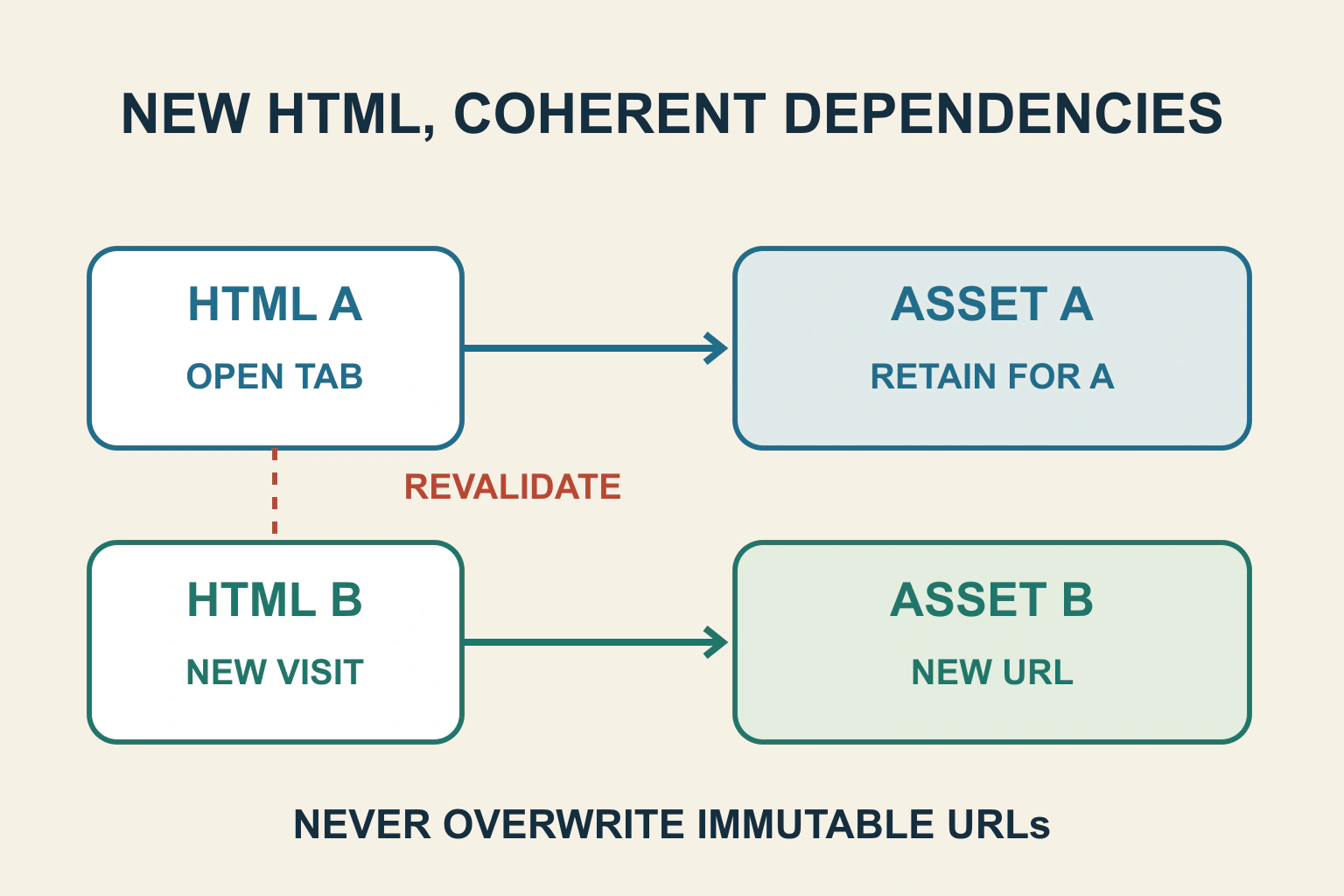
Versioned asset filenames solve only half of an update problem. New HTML must reach readers so it can reference the new files, and old pages may still need their previous dependencies. Give HTML and immutable assets different deliberate cache policies, then test a returning visitor across the release boundary.
In a fictional community timetable, release A loads timetable.a1.css and timetable.a1.js. Release B introduces timetable.b2.css and timetable.b2.js. The deployment uploads the new files but keeps the HTML cached for a week and immediately deletes the A files. Fresh and returning visitors can now fail in different ways.
Map the release as references and dependencies
List the HTML entry, its stylesheets, scripts, images, dynamically loaded chunks and data/API dependencies. Record which URLs change with content and which remain stable. A release identifier in a build log is not evidence that the browser received that release.
For the timetable, release-B HTML must reference the B assets. An open release-A tab may request an A chunk only when the reader expands a route. That delayed request can fail after deployment even if the initial page still looks normal.
Keep a small dependency map for each supported release. It gives the team a concrete reason to retain certain old files and a way to decide when they can be removed.
Make immutable mean unchanged at that URL
MDN’s Cache-Control reference describes immutable as indicating that a response will not change while fresh. A version or content hash in the URL supports long-lived caching because changed content receives a different URL. Do not overwrite an immutable URL with different bytes and expect every client to fetch them.
The timetable’s a1 stylesheet should remain the A stylesheet. When its contents change, the build should create and reference a new identity. Verify what the existing build system actually emits rather than manually adding a timestamp in a separate template that can drift out of sync.
Not every resource belongs in a public immutable policy. An account response, stable settings endpoint or user-specific document has different freshness and privacy requirements. Scope the rule to the assets whose identity truly tracks their contents.
Give HTML a route to the new references
MDN’s HTTP caching guide distinguishes cache-busted subresources from stable main-document URLs. It describes no-cache with validators as a pattern for revalidating HTML. No-cache permits storage but requires validation before reuse; no-store is a different instruction.
For a public timetable, the maintainer should select a policy matching its update needs and delivery architecture. A short freshness period with a deliberate managed purge can be another design. State which layer owns the policy and how quickly a correction is expected to appear.
The 304 workflow covers the validation exchange. A 304 can be a correct result when the stored HTML is unchanged. A new release must not be falsely represented by an old validator that leaves old references in use.
| Resource | Release property | Policy question |
|---|---|---|
| Hashed stylesheet | Content changes with URL | Can it remain immutable at that identity? |
| Stable public HTML | References change at the same URL | How does the client learn the new version? |
| Older lazy-loaded chunk | Open old tabs may request it later | How long is compatibility supported? |
| Personalized response | Depends on identity and permissions | Which private-storage and freshness rules apply? |
Deploy dependencies before their references
A reader should not receive HTML pointing to files that have not arrived yet. Use the platform’s supported atomic release mechanism where available, or a reviewed sequence that makes required dependencies available before switching references.
Check error responses for missing asset paths as well. A server that returns the HTML application shell for a missing script can produce a confusing parsing error instead of an obvious file failure. Inspect status, content type and returned content for the actual requested asset.
For the fictional timetable, verify the B asset URLs directly in the intended environment before the entry switches. Then verify the served HTML references those exact paths. A successful build and a directory containing B files do not establish that relationship.
Retain compatibility for old pages
Do not immediately delete A dependencies merely because B is now the default. Define a compatibility window based on actual application behaviour, supported open sessions and the platform’s retention controls. There is no universal duration that covers every website.
Also consider old JavaScript calling a changed API. Keeping a file alone cannot save a release that expects a response shape the backend no longer supplies. Plan compatible API transitions or an understandable update route that protects unfinished work.
If rollback is necessary, restore a coherent set of HTML, assets and compatible backend behaviour. Pointing HTML back to A after deleting its files is not a usable rollback. Keep the deployment owner and stop condition explicit.
Inspect every cache owner
web.dev’s HTTP-cache guide explains how response headers and validators govern resource reuse. A browser, intermediary and origin can each affect the delivered representation. Confirm the effective headers on actual HTML and asset responses, not only the configuration file.
A new header cannot force a client to contact the server while it is still reusing a previously fresh response. Prevent unsuitable long HTML freshness before release rather than assuming a later header edit instantly recalls every stored copy.
The service-worker update guide covers a separate application cache and worker lifecycle. If a worker controls the page, ordinary HTTP rules alone cannot prove that its chosen responses are current.
Keep private responses out of public release rules
The private-response cache workflow covers identity-dependent content. Do not apply a broad public caching rule to every HTML path just because the public timetable benefits from shared reuse.
Test with separate synthetic accounts where access matters. Header configuration, cache keys and actual cross-account results must agree. A release-freshness repair must preserve the application’s existing privacy boundary.
Test the boundary with a returning browser
- Load A normally and retain that tab and its cache.
- Deploy B through the authorized test process.
- Navigate again and inspect HTML revision and referenced asset identities.
- Use the old A tab’s delayed actions and verify required dependencies remain.
- Repeat with normal caching enabled and any development bypass disabled.
- Exercise a failed asset and the documented rollback route.
Accept the release when new navigations discover the intended version and supported old sessions remain coherent. Your next step is a resource-policy and compatibility map, followed by evidence from both a fresh visitor and a returning one.
Sources and verification
Editorial review 2026-10-17. Source check dates are recorded separately. Notes describe what each source supports and its limits.
View sources
- MDN: Cache-ControlChecked Immutable applies while a response is fresh; versioned URLs support long caching; no-cache requires validation rather than prohibiting storage.
Limits: Headers cannot retroactively recall a fresh response that a client reuses without contacting the server. - MDN: HTTP cachingChecked Cache busting for subresources, HTML validation, conditional responses and separate managed-cache responsibilities.
Limits: Does not specify every deployment platform's atomic release or purge behaviour. - web.dev: HTTP CacheChecked Cache-Control and validators coordinate reuse and network requests for individual resources.
Limits: Ordinary HTTP caching does not itself manage a service worker's application cache or open-page state.