
Maintain a deliberate section-target map, preserve useful established identifiers when wording changes, and verify contents links against the rendered page and direct fragment entry.
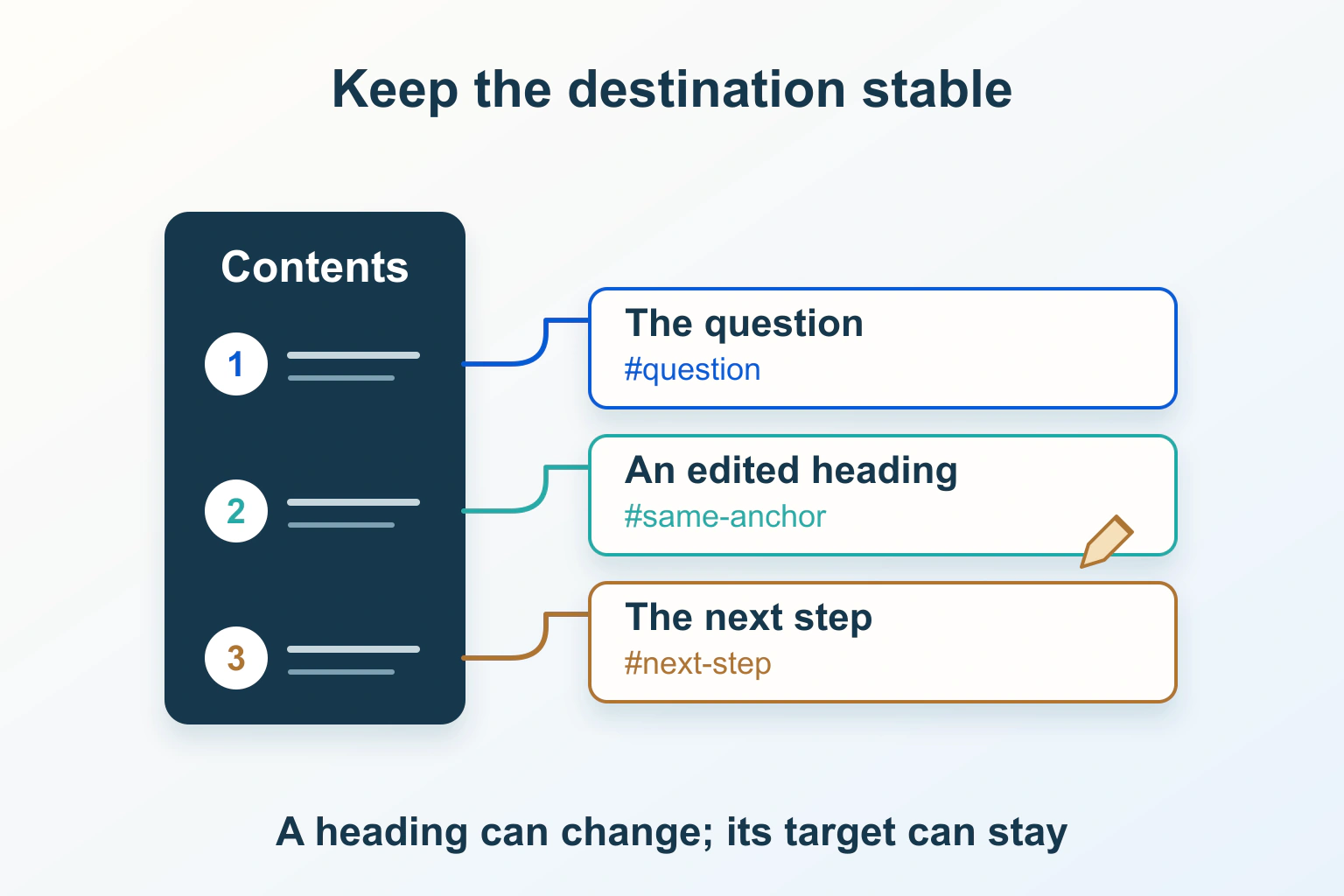
A contents link can break even when the article still loads normally. The heading may have a new generated identifier, the target may be absent from a conditional section, or two components may have produced the same identifier. Maintain the section destination as a small publishing contract, rather than assuming it follows every edit safely.
This guide uses a fictional repair handbook. Its section wording changes as explanations improve, while readers may have bookmarked individual sections. The proposed checks and short markup example are illustrative; no contents plugin or real handbook was tested for this article.
Separate the heading’s wording from its destination
The handbook might rename “How long do returns take?” to “Return processing times.” Those labels can describe the same reader task. Changing the label does not automatically require changing the established target identifier, especially if other pages or saved links already use it.
MDN’s id reference explains that an identifier must be unique within the document and cannot contain ASCII whitespace. Unicode is not universally forbidden, although using an identifier in a CSS selector raises separate validity and escaping questions. Simple, descriptive values are often easier to maintain.
Choose identifiers from the section’s durable meaning, not its current numbering, styling or entire headline. Avoid generating a fresh random identifier on every render. Also avoid relying on an identifier becoming a global window property; a section link needs a real target, not an accidental scripting shortcut.
Record the small target map before editing
List the established targets, current headings and incoming references you control. Include links from related articles, support pages and downloadable material. You may not know every external bookmark, so preserving a useful existing destination can be valuable even when your own link count is small.
| Established target | Current meaning | Editing decision |
|---|---|---|
| return-window | When a return can be requested | Keep while clarifying the heading |
| return-processing | What happens after receipt | Keep through revised examples |
| section-4 | Unclear without the old layout | Investigate references before replacement |
| old-contact-route | A removed process | Choose a meaningful remaining destination or retire explicitly |
These are fictional identifiers, not suggested changes to an existing website. Keep the map beside the content change record. An editor should be able to explain whether a section was renamed, moved, merged or removed; those operations need different destination decisions.
Inspect which content the contents generator sees
A generator scanning stored article blocks may see different headings from a visitor. A reusable component, template, delayed content or page-builder area can introduce headings later. Conversely, stored content can include a section hidden or omitted in the delivered version.
Compare the generator’s intended scope with the public article. It should not accidentally list navigation headings, repeated card titles or hidden template fragments as article sections. Decide which heading levels belong in the contents and retain a meaningful hierarchy rather than flattening every label into one large list.
For the handbook, the contents could cover the main return explanation while excluding a repeated related-guides area. Record that boundary before replacing the generator. A second plugin scanning a different source may add another set of identifiers and make the inconsistency worse.
Set explicit anchors through the component that owns them
The current WordPress Heading block documentation describes an HTML Anchor control under Advanced settings. Inspect the installed editor and the actual saved output; a theme or another component can supply additional behaviour. Do not assume manually assigned and automatically generated anchors have identical ownership.
The following fictional HTML illustrates keeping a destination while improving its visible label. It is shown as text, not installed into this page. A real editor should use the CMS’s maintained control and preserve its native structure.
<h2 id="return-window">When you can request a return</h2>If several editors use the same pattern, document who sets the identifier and who builds the contents. Avoid having a plugin overwrite a deliberate anchor after publication. Reopen the saved article and inspect the rendered heading, not only the field value left on screen.
Check missing and duplicate targets separately
For every contents entry, compare its fragment with exactly one meaningful target in the delivered document. A spelling mismatch, duplicated identifier and target belonging to a different section are separate failures. A page-level link checker may not inspect any of them.
Duplicate identifiers can arise when a shared section appears twice, a desktop and mobile copy coexist, or a heading is duplicated during editing. Renaming only the second visible title may not update an explicit identifier. Correct the actual source and inspect all rendered instances.
Also review headings added by optional states. A target existing only after opening help or loading more content needs a deliberate journey; a plain fragment should not promise immediate access to something absent. Prefer a stable visible destination when that answers the reader’s need.
Understand why the server cannot see a missing fragment
MDN’s fragment reference explains that the browser processes the fragment after retrieving the resource. It is not part of the request sent to the server. An HTTP 200 for the article therefore says nothing about whether its requested heading exists.
A normal server redirect cannot independently inspect an original section fragment and decide which old section the reader meant. Page moves and section changes need coordinated planning. Do not call a missing-target problem fixed just because the article redirects to a homepage or its own top.
If a legacy target still has a useful equivalent, a maintainer can deliberately retain a unique, meaningful alias at that location. Review its position and accessibility implications; do not scatter duplicate hidden identifiers or promise automatic repair for every old generated slug.
Verify direct entry and reading continuation
Start a fresh public visit using the full article address with its fragment. Then test selection from the contents, a copied section link and browser history. Confirm the intended section is present and identifiable in each route, including the narrow layout.
If the heading sits beneath a fixed header, use the separate sticky-header diagnosis. A correct identifier and adequate destination clearance are different checks. Observe keyboard continuation too, without assuming every fragment requires an extra sequential Tab stop; the skip-navigation workflow explains that related focus distinction.
Make anchor maintenance part of the edit
- Save the current target map and the article’s recoverable prior version.
- Record renamed, merged, removed and newly introduced sections.
- Review the rendered contents scope and unique target relationships.
- Check established inbound fragments as well as newly generated entries.
- Verify desktop, narrow-layout and direct-entry reading journeys.
- Retain unresolved references with an owner and a clear next action.
Use the broader broken-link audit for page and file destinations. This narrower acceptance result is a maintained set of meaningful section links. It improves the reading route without guaranteeing search jump links, indexing or rankings.
Sources and verification
Editorial review 2026-10-15. Source check dates are recorded separately. Notes describe what each source supports and its limits.
View sources
- MDN: HTML id global attributeChecked Document-unique identifiers, ASCII-whitespace restrictions and the separate issue of CSS selector escaping.
Limits: Simple ASCII identifiers are a maintenance choice, not a claim that all other Unicode identifiers are invalid. - MDN: URI fragmentChecked Browser-side fragment processing and HTML element identifiers as possible section destinations.
Limits: The fragment is not sent to the server; an ordinary server response does not establish that the target exists. - WordPress: Heading blockChecked The Heading block’s HTML Anchor setting within Advanced settings.
Limits: Installed versions and other components can differ; documentation does not guarantee every generated anchor or contents integration remains stable.