
Pause the connection, verify the intended endpoint and replacement fingerprint independently, then update only the relevant saved trust record.
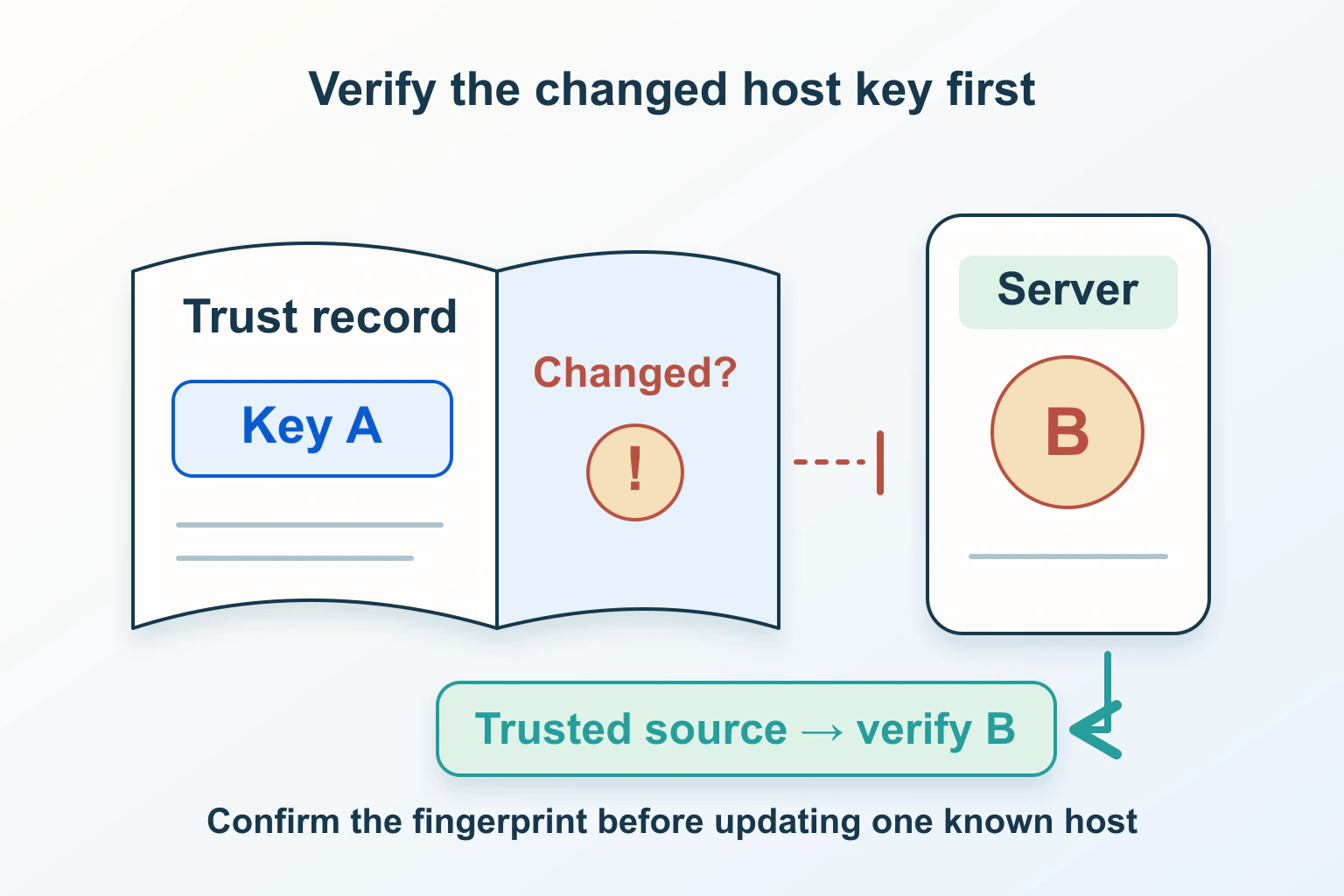
A changed SSH host key is an identity question, not an instruction to clear a warning. Stop the connection and establish why the server now presents a different key. A genuine hosting migration may explain the change, but that explanation still needs independent evidence linking the replacement fingerprint to the intended endpoint.
Consider a fictional club website that has moved to a new server. Its maintainer opens a saved SFTP session and receives a changed-key warning. The migration record names a new address, while the saved session still uses the familiar hostname. Before sending files, the maintainer needs to verify which server that hostname now reaches.
Separate server identity from your login credentials
The OpenBSD SSH manual describes checking the server against saved host keys and warning when an identity changes. This is separate from the key or password used to authenticate your own account. Successful account credentials would not, by themselves, establish that the receiving server is the intended one.
For the club, record the saved session’s hostname and port, the time of the warning, and whether a migration or key rotation was actually scheduled. Keep private account credentials out of that record. A host-key fingerprint identifies public key material; an account’s private key has a different purpose and must not be shared as verification evidence.
The SFTP file-transfer guide covers folders and transfer scope. Resolve the identity warning before resuming that workflow. A correct destination folder cannot compensate for trusting the wrong server.
Check whether the endpoint itself changed
Compare the saved connection with the approved migration plan. Did the hostname stay the same while the server changed? Did the port change? Is the session using an old numerical address or an alias configured elsewhere? Ask the authorized administrator to reconcile the connection target with the current hosting record.
For this fictional case, suppose the hostname was deliberately pointed at the replacement server yesterday. That makes a new host key plausible; it does not identify the exact key the client is seeing. Keep Expected server replacement and Verified replacement fingerprint as two separate entries in the investigation.
If there was no planned change, leave the connection paused while the administrator investigates. Do not invent a migration explanation because accepting the new key would be convenient. Equally, do not declare that an attack occurred merely because the client correctly reported a mismatch.
Obtain the expected fingerprint through an independent trusted route
WinSCP’s warning guidance explains that a changed host key can result from a legitimate server change or a security problem. Establish the expected fingerprint through a trusted route rather than trusting the unverified connection’s own assertion.
Use an authenticated service console reached through an already known address, a documented administrator channel or another established verification procedure appropriate to the hosting service. Ask for the relevant server key type and fingerprint format as well as the fingerprint. Comparing different keys or different display formats without recognizing that distinction can produce a misleading mismatch.
A key collected from the same disputed network endpoint is useful as an observation, but it is not independent proof. Do not treat a freshly collected key as trusted merely because a utility returned it. If the service’s documented method is unclear, ask its administrator how to verify the specific endpoint before continuing.
Build a small verification record
| Proposed situation | Evidence to obtain | Connection decision |
|---|---|---|
| Planned replacement server | Approved endpoint and independently confirmed key | Continue only after the observed key matches |
| Planned key rotation | Rotation record and expected replacement fingerprint | Update the intended saved record after verification |
| Unexpected changed key | Administrator investigation of target and key | Keep the connection paused |
| Different port or alias | Exact session target and its trust-record scope | Resolve the endpoint before changing trust |
For the club, the useful record names the approved server, who confirmed its key through which trusted route, and whether the fingerprint displayed by the client matches. Do not include invented hash strings or copy real private credentials into a ticket. The article’s table is a proposed decision aid, not evidence about any live server.
Keep the old and new endpoint roles clear if a migration is still in progress. A successful connection to the old host may be expected for a historical session; it does not prove that a new deployment should be sent there.
Update only the saved trust that needs to change
The ssh-keygen manual documents host-record lookup, removal and fingerprint inspection. Confirm the installed client’s supported procedure and the exact hostname or host-and-port record before applying a narrow update. The current OpenBSD manual does not establish which software version a reader has installed.
Have the authorized maintainer preserve the existing trust-store file where appropriate, inspect the matching record, and replace only the obsolete trust for the verified endpoint. Avoid deleting the entire known-hosts collection or disabling host-key verification. Those broad actions erase useful checks for connections unrelated to this incident.
A graphical SFTP client may store trust separately from a command-line client. Update the actual client used for the transfer through its documented process. Do not assume that changing one application’s saved record automatically updates every other application or every computer used by the team.
Reconnect and verify the intended work destination
After the narrowly scoped update, reconnect and confirm that the accepted key corresponds to the independently verified fingerprint. Then check the account, server role and target directory before transferring even a harmless test file. Keep identity verification and destination verification distinct in the acceptance record.
The WordPress migration guide covers the broader move. In this example, the host-key issue closes only one prerequisite; it does not demonstrate that the migrated site, email or database is correct.
Retain a clear reason for the trust change
Record why the key changed and when the replacement was verified. If another maintainer receives the same warning later, they should be able to distinguish an approved rotation from a new unexplained event without sharing passwords or weakening the verification procedure.
The checksum verification guide explains a related boundary between matching bytes and trusting their source. Here, the central acceptance condition is a verified server identity for the intended endpoint. These are proposed checks, not tests performed on a reader’s server.
Sources and verification
Editorial review 2026-10-15. Source check dates are recorded separately. Notes describe what each source supports and its limits.
View sources
- OpenBSD ssh: verifying host keysChecked SSH checks server identity against saved host keys and warns about changes.
Limits: Current manual is not proof of the installed client version. - OpenBSD ssh-keygen manualChecked Host-record lookup, removal and fingerprint inspection are supported operations.
Limits: Scope and installed-client options need verification. - WinSCP: potential security breach warningChecked A changed key can reflect a legitimate change or an attack; verify independently.
Limits: The warning cannot certify the replacement server.