
Name the task and its unit, expose a proportion only when the total is meaningful, and distinguish phase completion from the service’s final result.
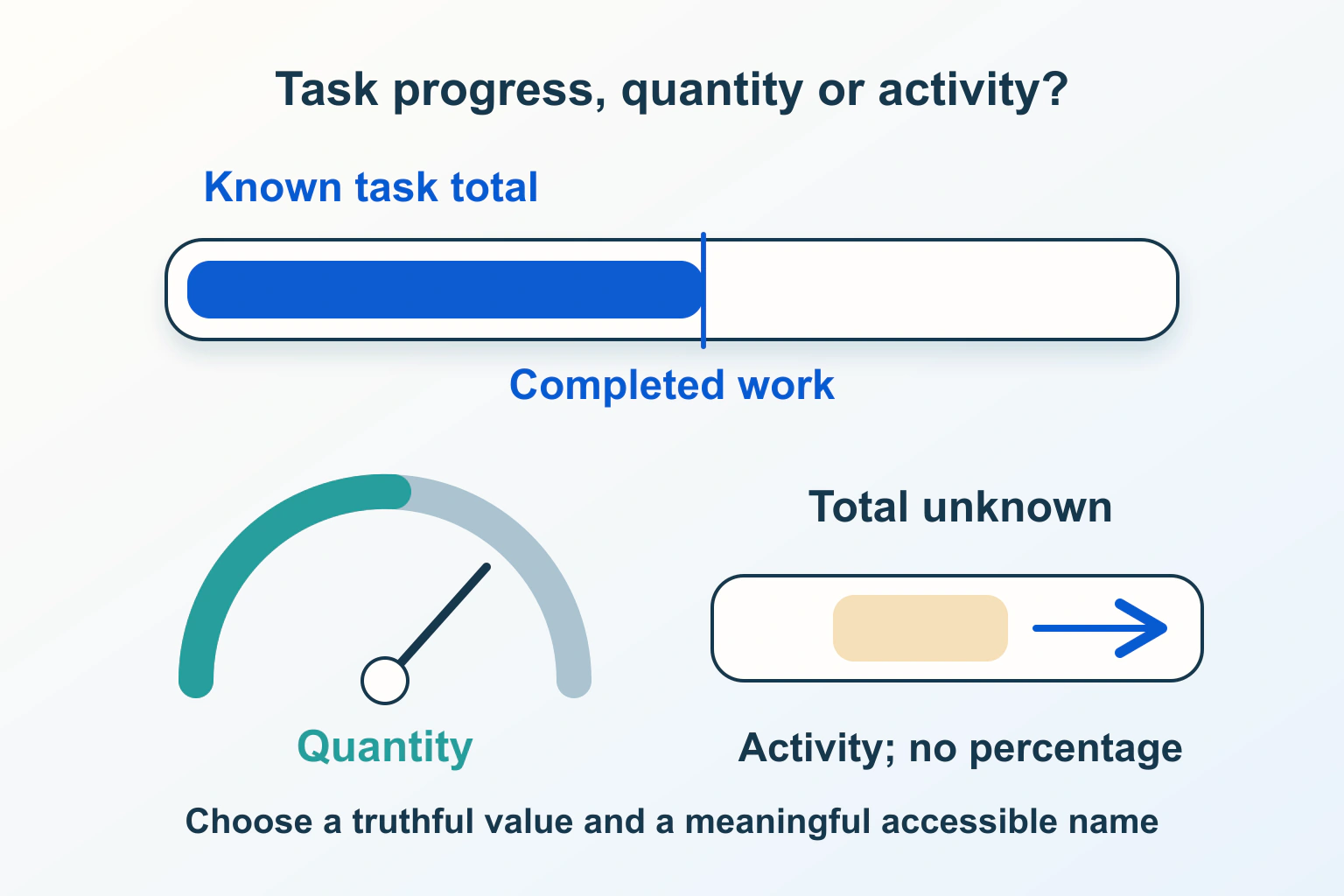
A progress bar should answer a specific question: how much of this named task is complete? If the site does not know the total work, a precise percentage can create a false promise. If the number describes storage capacity rather than a task, a measurement display may be the better choice.
Consider a fictional portfolio site that accepts a set of photographs. It transfers the files, checks them and creates previews. The transfer can reach its measured end while preview creation is still pending. Calling that moment Finished would leave the contributor to guess whether the pictures are actually ready to publish.
Name the quantity before choosing the component
Write down what increases, what establishes the total, and what the visitor can do when the task ends. For the portfolio, distinguish transferred bytes, files checked and previews created. Each answers a different question. Do not combine them under a single percentage until there is a defensible meaning for the combined amount.
MDN describes meter as a scalar measurement within a known range, rather than task progress. Storage used out of an allowance fits that measurement concept. It does not imply that work is underway or approaching completion.
Keep the distinction visible in the wording. Storage used and Uploading photographs are useful names for different displays. A contributor should not need to infer whether a nearly full bar is good news, a capacity warning or an almost-finished task.
Distinguish a known zero from an unknown total
The progress reference distinguishes a present value of zero from an omitted value. The former is determinate progress at its start; the latter represents activity without a known proportion. Inner fallback text is not an accessible label; provide a label or supported accessible naming.
For the portfolio, a known transfer size can support a measured proportion. If the server only reports that it has begun inspecting the files, describe that phase without inventing a denominator. An indeterminate indicator plus Checking photographs is more honest than a percentage that advances according to an unrelated timer.
| Proposed situation | Meaning to communicate | Suitable acceptance question |
|---|---|---|
| Known transfer has not started | Zero of a defined amount | Is zero distinguished from an unknown total? |
| Server inspection has no total | Work is pending without a proportion | Does wording avoid an invented percentage? |
| Storage allowance is partly used | A bounded capacity measurement | Is this labelled as usage rather than completion? |
| All previews are accepted | The requested outcome is ready | Does the final result match what the visitor requested? |
Keep numerator, denominator and units consistent
The HTML progress definition requires a positive maximum and a nonnegative completed value, bounded by that maximum. The element’s rules do not choose the task or validate the truth of the application’s reported work.
For a proposed file-count phase, two previews completed out of eight is 25 percent of those previews. It is not 25 percent of upload time, processing cost or total waiting time. If the files vary in size, a file count and a byte count may move differently. Choose the quantity that helps the contributor understand the current phase.
Ask what happens if more work is discovered. A corrected denominator may be legitimate, but the screen should explain the revision rather than silently implying that completed work disappeared. Keep the underlying observations available to the authorized developer so the team can distinguish a reporting correction from an actual rollback.
Expose phase boundaries instead of disguising them
In the fictional portfolio, let the transfer phase end with Upload complete, checking photographs rather than Ready to publish. Then show a separate inspection state. If the next phase has a known preview count, it can use its own measure with a name that identifies the new task.
A combined indicator needs additional product reasoning. Counting three phases equally would give a very different experience from weighting by transferred bytes. Neither choice establishes a remaining time estimate. Before using a combined percentage, ask which practical decision it helps the visitor make and whether the team can explain its meaning in plain language.
The multi-step form guide handles saving and resuming. Keep that lifecycle separate from this display decision: a completed step indicator should not be the only evidence that a contributor’s answers or files were saved.
Explain waiting, failure and uncertainty with useful actions
Decide which state appears when the site stops receiving updates. Avoid treating the last observed percentage as proof that work continues. Give the visitor an explanation appropriate to what the service knows, such as Awaiting confirmation, and a supported way to check the result without automatically starting a second operation.
For the portfolio, a file rejection should identify the affected photograph and the available correction. If six previews succeeded and two failed, explain that mixed result rather than replacing the entire journey with a generic failure or a green completion banner. Preserve accepted work where the product supports it.
The duplicate submission and uncertain request guide covers retry decisions. A stalled indicator does not, by itself, show that another submission is safe. Tie retry behavior to the operation’s actual state.
Review the accessible name and surrounding status
Give each indicator a name that survives outside its visual position: Uploading portfolio photographs is clearer than Progress. Where several tasks run together, make the names distinctive and keep the text summary aligned with the same task and unit. Do not use color or motion as the only explanation of a phase.
Check the supported screen-reader journey with the developer, including task start, a meaningful update, a phase change and the final result. Avoid deliberately announcing every tiny numeric movement without considering whether that interrupts the visitor’s work. The dynamic status guide discusses outcome announcements.
Propose a completion test that follows the real outcome
Use harmless sample files in an authorized environment. Check a known total at zero, an intermediate value and the end of its named phase. Then follow the next phase through acceptance, partial rejection and an unavailable result. Record the display and the service result separately.
These are proposed checks, not tests performed for this article. Accept the display when it communicates the quantity the service actually knows, exposes uncertainty honestly, and marks the requested outcome ready only when that outcome is confirmed.
Sources and verification
Editorial review 2026-10-15. Source check dates are recorded separately. Notes describe what each source supports and its limits.
View sources
- MDN: progress elementChecked Omitted value means indeterminate; zero is determinate. An accessible label is separate from fallback text.
Limits: The element cannot establish application completion. - MDN: meter elementChecked Meter represents a measurement within a known range, not task progress.
Limits: Range and meaning must suit the quantity. - WHATWG: progress elementChecked Progress has a nonnegative completed value and positive maximum.
Limits: Unknown totals need an indeterminate representation.