
Specify whether the action clears input, restores current defaults or discards edits to a known snapshot; do not treat native reset as reversal of a saved record.
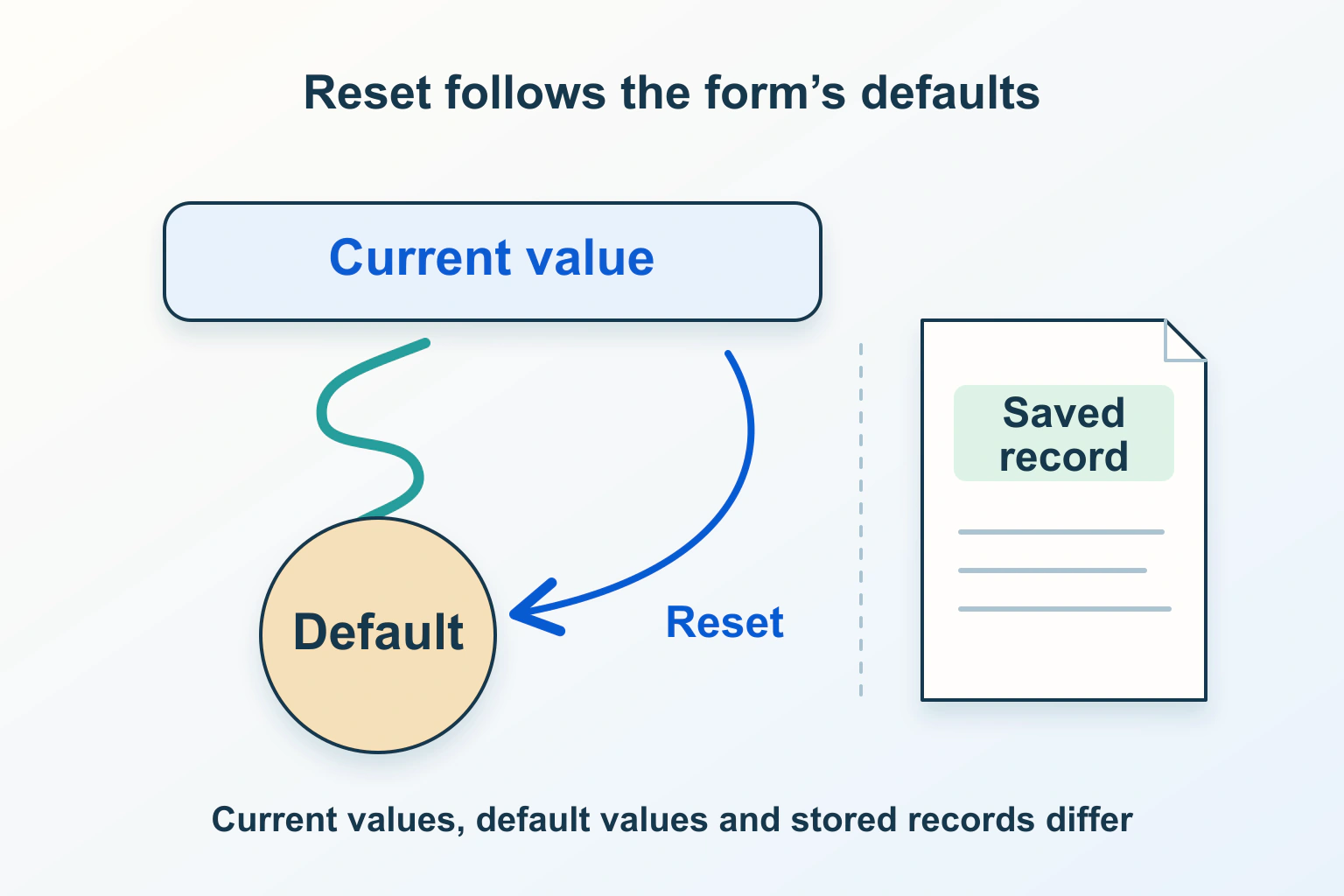
Reset and Cancel are useful only when the visitor can understand where they will return. Clearing every field, restoring configured defaults and discarding edits made since opening a record are different operations. Start by naming the intended destination state, then compare it with what the form and its application actually do.
Consider a fictional event organizer editing a saved workshop description. The form starts with an existing title and a selected room. After changing both, the organizer presses Cancel. The title returns to an older value while the custom room summary still shows the new choice. This is a state-consistency problem, not merely an unfortunate button label.
Define the destination state in ordinary language
| Intended action | Destination to define | A useful acceptance condition |
|---|---|---|
| Clear a new enquiry | Empty or explicitly selected starting answers | Nothing suggests an old answer remains selected |
| Restore configured defaults | The form’s current default values | The controls show those defaults consistently |
| Discard edits to an existing record | An agreed editing snapshot | The restored display and next request use that snapshot |
| Undo a completed save | A supported service-side reversal | The stored result confirms the separate undo operation |
For the workshop, decide whether Cancel means close the editor without saving, restore the version loaded at opening, or reload the latest stored version. These choices can produce different results when another editor has made a change. Write the intended behavior before choosing a browser method or form-library option.
The saved progress guide helps when the draft spans several stages. Make clear whether cancellation affects only the current screen, the whole unsaved draft or a stored draft that requires a separate deletion action. A single vague label should not conceal those boundaries.
Understand what native reset actually restores
MDN’s reset() reference describes restoring current default values, not resetting attributes such as disabled. Changes made through attributes can affect what will be restored. A control named or identified as reset can mask the method. Native reset is not a rollback of a service’s saved record.
Therefore, a return to a nonempty title is not automatically a failed reset. If the intended starting state includes a title, restoring it may be exactly right. Conversely, a native-looking field that returns to some configured default has not necessarily restored the record version the organizer expected.
Record the state immediately before editing and again after the reset action. Keep the expected destination alongside those observations. Without that comparison, a ticket saying Reset keeps old data leaves the maintainer unable to tell whether the default, snapshot or product expectation was wrong.
Distinguish the current value from its default
The defaultValue reference explains that this property reflects an input’s value attribute, separately from its current edited value. Do not assume that every value visible after data loading has become the default you intend to restore. Inspect how the application establishes both the editable state and its restoration baseline.
In the fictional workshop editor, use three named versions during the investigation: the record returned by the service, the starting editing snapshot and the organizer’s current edits. If the interface receives a newer record while the organizer is typing, define how it informs them and which version Cancel should use. An unexpected replacement can destroy useful work even when all fields remain technically valid.
Keep this requirement independent of any particular library. The authorized maintainer should map the chosen component’s supported reset and initialization behavior to the agreed product meaning. Repeatedly reloading values until the screen looks right is not evidence that the next request will contain the right record version.
Check that the button performs the named operation
MDN’s button reference distinguishes a reset button from an ordinary type="button", which has no default action. Within a form, omitting a button’s type can produce submission. The visible word Cancel does not define cancellation logic. Inspect the actual type and the application handler together.
For the workshop editor, first establish whether the action sends any request, closes a panel, invokes native reset or updates application state. Those observations answer different questions. A button that closes the panel might leave an unsaved draft ready to reappear, while another implementation might discard it. Either behavior needs to be intentional and communicated.
Choose a label that reflects the agreed operation, such as Discard unsaved changes where that is accurate. If the action can destroy substantial work, provide the review or confirmation appropriate to the product. Do not use Reset as a convenient name for an undocumented mixture of clearing, closing and saving.
Reconcile custom state with the visible controls
A custom picker, preview, validation message or application-managed selection may have state beyond a native input. The design implication is to review those parts together: restoring one field does not establish that every related component now represents the same record. This is an application responsibility, not a guarantee supplied by the native reset method.
For the organizer, compare the title field, room picker, room summary and any pending-change indicator. Then inspect the next prepared request in a controlled environment. It should not quietly retain the room that the visitor believed was discarded. Likewise, a stale error should not claim that a now-restored answer is still invalid.
The autofill and field-state guide covers browser-provided values as a separate influence. Keep those observations distinct from the application’s reset baseline so the maintainer can identify which mechanism introduced the discrepancy.
Propose checks for edits, cancellation and a later save
- Open a harmless sample record and record its identifier, initial values and agreed cancellation destination.
- Change a native field and a custom selection, then use the named action and compare every related display.
- Reopen the editor and establish whether unsaved work should return or remain discarded.
- After cancellation, make one new edit and inspect the prepared and accepted record; discarded answers should not reappear unexpectedly.
- Review the action during loading, after a failed save and after a confirmed save, keeping those states distinct.
- Check keyboard operation, the explanation of discarded work and the visitor’s next available action.
Use the form instructions and confirmation guide for the final interaction review. These checks are proposed, not executed on a reader’s form. Finish with a clear destination state, consistent controls and an honest boundary between discarding unsaved edits and changing something already stored.
Sources and verification
Editorial review 2026-10-15. Source check dates are recorded separately. Notes describe what each source supports and its limits.
View sources
- MDN: form reset()Checked reset restores current defaults rather than attributes such as disabled; attribute changes can affect those defaults.
Limits: A control named or identified as reset can mask the method; native reset is not server undo. - MDN: input defaultValueChecked defaultValue reflects the input value attribute and is distinct from the current edited value.
Limits: A default is not automatically the desired application-level cancellation snapshot. - MDN: the button elementChecked Reset buttons restore initial values; ordinary buttons have no default action, while omitted type can submit within a form.
Limits: A label such as Cancel does not define application behavior or reverse saved work.