
Name the selection scope, keep selected record identifiers separate from the group appearance, and review the actual target set before applying an operation.
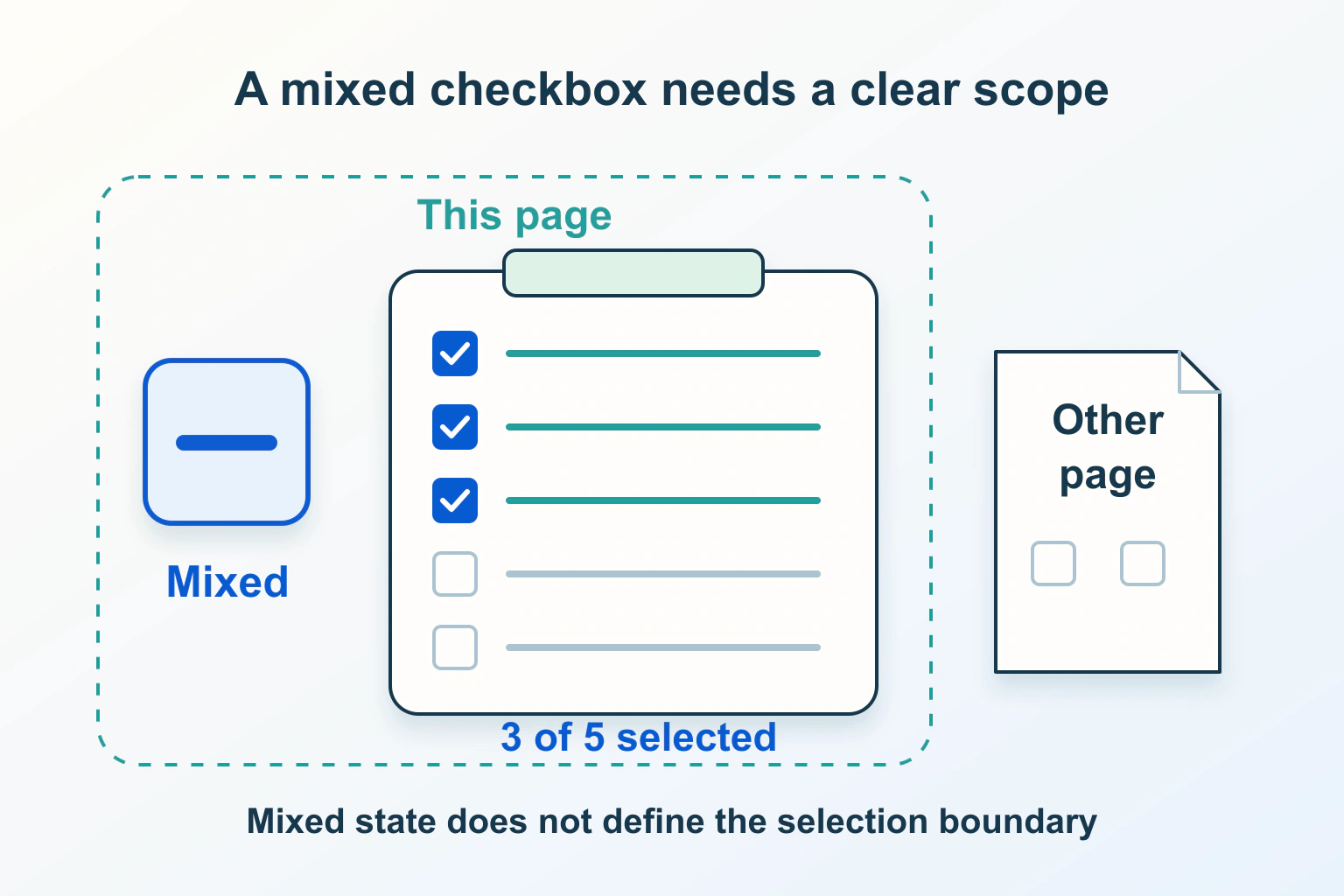
A dash inside a Select all checkbox can mean that some items are selected. It cannot tell a visitor whether a bulk action will affect three visible rows, selected rows on other pages, or every matching result. Define the target records first, then make the checkbox and surrounding explanation reflect that decision.
Consider a fictional community directory with 48 entries matching a filter and 12 entries on the current page. An editor checks three entries and changes the filter. The product must decide what happens to those three selections before it lets the editor send an invitation. A convincing-looking group checkbox does not settle that question.
Write the selection scope before designing its appearance
Choose an explicit promise: Select the 12 entries on this page, Select all 48 matching entries, or select a named group. These are different operations. If both page selection and whole-result selection exist, provide a deliberate step between them and name the expanded count. Avoid a silent change in scope when a reader reaches another page.
For the directory, suppose the first action selects the current page only. A separate option can offer all matching entries after the first selection. Record that rule in the design brief, acceptance checks and confirmation screen. The same wording should mean the same target set on desktop, mobile and keyboard journeys.
The sortable tables guide explains ordering. Selection should survive an order change by record identity, rather than transferring to whichever entry occupies an old row position. Ask for that behavior explicitly when reviewing an implementation.
Keep the mixed indicator separate from selected identifiers
MDN describes indeterminate as a JavaScript property, not an HTML attribute. It affects the checkbox presentation; the separate checked state controls native submission. Do not treat a visible dash as a third submitted value or as the application’s list of selected entries.
Maintain a clear selection record. In the fictional directory, write down entry identifiers A, D and J rather than rows one, four and ten. The group indicator can then summarise the eligible group: none, some or all. This summary is derived from the selection; it should not become an alternative store that disagrees with the individual entries.
| Proposed situation | Selection question | Expected explanation |
|---|---|---|
| Three of 12 page entries selected | Which identifiers are selected? | 3 selected on this page |
| Another page is opened | Are earlier selections retained? | Retained selections remain counted and inspectable |
| A filter hides two selections | Do they still belong to the operation? | Hidden selections are explained or deliberately cleared |
| No entries are eligible | Is a bulk action available? | No eligible entries and no misleading all-selected state |
Specify what activating a mixed checkbox will do
A partial indicator describes the present situation; the next activation still needs a predictable effect. Decide whether activating the group will select every eligible entry in scope or clear the selection. Prefer one documented policy throughout the product. Do not make the same-looking mixed state alternate between unrelated actions depending on how the visitor arrived there.
The HTML checkbox definition specifies native preactivation behavior: checkedness changes and indeterminate becomes false. An application that recomputes a group summary must deliberately reconcile that native transition with its own selected set. A style change alone is insufficient.
Ask the developer to demonstrate the intended transition using harmless records. Start with three selected entries, activate the group, inspect all selected identifiers, then activate it again. Judge the final set and explanation together. These are proposed acceptance exercises; they are not a claim that this fictional interface has been tested.
Decide how filters and unavailable entries affect the group
For the directory, retaining hidden selections can support a useful cross-page workflow, but the editor needs a way to inspect and clear them. Clearing selections on a filter change can also be reasonable when that is the product promise. Choose deliberately, communicate the change, and do not silently switch between the two policies.
Define eligibility separately. An entry may be visible but unavailable for this invitation because it was already invited. If the group selects eligible entries only, say so and show the eligible count. Review whether unavailable entries contribute to the mixed indicator; an ambiguous denominator can leave the checkbox permanently partial even after the intended selection is complete.
Use the dynamic result status guide for changes in result counts. Keep the selection summary equally specific: 3 selected, including 2 outside this filter, is more useful than a bare tick beside a changing result list.
Also define the reset route. A Clear selection control should describe whether it clears the current page or every retained identifier. In the directory example, reviewing the selection and clearing it must remain possible after a filter returns no results; otherwise an invisible earlier choice can survive without a practical correction path.
Make the group understandable without the dash
The W3C checkbox pattern describes partial group selection as mixed and documents an accessible name, state and Space-key operation. If a custom component replaces native checkboxes, these requirements need implementation and review; drawing a minus symbol does not provide the behavior.
Give individual entries distinctive names and name the group by its scope. A visitor should be able to tell which entry is selected without relying on row color or the nearby photograph. Check the group announcement and the selected count using the supported assistive technology combination, while remembering that this article does not establish a universal device test result.
Review the target set again before the operation
Selection and permission are separate. Before a consequential invitation or change, the receiving service should evaluate the requested entries under its current rules. A browser checkbox is not evidence that an editor is allowed to act on every supplied identifier.
Prepare a final review containing the action, count, selection scope and a route to inspect the entries. If some records became unavailable, explain which were skipped and which were acted upon. Avoid presenting a single success message for an outcome that actually contains several different results.
The disabled and readonly form guide covers native field eligibility. Here the acceptance target is broader: the selected set, the group summary, the request and the resulting operation must agree, including after pagination, filtering and an eligibility change.
Sources and verification
Editorial review 2026-10-15. Source check dates are recorded separately. Notes describe what each source supports and its limits.
View sources
- MDN: checkbox inputsChecked Indeterminate is a JavaScript property; checked controls submission.
Limits: Appearance alone does not define selected records. - W3C APG: checkbox patternChecked Mixed state represents partial group selection; Space changes checkbox state.
Limits: Custom controls need the documented name, state and keyboard behavior. - WHATWG: checkbox stateChecked Native preactivation changes checkedness and clears indeterminate.
Limits: Application selection rules remain separate.