
Use an invitation-capable scheduling workflow, preserve event identity across its lifecycle and confirm organizer and attendee records after a reply, reschedule or cancellation instead of trusting the original attachment.
A visitor books a consultation through a website and sees it in their calendar. The business later moves the appointment, yet the visitor still sees the old time. Another visitor declines, but the organizer’s list continues to show an unanswered invitation. The original event’s appearance proves less than it seems: delivery, importing, responding and processing an update are separate stages.
Consider a fictional consultation service with one organizer and one invited visitor. Its acceptance target is one identifiable appointment, a current response and a reliable change or cancellation journey. The scenario is an editorial framework for checks, not evidence that a specific scheduling provider has been tested.
Identify whether this is an invitation or a snapshot
Ask what the website actually promises. A downloadable event can be useful as a personal reminder without managing attendance. An invitation adds a relationship between organizer and attendee, with a route for responses and later scheduling messages. The file extension alone does not decide which relationship has been established.
The Add to calendar guide covers static downloads and subscriptions. If the product promises appointment updates or RSVP tracking, verify an invitation-capable workflow instead of relabelling the same download button. Make the reader-facing wording match the actual service.
Write down where the authoritative appointment lives and which system sends its invitations. A website booking record, an organizer calendar and a visitor’s imported copy can each exist without remaining synchronized. Knowing that boundary prevents support from deleting and recreating events before anyone understands which copy is current.
Preserve the event relationship across changes
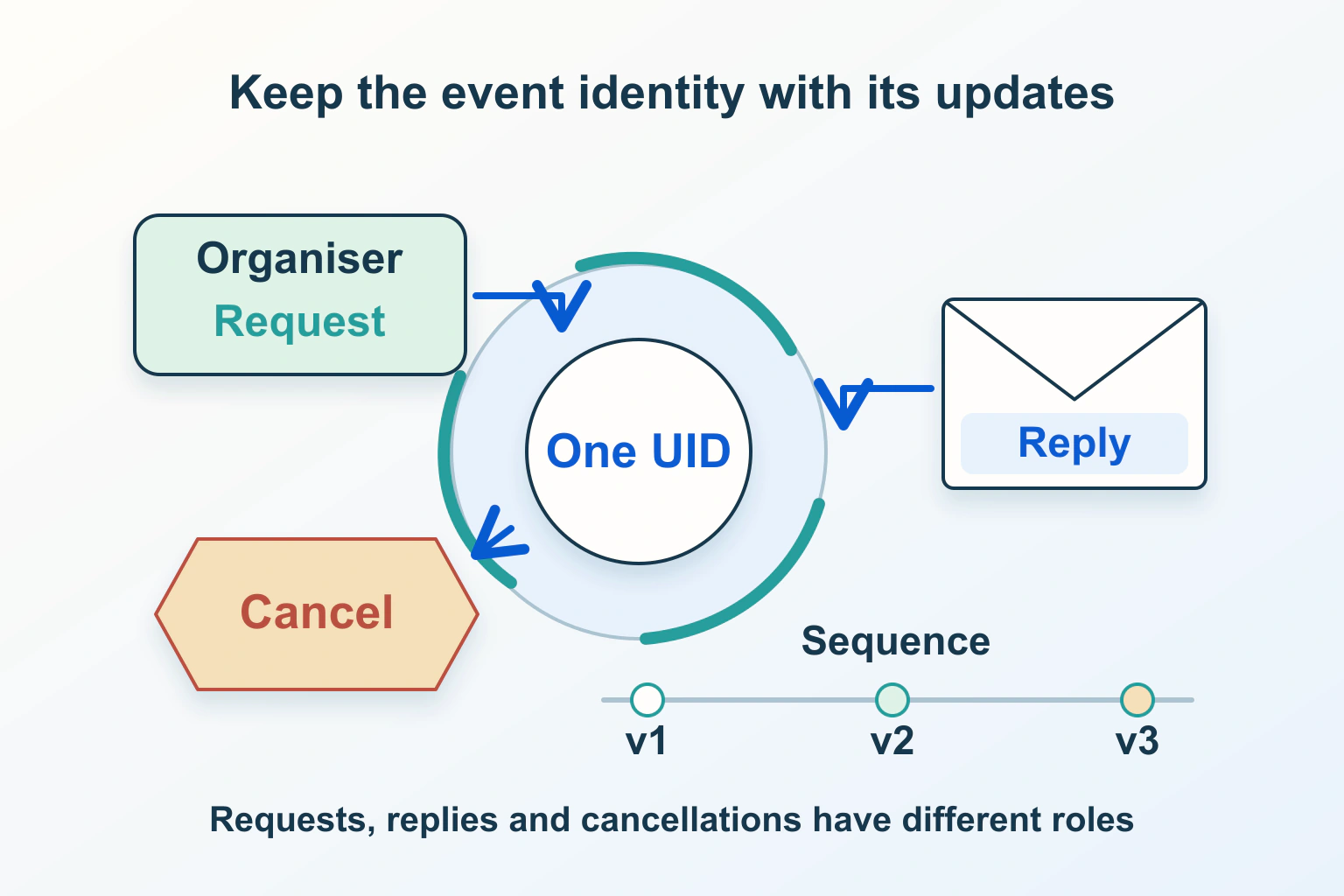
RFC5546 defines REQUEST, REPLY and CANCEL scheduling methods. UID identifies the event; sequence information helps distinguish revisions. REQUEST can create or update an invitation, while REPLY conveys attendee status. Not every detail update increments sequence. The protocol also supports organizer changes and delegated actions, so do not assume those are universally impossible.
In the consultation example, treat rescheduling as a change to the intended appointment rather than an unrelated new booking unless the product deliberately says otherwise. Record the identity and revision information your scheduling service exposes. When two appointments appear, compare those records before assuming the visitor accepted twice.
Keep the identity of a recurring series separate from the particular occurrence being changed. Your proposed test should specify whether it changes one consultation or every future appointment. Avoid editing raw invitation files as an improvised production repair; use the supported organizer workflow and preserve evidence of the failed journey for investigation.
Confirm who sends, receives and responds
Choose the organizer account deliberately. Check the visitor address that receives the invitation and the identity used when responding. An address typed into a booking form is not proof that the person can receive or act on a calendar invitation through it.
After a response, inspect the organizer’s current attendee record. An email notification and a calendar status are different pieces of evidence. Likewise, a visitor’s local Accepted label does not independently prove that the organizer processed a response. Describe unresolved outcomes as unresolved rather than inventing a confirmed attendance state.
For delegated staff, document which account owns the appointment and which role is authorized to change it. Review that exact workflow when staff or permissions change. Do not infer that a general mailbox administrator can automatically perform every organizer action in a separate calendar service.
Inspect scheduling delivery beyond the attachment name
RFC6047 describes email scheduling with text/calendar MIME data whose method parameter agrees with the calendar METHOD. It recommends a human-readable alternative and addresses authentication of the scheduling originator. An attachment called appointment.ics is therefore not sufficient evidence that a recipient interpreted a genuine scheduling request.
When a failure is reported, retain an appropriately redacted original message and the provider’s relevant delivery record. Compare the intended scheduling operation with what was actually generated and received. Do not keep retrying different file names while discarding the evidence that would identify a packaging or interpretation problem.
The attachment-packaging guide can help with missing or transformed message parts. Keep that investigation separate from event version and attendee processing. A file that downloads correctly may still represent a snapshot or an earlier event revision.
Test the lifecycle with two independently observed records
| Operation | Organizer evidence | Attendee evidence |
|---|---|---|
| Send a new invitation | The intended event and recipient exist | The correct appointment is offered once |
| Accept or decline | The current response is processed | The local result matches the chosen response |
| Reschedule the appointment | The intended event revision is current | The new time replaces or clearly supersedes the old one |
| Cancel the intended event | Cancellation is sent through the supported route | The event no longer appears as an active commitment |
Use appropriate test participants and avoid sending experimental invitations to real customers. Record the versions and accounts involved. Include a fresh view of the organizer and attendee calendars after processing, rather than relying on one inbox screenshot. Delayed or missing processing should stay visible in the report.
Keep cancellation distinct from deleting a personal copy
Microsoft’s documented Outlook desktop cancellation is an organizer action that includes sending the cancellation. Removing an attendee’s local item is a different operation. Other clients, delegated roles and provider versions need their own supported process rather than assumed identical buttons.
In the consultation service, the website should explain whether cancelling a booking triggers the organizer workflow or merely records a request for staff. Confirm both the booking status and calendar outcome. Do not declare cancellation complete solely because a row disappeared from one admin screen.
Time interpretation remains another layer. The time-zone guide helps compare the intended instant or local schedule. A correctly processed update can still display an unexpected local time if the original scheduling intent was wrong.
Close the investigation on the current appointment
Finish by reconciling the authoritative booking, organizer event and attendee result for the same intended appointment. Confirm the current time, response, cancellation state and any remaining duplicate. If you cannot establish one of those facts, give support the specific missing evidence instead of a general claim that the calendar is broken. A reliable invitation journey depends on maintaining the relationship through change, not merely delivering its first message.
Sources and verification
Editorial review 2026-10-15. Source check dates are recorded separately. Notes describe what each source supports and its limits.
View sources
- RFC5546 — iCalendar Transport-Independent Interoperability ProtocolChecked Scheduling methods and event identity govern invitations, replies and later changes.
Limits: Provider processing varies; not every update increments sequence, and a valid message is not receipt proof. - RFC6047 — iCalendar Message-Based Interoperability ProtocolChecked Email scheduling needs consistent calendar MIME information and originator authentication.
Limits: An ICS filename or ordinary email display does not prove scheduling interpretation. - Microsoft — Cancel a meetingChecked The documented Outlook desktop workflow sends cancellation from the organizer.
Limits: Local deletion is different; other versions, delegation and scheduling systems need their own checks.