
Use a small editorial record and one representative article to verify the available CodeDesign blog workflow before expanding publication.

CodeDesign is worth considering when a small website needs to grow from a few pages into a useful collection of articles. A blog gives the business room to answer detailed questions that would overwhelm its main service page. The important opportunity is an editable publishing process that stays understandable after the first attractive layout is finished.
Imagine a fictional repair studio whose customers repeatedly ask how to prepare an item for inspection. The studio wants separate guides for preparation, common warning signs and what happens after an assessment. This workflow treats those as distinct reader questions, with approved facts and an owner for future corrections.
Give every article a distinct job
Create a short editorial record before generating a layout. Include the reader’s question, the intended answer, supporting information, a reviewer and a future review trigger. Keep this record wherever the team already manages work; it need not depend on a specific CMS field existing.
For the studio, preparation guidance explains what to bring and what information helps the technician. Warning-sign guidance explains when a person should stop using an item and seek an appropriate assessment. Avoid turning both into slightly different versions of the same service advertisement.
Check the existing article list before commissioning another piece. If a new question belongs naturally in a short section of an existing guide, improve that guide instead. A larger archive is useful when its pages answer more questions, not when readers must choose between near-identical titles.
Confirm the available blog workflow in the account
CodeDesign’s May 2026 release announcement introduced integrated blogging with metadata controls, scheduling tools, media embedding and content organization. It is evidence of the announced capability set, rather than a verified list of buttons or subscription entitlements in a particular account.
Before relying on a publishing step, inspect the workflow available to the authorized editor. Confirm how an article is prepared, reviewed and made public, and what happens when an existing post is changed. Record the actual controls and any account requirement instead of assuming that a product announcement supplies an exact operating manual.
Choose one harmless sample article to establish that route. If scheduling matters, verify the account’s available scheduling control and the resulting publication time before making a campaign depend on it. If a required capability is missing, clarify it before transferring a whole archive.
Build a repeatable article structure
CodeDesign’s blog-builder overview presents AI-assisted blog creation alongside a visual builder for adjusting website elements. That combination can provide a useful starting layout; the publisher still has to decide what the article says and whether the real reading experience works.
For the studio’s preparation guide, propose a concise answer first, followed by what to bring, what information to record and what the studio cannot establish before inspection. Add a relevant image only when it helps the explanation. Keep the same broad structure for similar guides without forcing unrelated questions into identical sections.
Review the archive listing as well as the article. Titles should distinguish the questions clearly, and summaries should explain why someone would open each page. Organization should help a reader move from a broad concern to a specific answer without needing to understand the publisher’s internal terminology.
| Editorial record | Studio example | Review purpose |
|---|---|---|
| Reader question | What should I bring to an inspection? | Keep the article focused |
| Approved source | The studio’s current intake instructions | Verify the practical steps |
| Named review role | Service coordinator | Make corrections accountable |
| Update trigger | A changed intake requirement | Keep the answer current |
Use focused edits rather than broad regeneration
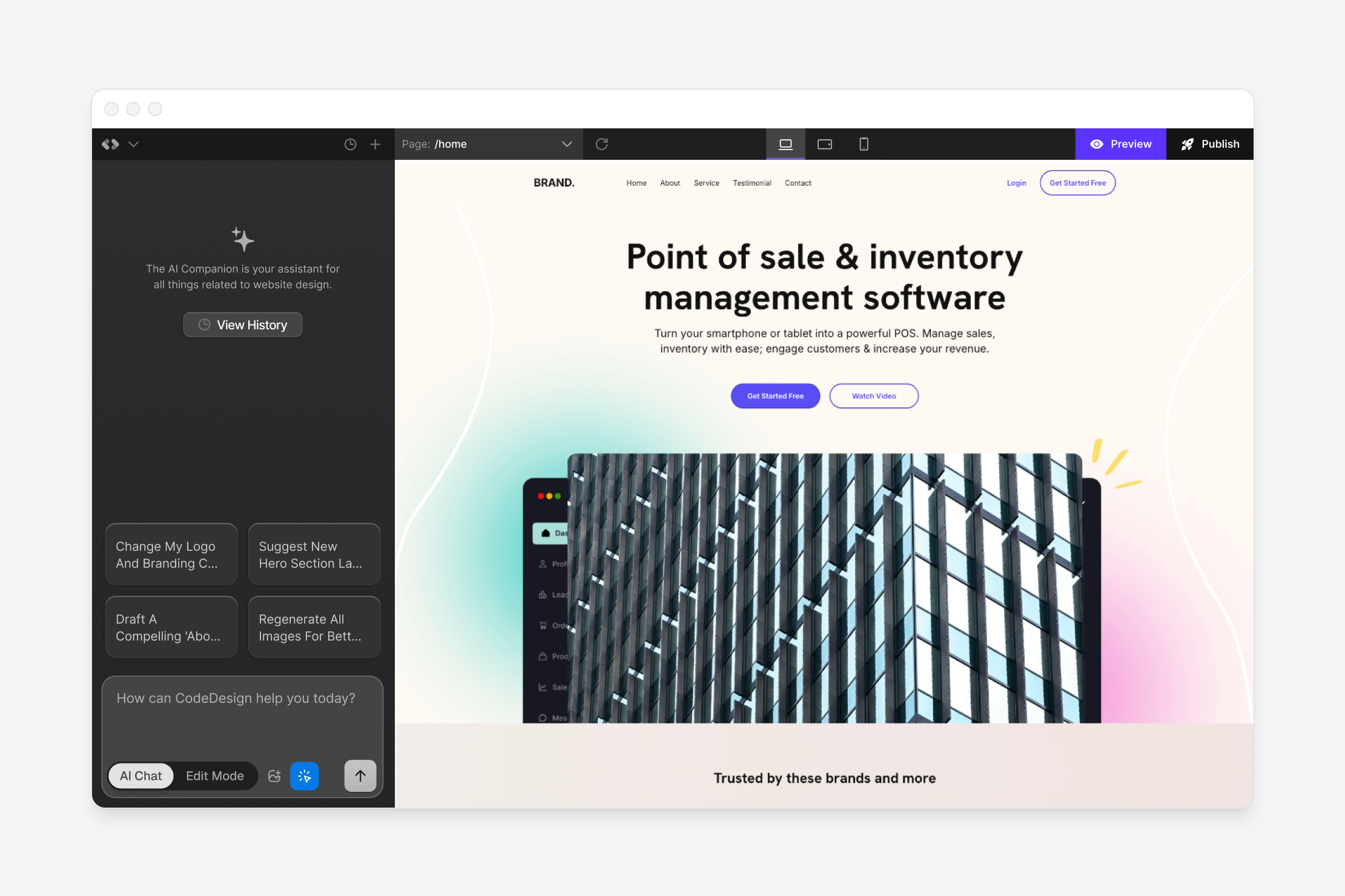
CodeDesign’s AI Companion guide describes selecting canvas elements, issuing natural-language changes and switching between AI and manual editing. It distinguishes Fast for lighter edits from Autonomous for more complex changes. Those builder instructions do not prove that every blog-management screen offers identical controls.
Where the relevant editing route is available, keep an instruction narrow: shorten the introductory explanation while preserving the three preparation requirements. Review the changed passage against the approved source. If the revision changes a condition or creates an unsupported promise, restore the intended meaning before continuing.
Separate layout changes from factual updates. A wider image and a corrected opening time have different acceptance checks. Reviewing them as separate changes makes it easier to spot a sentence that was unintentionally rewritten while improving the page’s appearance.
Prepare discoverable wording without promising rankings
Use the article’s actual question in its title and introduction. Write a specific summary that explains the answer rather than repeating a generic claim about expert advice. Where the account exposes metadata controls, check what is stored and what appears in the published page.
Do not treat an AI-generated title, schema label or audit suggestion as a ranking guarantee. Ask whether the page is useful, understandable and technically accessible to its intended readers. A search-oriented workflow should support those qualities instead of producing a second article merely to target a near-identical wording.
For the studio, link the preparation guide from the relevant service explanation and link back to the practical next step. Keep link labels descriptive. Review any changed destination after publication so an old article does not send readers to a retired process.
Check the article and archive after publication
Open the actual public article on a phone and a larger screen. Check its complete title, image framing, headings, tables if present and links. Confirm that the published text matches the reviewed version, rather than assuming that an editor preview establishes the public result.
Return to the archive listing and open the article through its card or title. Verify that the summary and image identify the correct guide. Then make a small permitted correction and repeat the public check, so the team understands the maintenance route before more articles depend on it.
The CodeDesign website-handover guide covers broader ownership and routine maintenance. Use it alongside this post-level workflow so the person responsible for updates can find both the content record and the actual editing route.
Expand the archive around real unanswered questions
Review new customer questions periodically and identify those that need a full explanation. Keep factual corrections ahead of expansion. An old preparation guide that gives a wrong requirement deserves attention before publishing another attractive page around the same service.
The CodeDesign landing-page brief covers a different job: a focused campaign destination. A blog can support that destination with detailed answers, while keeping the main page concise.
CodeDesign’s useful role is helping the team build and edit the presentation of that knowledge. Start with one article, establish a repeatable review route and grow from questions the business can answer well. These are proposed checks; no CMS account, publication timing or search performance was tested for this article.
Independent editorial guide: the analysis and recommendations are Pagember’s own. This article is not written or endorsed by the provider.
 Affiliate link.
Sources and verification
Editorial review 2026-10-15. Source check dates are recorded separately. Notes describe what each source supports and its limits.
View sources
- CodeDesign: May 2026 product releaseChecked Announced integrated blogging and publishing capabilities.
Limits: A release announcement does not verify an account's controls or plan entitlement. - CodeDesign: Introduction to AI CompanionChecked Selected-element AI editing and manual editing mode.
Limits: Builder controls do not establish identical behavior in every blog editor. - CodeDesign: Blog builder overviewChecked Product positioning for blog building and visual editing.
Limits: Marketing claims do not prove search visibility or a measured production result.