
Researched from official documentation; not a hands-on product test. Choose the website model first, then validate the actual published journey. Keep domain ownership, business access, costs, data permissions and export requirements explicit before relying on an AI-generated site.

An AI website builder can help turn a business description into a first version of a site. The buying decision should cover what happens next: editing the pages, receiving enquiries, connecting a domain, maintaining access and making future changes.
Separate a visual prototype from a working public service. A page can look finished while its form, permissions or mobile navigation remain incomplete. Use the checklist below to evaluate the whole publishing journey rather than the first generated screen.
Decide what kind of site you need
A small information site, a WordPress publication and a web application have different maintenance needs. Write down the pages and functions your business requires now. For example: home, services, contact form, legal pages and a simple article archive. Add login, payments or customer records only when the business needs them and you can support them.
The underlying model affects editing and handover. 10Web describes AI creation alongside WordPress hosting and its builder. Lovable documents publishing web projects and code sync. Compare those workflows against who will maintain your site, rather than treating every prompt-to-page product as interchangeable.
Prepare a brief with your real services, approved business details, tone, navigation and desired actions. Keep references focused on the design qualities you want. Use your own copy and licensed images rather than reproducing another business’s identity or claims.
Check ordinary editing before the impressive features
Ask how you will change a phone number, reorder a service and replace an image after launch. Try those tasks in the editor. Confirm that another authorized colleague can make the same changes and that they do not need the original creator’s personal account.
Also check whether a broad prompt changes unrelated parts of the site. Keep a record of approved content and inspect the affected pages after edits. A convenient generation step is useful only if normal maintenance remains understandable.
| Requirement | Test before launch | Evidence to keep |
|---|---|---|
| Everyday editing | Change a heading and restore it | Working editing route and owner |
| Enquiry form | Send a test enquiry and confirm receipt | Destination and success/error behavior |
| Mobile navigation | Open, follow and close the menu | Phone-sized journey screenshots |
| Data access | Compare authorized and unauthorized access | Permission checks for private areas |
| Recovery | Restore a safe test change | Backup scope and recovery instructions |
Keep the domain and account under business control
Decide who owns the domain, who pays renewal and who has access to its settings. Record whether the domain registration, website plan and email service are separate purchases. Changing a website’s domain configuration should not accidentally disconnect business email.
Check whether your chosen plan permits a custom domain and whether it affects branding or visitor access. Lovable’s publishing documentation places custom-domain connection on paid plans and describes visibility options separately. Those are plan boundaries to verify, not reasons to assume every generated project is public or private by default.
Use business-controlled billing and administrator access. Give collaborators the access they need and keep a handover record. If an outside developer builds the site, agree who receives the domain account, source material and recovery instructions before the project ends.
Test forms and every important action
Follow the site as a customer would. Open the navigation, choose a service, use the form, and inspect what the business receives. Test missing required information and an invalid email address. The page should make success or failure clear without losing a customer’s message silently.
Confirm the destination mailbox or system and the handling of uploaded files. Remove sample addresses and placeholder buttons. Check phone links, social links and any booking or checkout handover on the real published domain.
For a site with accounts or private records, test access using different roles. The right page appearing for an administrator does not prove that a visitor cannot access private information. Arrange an appropriate technical review before relying on generated authentication or database permissions for customer data.
Review layout, accessibility and performance in context
Inspect the site’s key pages at narrow and wide widths. Check wrapping headings, cards, tables and call-to-action buttons. Long business names and real service descriptions often expose problems that short sample text hides. Read through the site using a keyboard and confirm that focus and navigation remain usable.
Add meaningful image alternatives and clear labels for form controls. Review heading order and link wording. Compress large images and inspect the page on an ordinary mobile connection, not only an editor preview on a fast desktop.
Security scans can help identify issues, but understand their scope. Lovable documents separate Quick scan and Deep scan controls. Review findings and test your actual customer journey; a scan result cannot establish that every business-specific permission and integration behaves as intended.
Verify the exit path for the exact product
Ask what you can take away: page content, media, code, database data, forms and configuration. Lovable documents exporting and syncing code with GitHub. A repository is useful for development, but hosting, data and connected services still need their own migration plan.
Do not assume that a WordPress-based offer makes every builder feature portable. 10Web’s help page describes hosting dependence for AI generation and recreated sites. Obtain confirmation for your selected product and version, including which editing features or plugins require an active service. Broad platform descriptions are not enough to settle that detail.
Export a small example and check it before committing to a large build. If leaving the platform requires rebuilding part of the site, include that effort in the decision rather than discovering it during cancellation.
Review costs and publish deliberately
List the initial payment, normal renewal, domain renewal, paid seats, hosting and any metered backend or AI usage. Check the effect of trial actions before enabling them. 10Web’s getting-started documentation describes trial restrictions and actions that can trigger charges, so a trial label alone is not a complete cost explanation.
Keep a rollback route, then publish and repeat the important checks on the actual public URL. Confirm the correct pages, forms, images, title and description. Check whether the site should be indexed and whether any staging or private area remains exposed.
Launch when the business journey works and someone owns ongoing maintenance. AI can shorten the first build, but the useful result is a site you can edit, operate, recover and eventually move with a clear understanding of the work involved.
Turn the checklist into a small website pilot
Use the CodeDesign guide to apply this checklist to a focused landing page or business website. Define the page’s purpose, the information visitors need and the action they should complete. Review the generated structure and copy before treating the first version as ready to publish.
Test the real form destination, navigation, images and mobile layout on the published URL. Before a larger commitment, confirm which editing, hosting and export functions your chosen plan includes, and make the ongoing owner and handover route explicit.
For the CodeDesign pilot, evaluate manual visual editing and AI Companion. Its selected-element workflow suits a narrow change, such as shortening the service introduction without replacing unrelated content. Website-generation counts and AI editing credits are separate budgets; record the actual operations the trial needs.
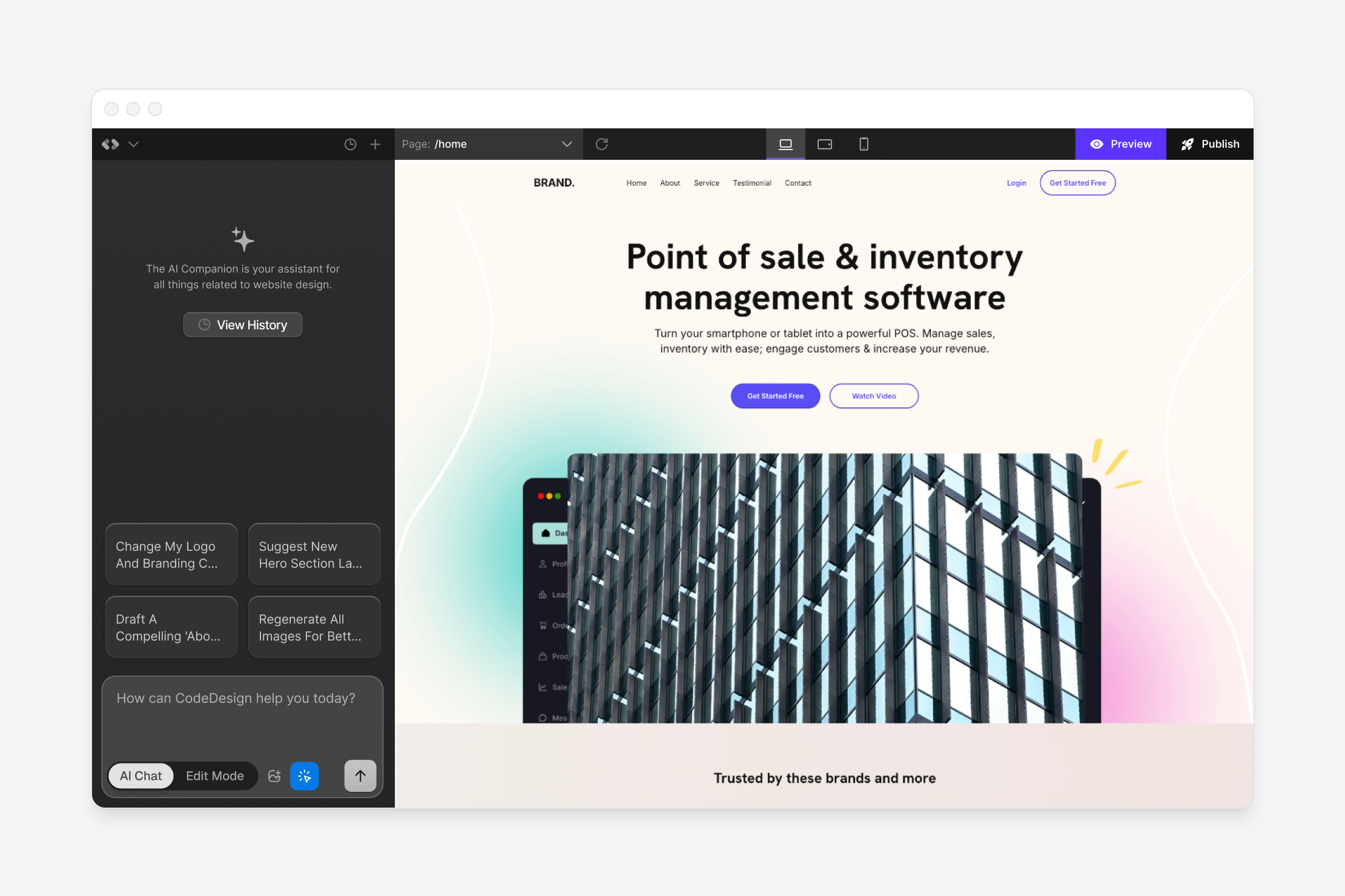 Affiliate link.
Sources and verification
Editorial review 2026-10-19. Source check dates are recorded separately. Notes describe what each source supports and its limits.
View sources
- Lovable: publish your projectChecked Publishing, visibility, custom-domain plan boundaries and Quick scan/Deep scan are separate controls. Public delivery requires successful deployment and live verification.
Limits: Official product documentation checked on the review date. Features and plan boundaries can change; this is not a hands-on test. - Lovable: GitHub code syncChecked Project code can be exported/synced for external development; repository and integration limitations are documented separately.
Limits: Official product documentation checked on the review date. Features and plan boundaries can change; this is not a hands-on test. - 10Web: getting startedChecked AI generation, WordPress hosting, builder and trial are distinct parts of the offer. Trial restrictions can affect when charges begin.
Limits: Official product documentation checked on the review date. Features and plan boundaries can change; this is not a hands-on test. - 10Web: AI-generated websites on other hostingChecked This help page describes hosting dependence for its AI generation/recreation tools. Buyers should obtain confirmation for the exact builder/product/version before assuming portable functionality.
Limits: Help wording is narrower than broad WordPress portability assumptions. It does not establish the export behavior of every 10Web product; verify the selected product and dependencies. - CodeDesign AI CompanionChecked Selected-element editing, manual/AI routes and Fast versus Autonomous credit distinction.
Limits: Official documentation checked on 18 October 2026; vendor documentation is not an independent performance test. No checkout, account entitlement or live product test was performed.